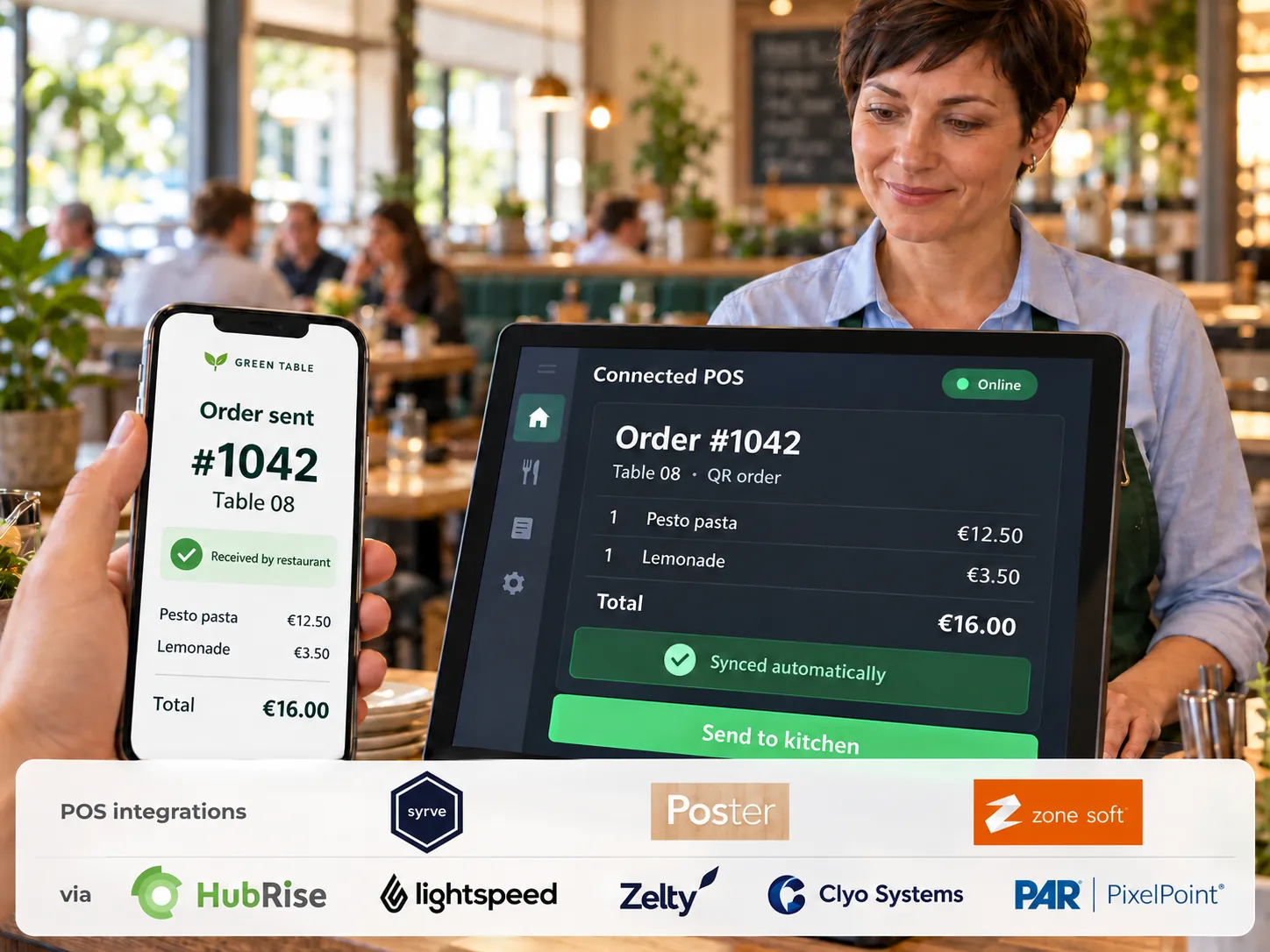
For restaurants, cafés and other foodservice businesses
InteractionFQM

One AI platform to grow sales, bring guests back and manage your business

Bring together orders, reservations, service, kitchen, delivery, inventory and teamwork. Grow sales and guest relationships, monitor performance from your smartphone and use AI recommendations to develop your business.

We’ll select modules for your type of venue, set up the platform and train your team. Try it free for 14 days with no obligation — move to a paid plan if you see the results you need. Support 24/7.

010203040529303439111213141516362627283106070809103233353740414217181920212223242538Restaurant websiteQR menuMobile app forguestsTelegram Mini AppOwn delivery andtakeawayDigital Menu BoardOutdoor Digital A-BoardUnified aggregator dashboardYour own couriers androutesUnified ordersKDS: kitchen displayPickup displayCentralised menu managementInventory & purchasingShifts & permissionsKitchen printersTrainingChecklistsTeam feedback / eNPSPOS systemWaiter appSelf-service kioskTable reservationsPayments & tipsCall a waiterPOS integrationsOnline paymentsRobot waiterFiscalisationDigital Waiter — ordering atthe tableReceipt printerData transfer toaccountingGuest CRMLoyalty and referrals tofriendsOffers & campaignsGuest communicationFeedback & reputationGuest Wi-FiBusiness reportsSmart dish recommendationsAI assistant for ownersInventory and food-cost analyticsSales channelsService & paymentsKitchen & operationsGuests & marketingAI & analyticsYour team

Our clients around the world already use InteractionFQM

UkraineSpainFranceKazakhstanUzbekistanGermanyUnited KingdomGeorgiaTürkiye

Built around your type of business

From coffee shops and food trucks to restaurant groups and hotel dining venues — choose modules for your workflows.

Can’t find your type of venue?

Tell us about your processes and goals. We’ll discuss your needs and suggest a suitable platform configuration.

Get a consultation

More possibilities for your business. Simpler everyday operations.

We simplify your restaurant’s operations: connect the web services you already use through compatible integrations, or replace separate solutions with the unified InteractionFQM platform. Orders, guests, your team and management in one connected workflow.

Grow your sales

Take direct orders through your website and QR menu. Use venue promotions, dish recommendations and scheduled pickup.

Bring guests back

Order history, guest accounts and rewards for the next visit help you maintain relationships after the first visit.

Simplify service

A multilingual menu, ordering, payment and waiter calls from a smartphone make things easier for guests and give your team more time for personal service.

Reduce routine work

Connect orders, the kitchen, delivery and your team’s work. Less duplicate entry, switching between services and passing information manually.

Understand your results

Monitor sales, payments, tips and shift results from your smartphone. Manage recipe costs, purchasing and write-offs.

Launch with support

We select modules, set up the platform and train your team. Add capabilities as your venue grows. Support 24/7.

Available features and connections to existing services depend on the selected modules and integration compatibility.

YOUR VENUE / YOUR CHALLENGES

Familiar restaurant challenges. Tools to address them.

See how connected processes can help your team, guests and owners make decisions based on data.
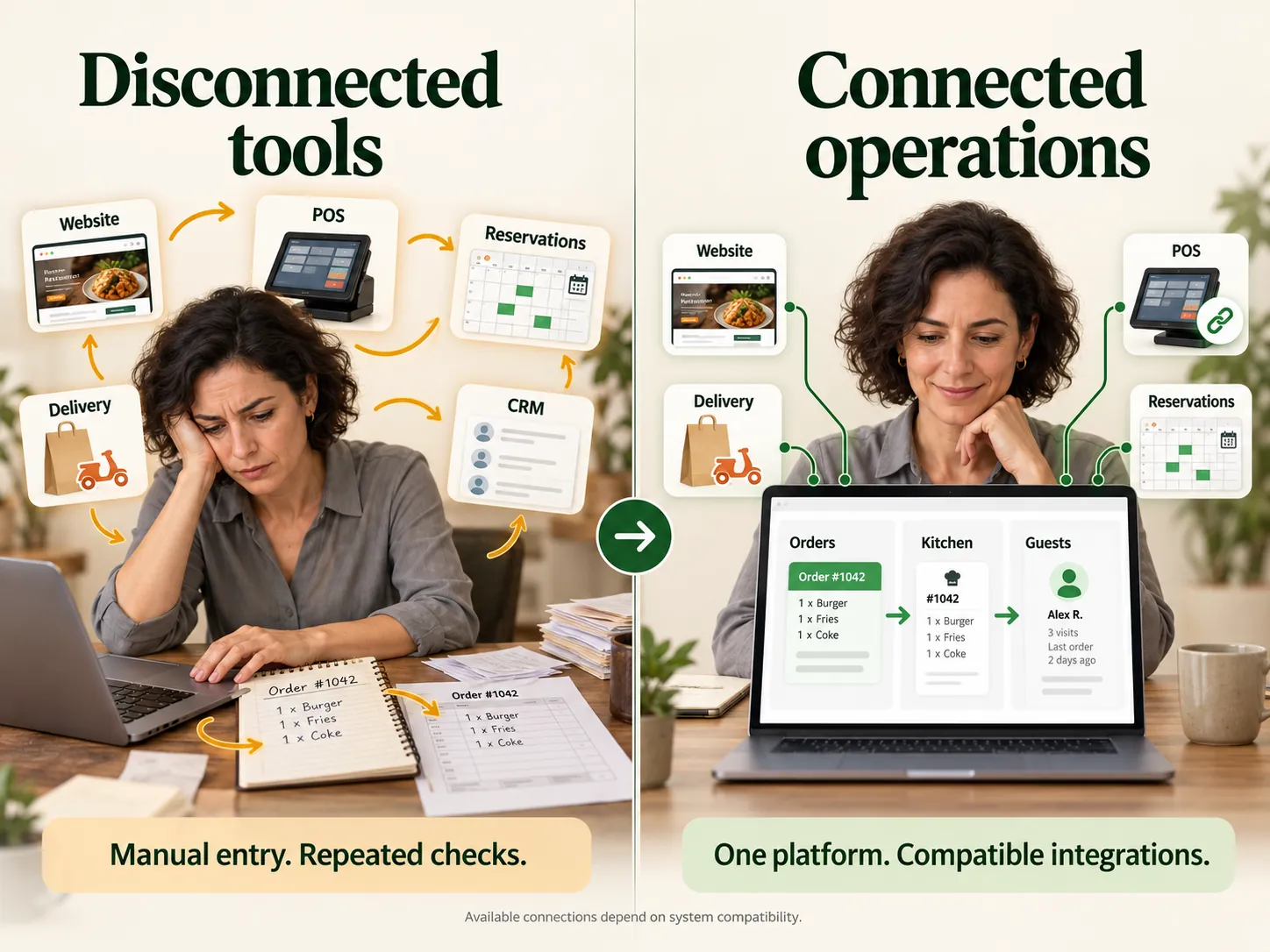
Separate services. You connect the work between them. — Bring processes together in one platform.
01 / Challenge

Separate services. You connect the work between them.

Bring processes together in one platform.

Connect menus, orders, stock and teamwork: shifts, roles and permissions. Use InteractionFQM POS or compatible integrations.
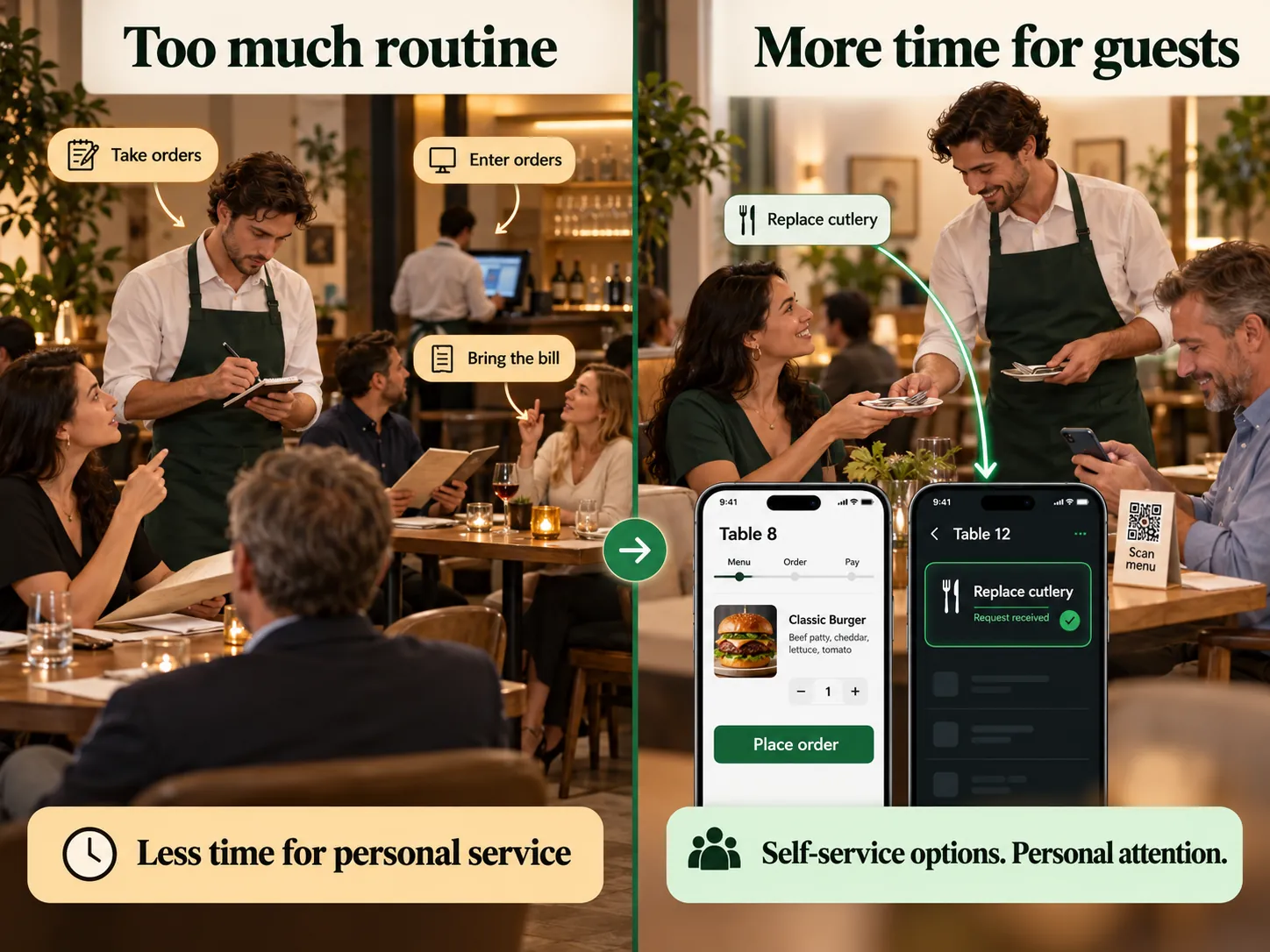
The team is busy with routine tasks — guests need more attention. — Let guests and automation handle some steps.
02 / Challenge

The team is busy with routine tasks — guests need more attention.

Let guests and automation handle some steps.

Guests choose dishes, pay and call a waiter with a specific reason through the QR menu. The team receives the order and knows what help is needed.
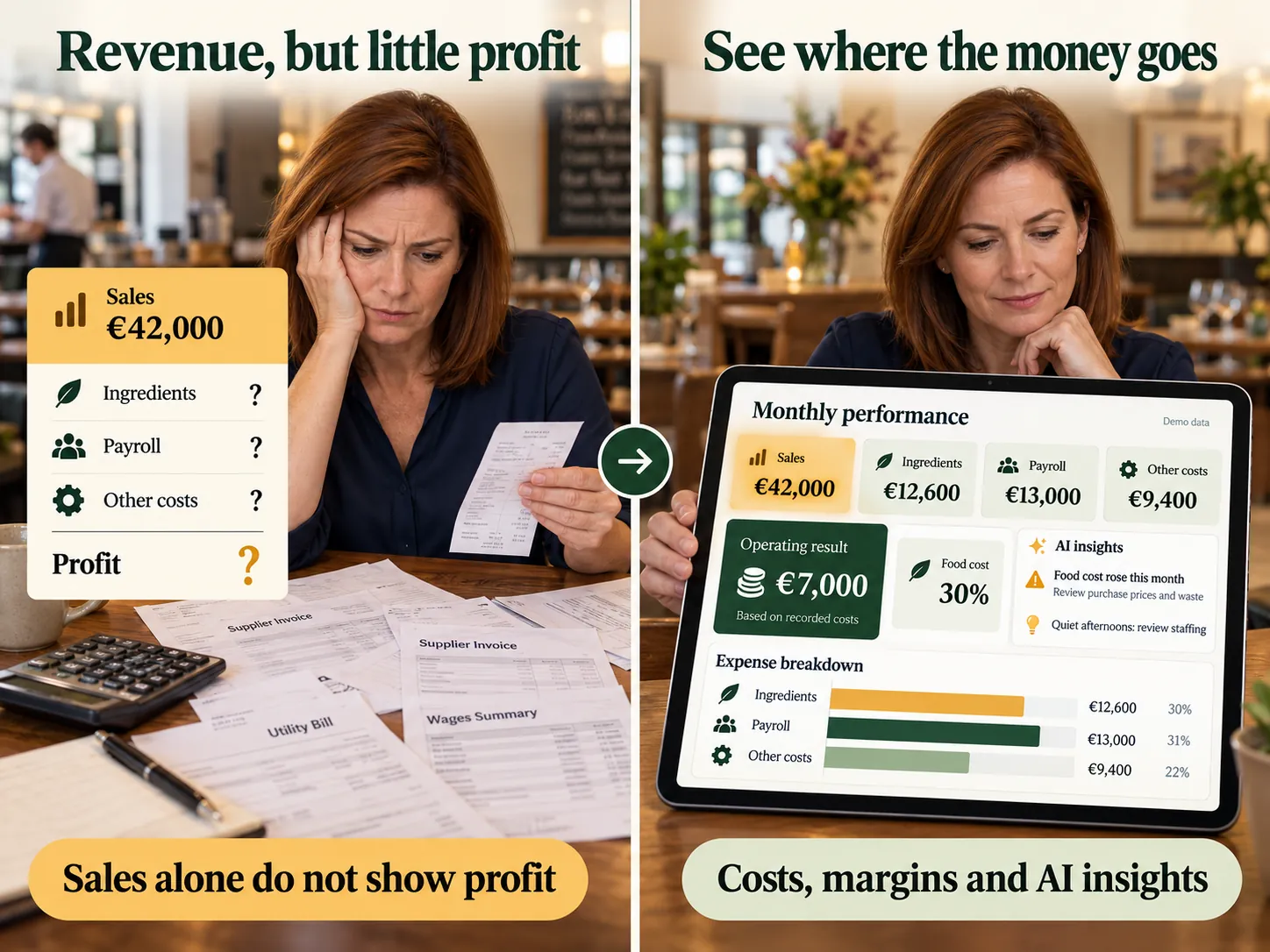
There is revenue. But where is the profit? — Understand performance through data.
03 / Challenge

There is revenue. But where is the profit?

Understand performance through data.

View sales, purchases, recipe costs and write-offs. Review performance by dish and shift.
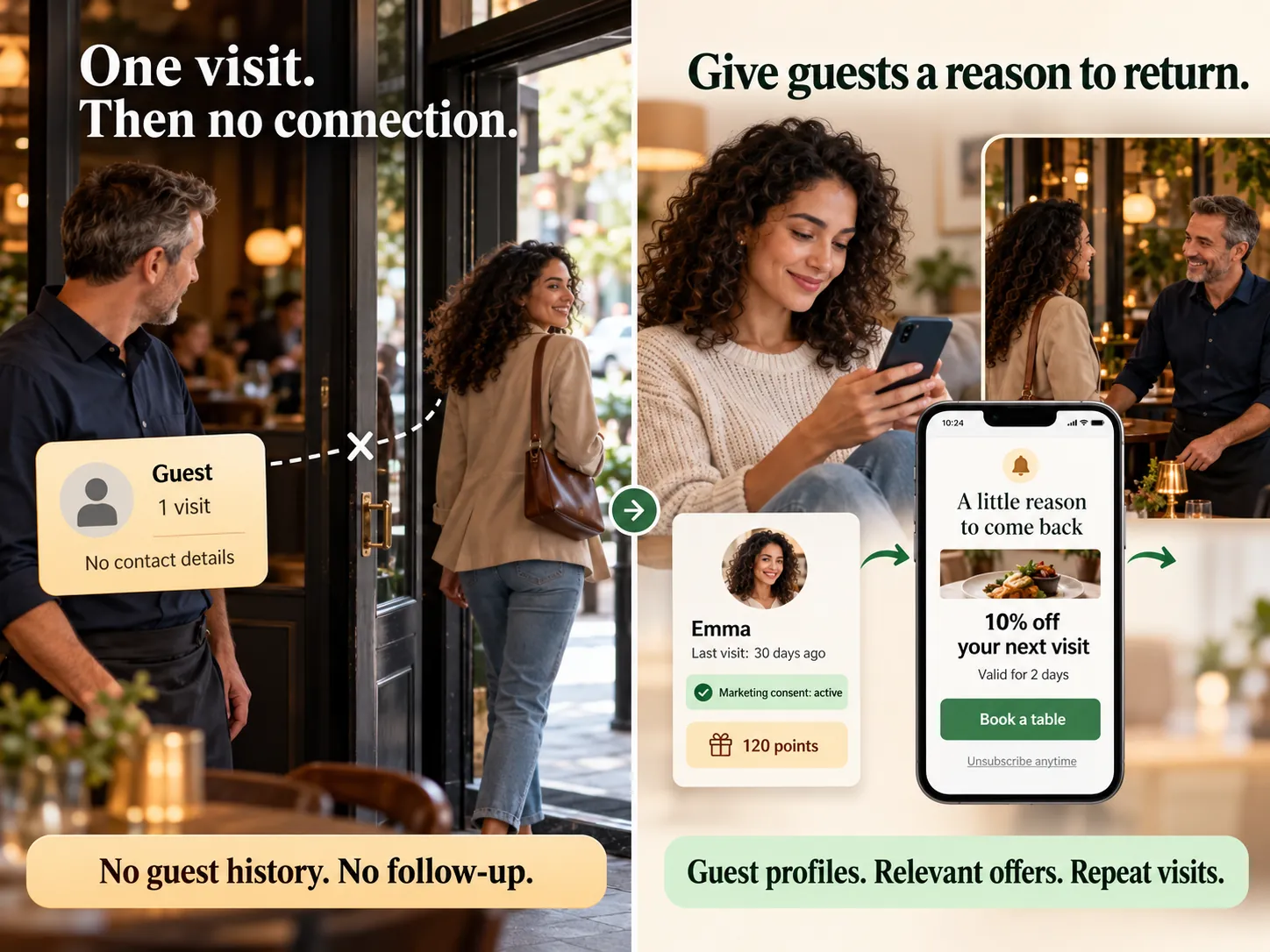
A guest visits once — then disappears. — Create reasons to return.
04 / Challenge

A guest visits once — then disappears.

Create reasons to return.

CRM, rewards and personalised offers help you stay in touch. Marketing messages are sent with the guest’s valid consent for the selected channel.
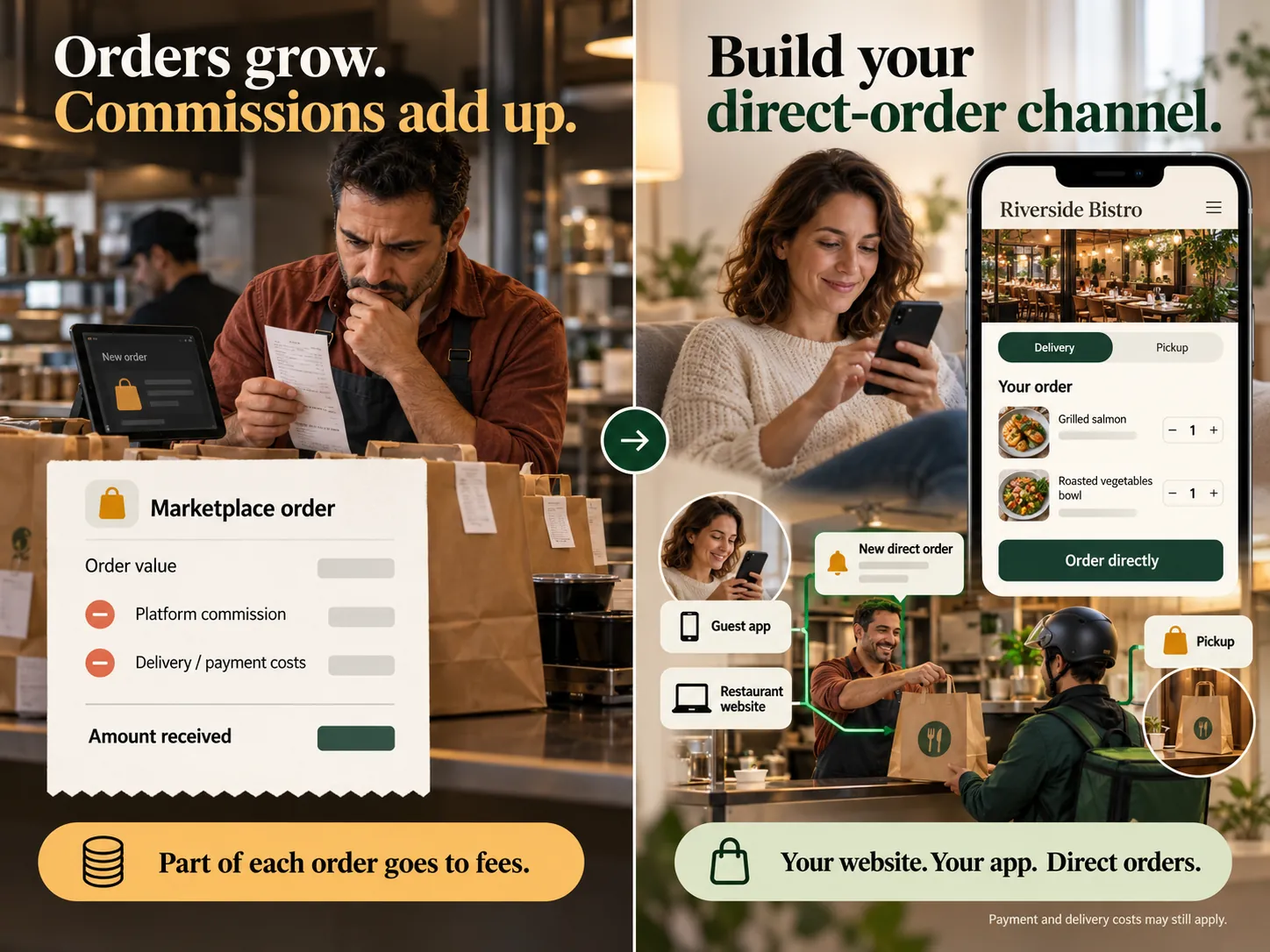
Orders are growing, but commissions take part of the revenue. — Grow direct orders.
05 / Challenge

Orders are growing, but commissions take part of the revenue.

Grow direct orders.

Take delivery and scheduled pickup orders through your venue’s website. You set the delivery fee, minimum order and free-delivery threshold.
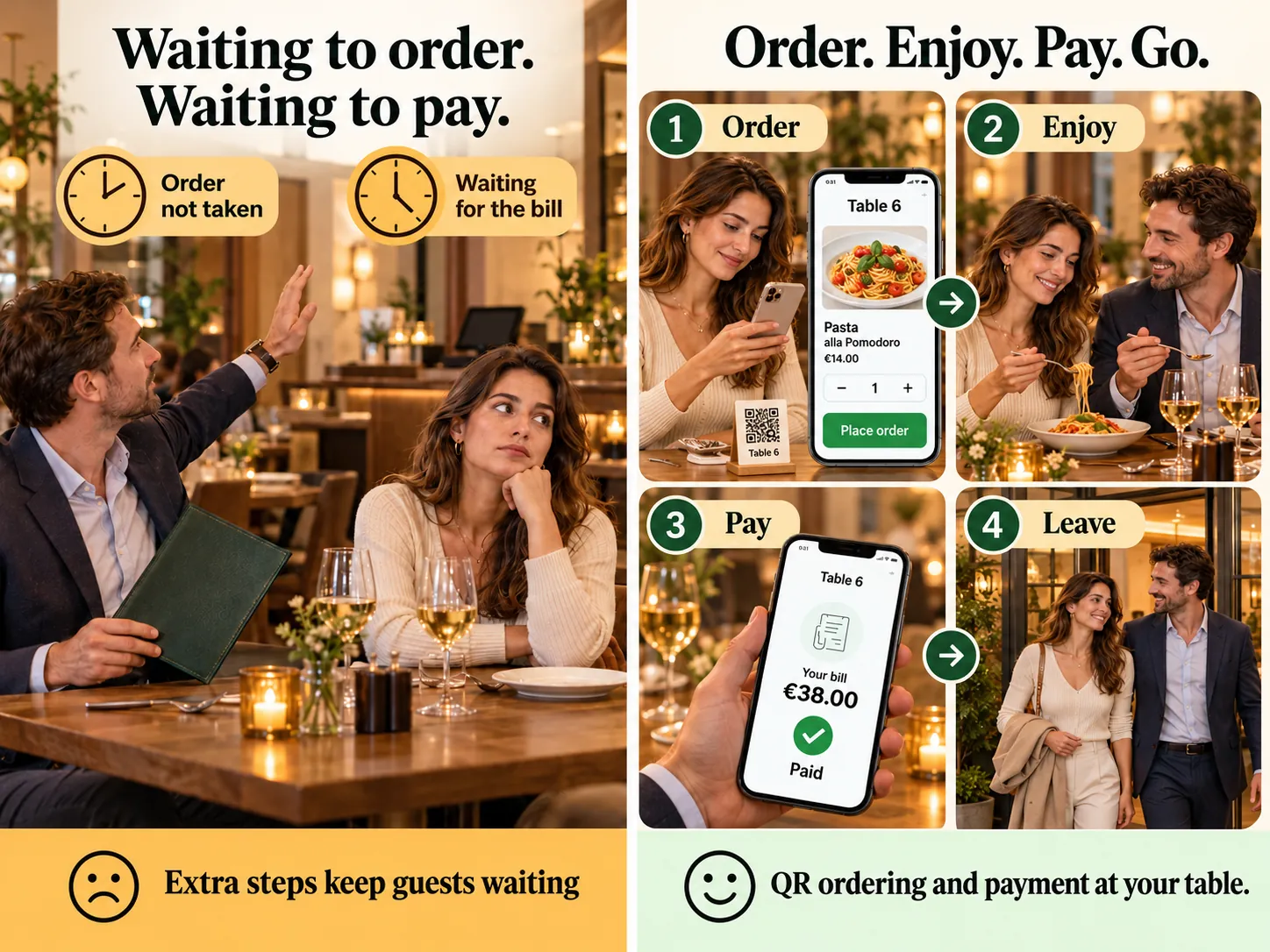
Guests wait for a chance to order and pay, not just for food. — Remove unnecessary steps.
06 / Challenge

Guests wait for a chance to order and pay, not just for food.

Remove unnecessary steps.

QR ordering and online payments let guests place orders and pay from their phones. Groups can split the bill.
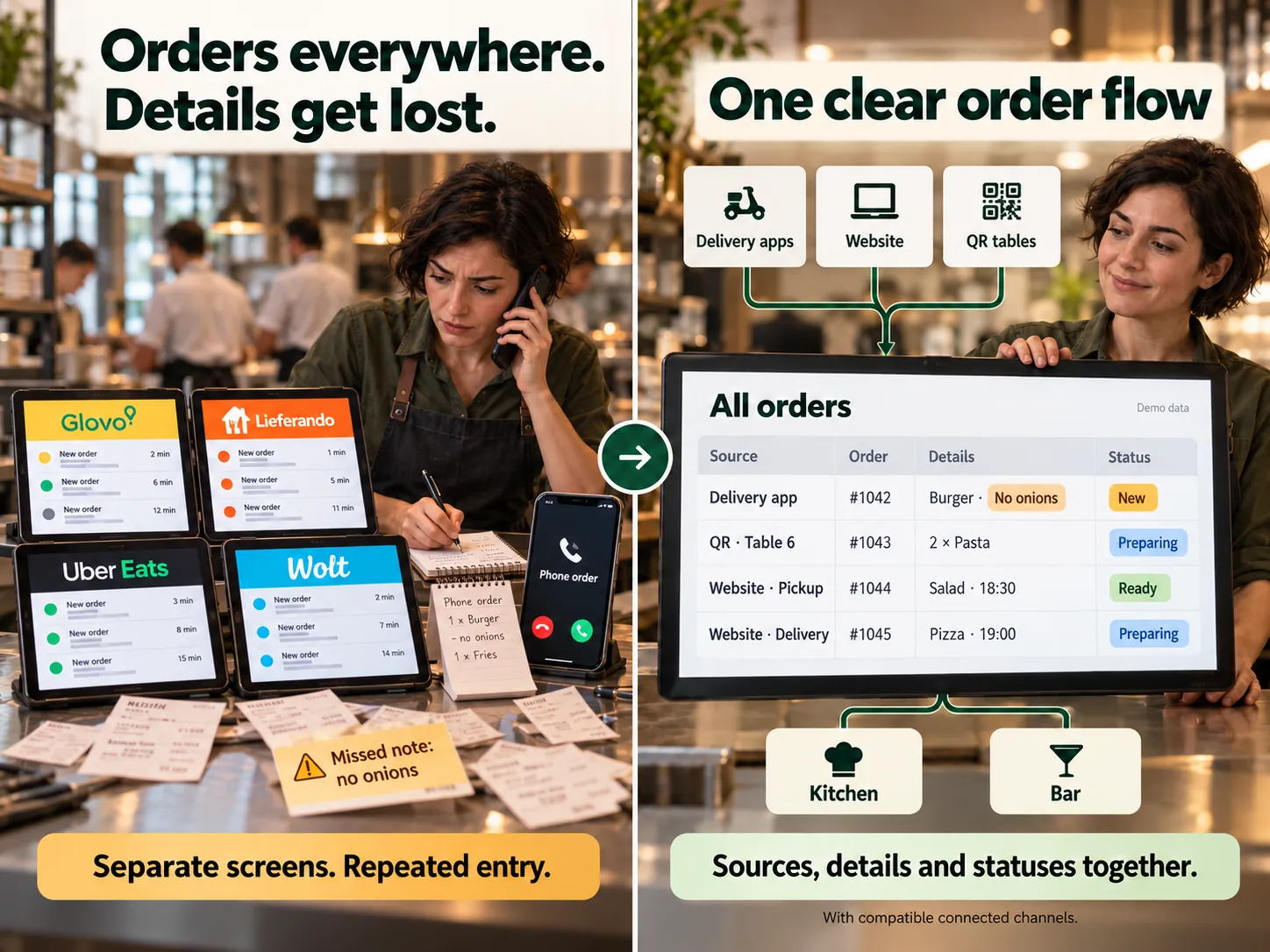
Orders arrive from everywhere — mistakes are noticed too late. — Bring orders into one workflow.
07 / Challenge

Orders arrive from everywhere — mistakes are noticed too late.

Bring orders into one workflow.

Orders from connected channels appear in one list with the source, items, comments and status together. Send items to the kitchen and bar while preserving order details.
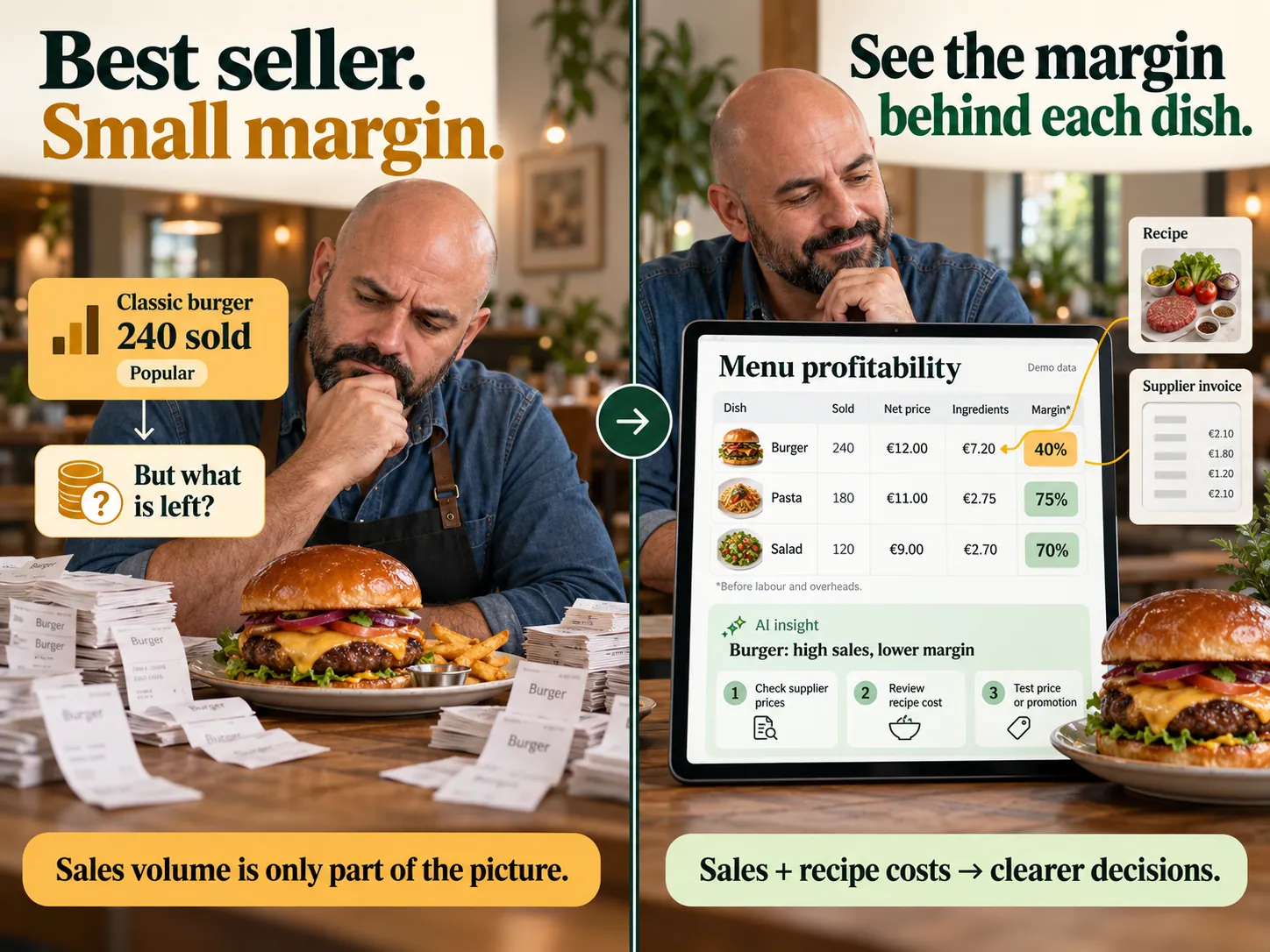
A popular dish leaves very little margin. — View sales alongside food costs.
08 / Challenge

A popular dish leaves very little margin.

View sales alongside food costs.

Recipes, food costs, markups, margins and ABC analysis help you assess your menu and make informed pricing decisions.
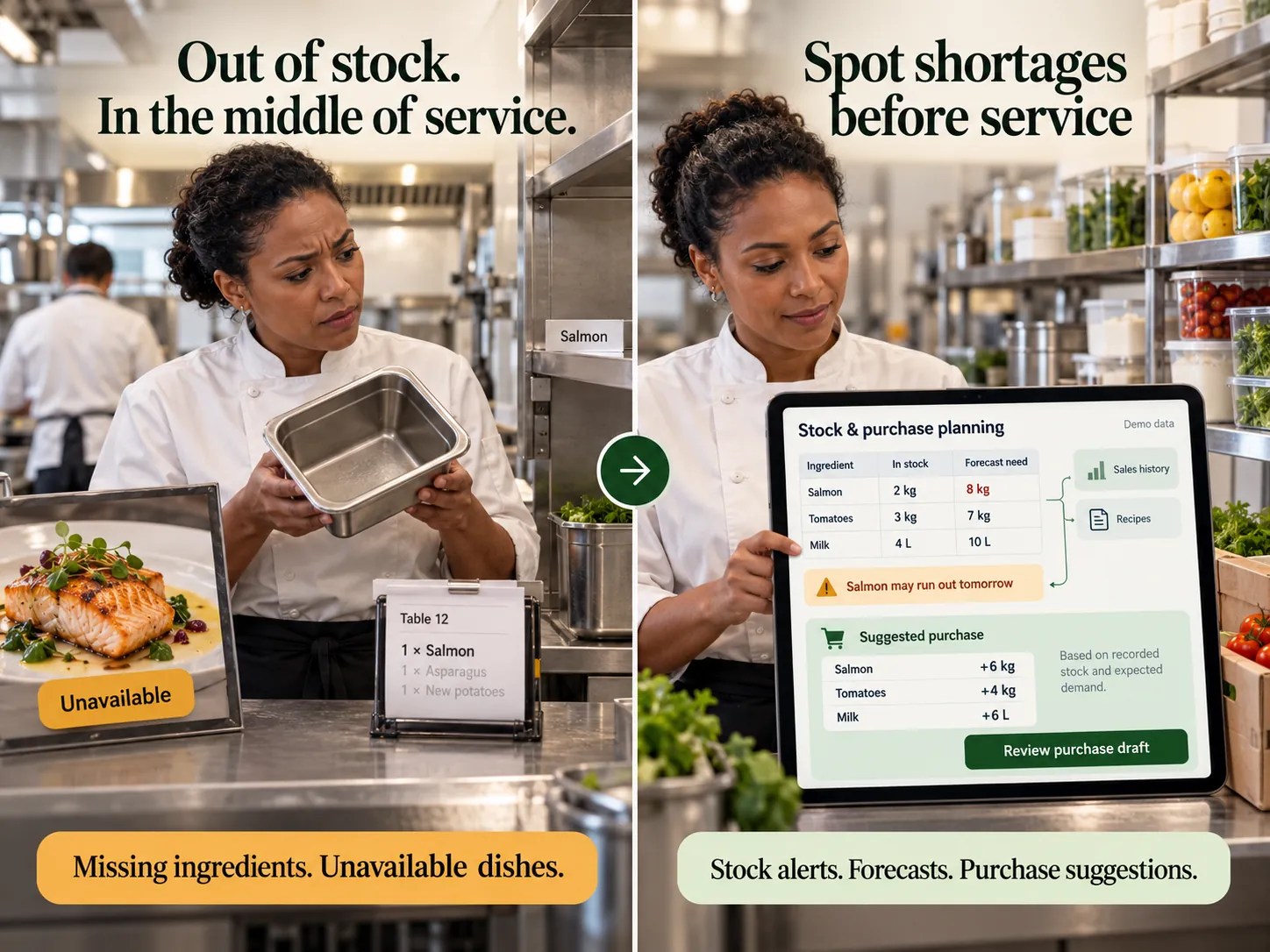
An essential ingredient runs out mid-shift. — Keep track of stock and purchasing.
09 / Challenge

An essential ingredient runs out mid-shift.

Keep track of stock and purchasing.

Monitor stock, purchases and write-offs. Recipes link dishes to ingredients and help you plan replenishment.
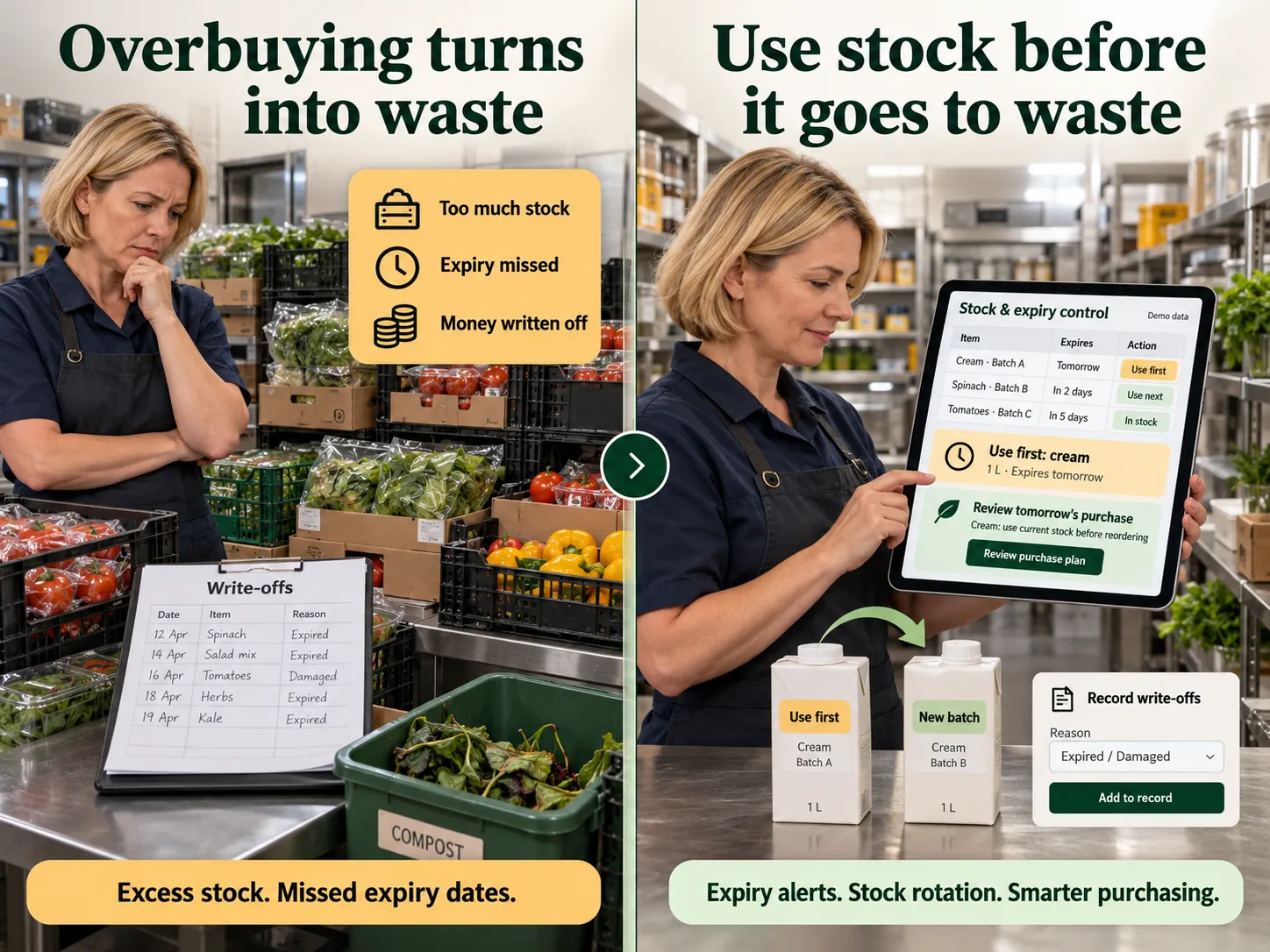
Some purchases end up as write-offs. — Understand the reasons for losses.
10 / Challenge

Some purchases end up as write-offs.

Understand the reasons for losses.

Record purchases and write-offs, check stock movements and dish costs. Use these data to adjust future purchasing quantities.
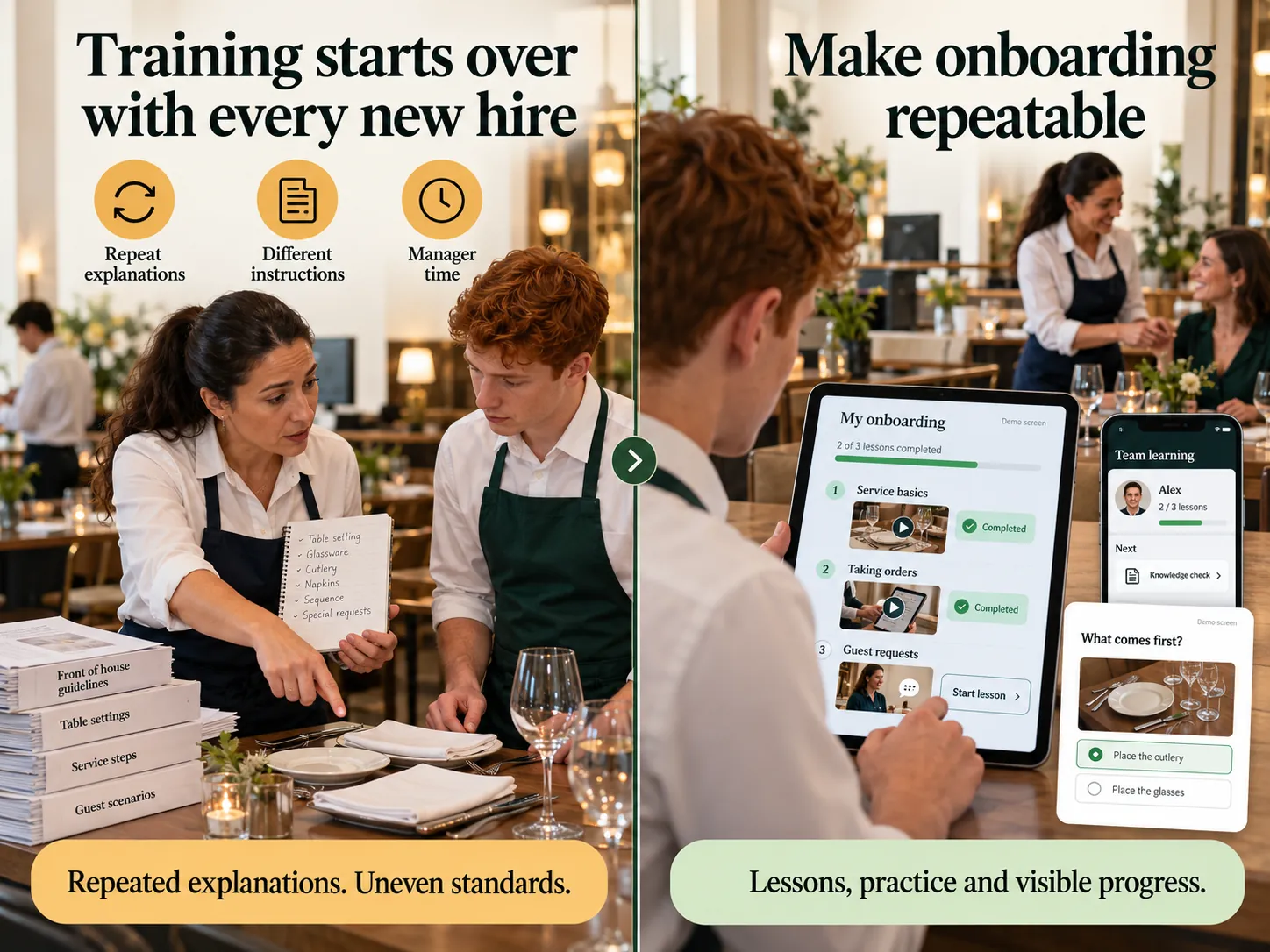
Every new starter needs the same training again. — Make training repeatable.
11 / Challenge

Every new starter needs the same training again.

Make training repeatable.

Assign courses, practical tasks and tests. Managers can see each employee’s progress and review completed tasks.
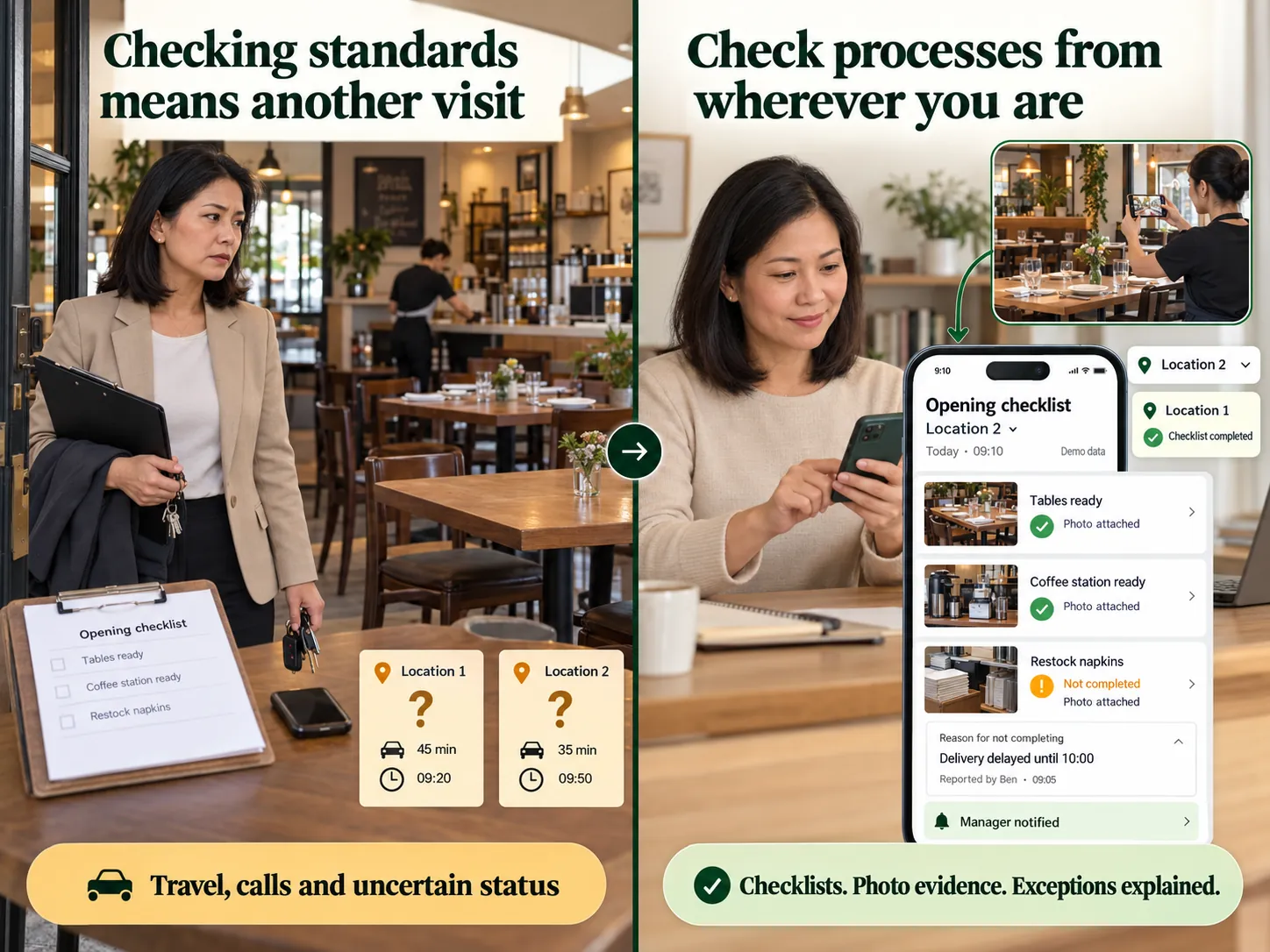
Standards vary when you are not there. — Monitor processes remotely.
12 / Challenge

Standards vary when you are not there.

Monitor processes remotely.

Checklists, photos and comments help verify opening procedures and task completion across locations. Reasons for unfinished tasks remain visible, and notifications help you respond in time.
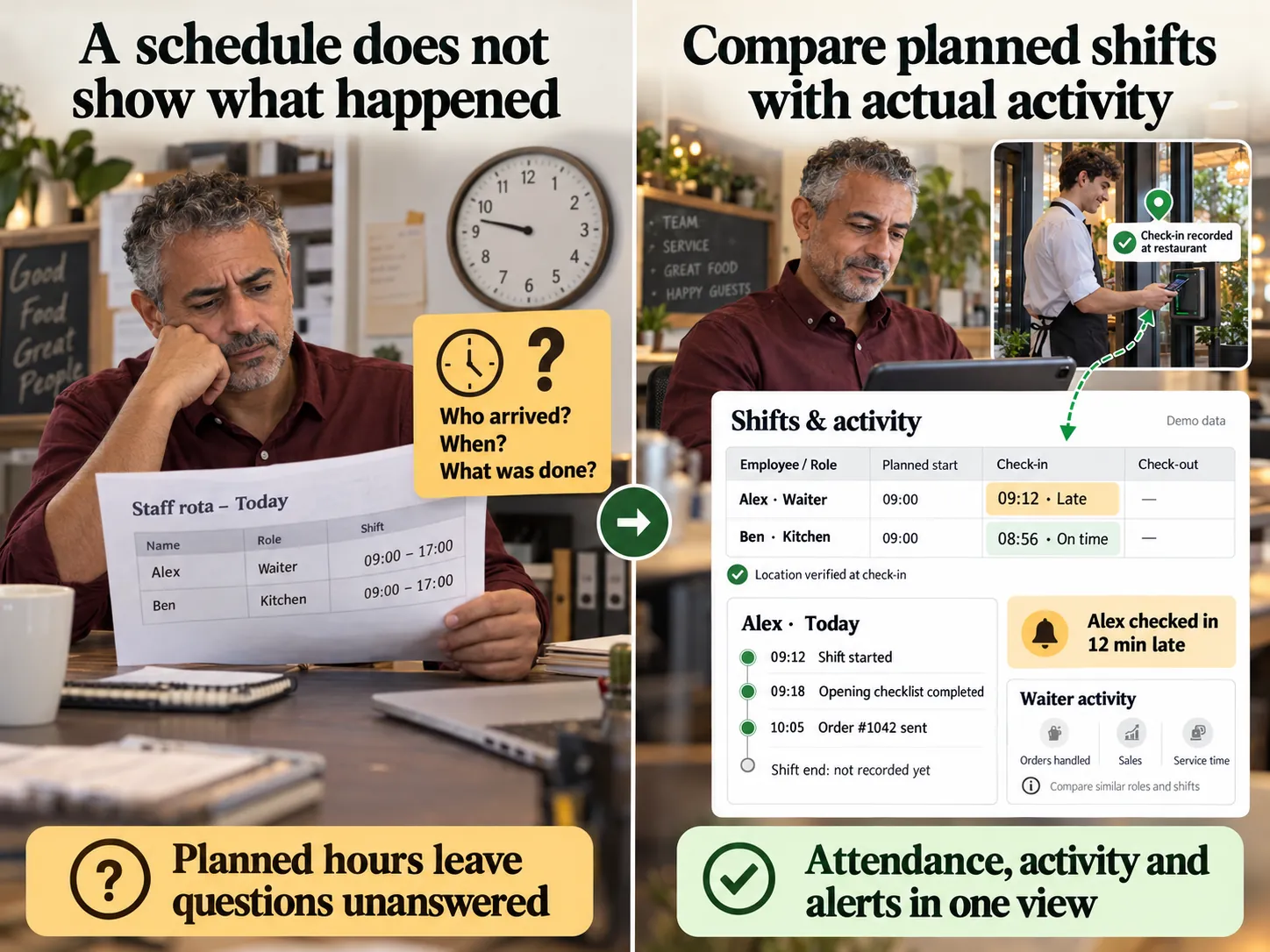
Shift orders and payments are hard to check. — See shift results and staff permissions.
13 / Challenge

Shift orders and payments are hard to check.

See shift results and staff permissions.

Open and close till shifts, track orders, payments and tips. Assign staff roles and access to the actions they need.
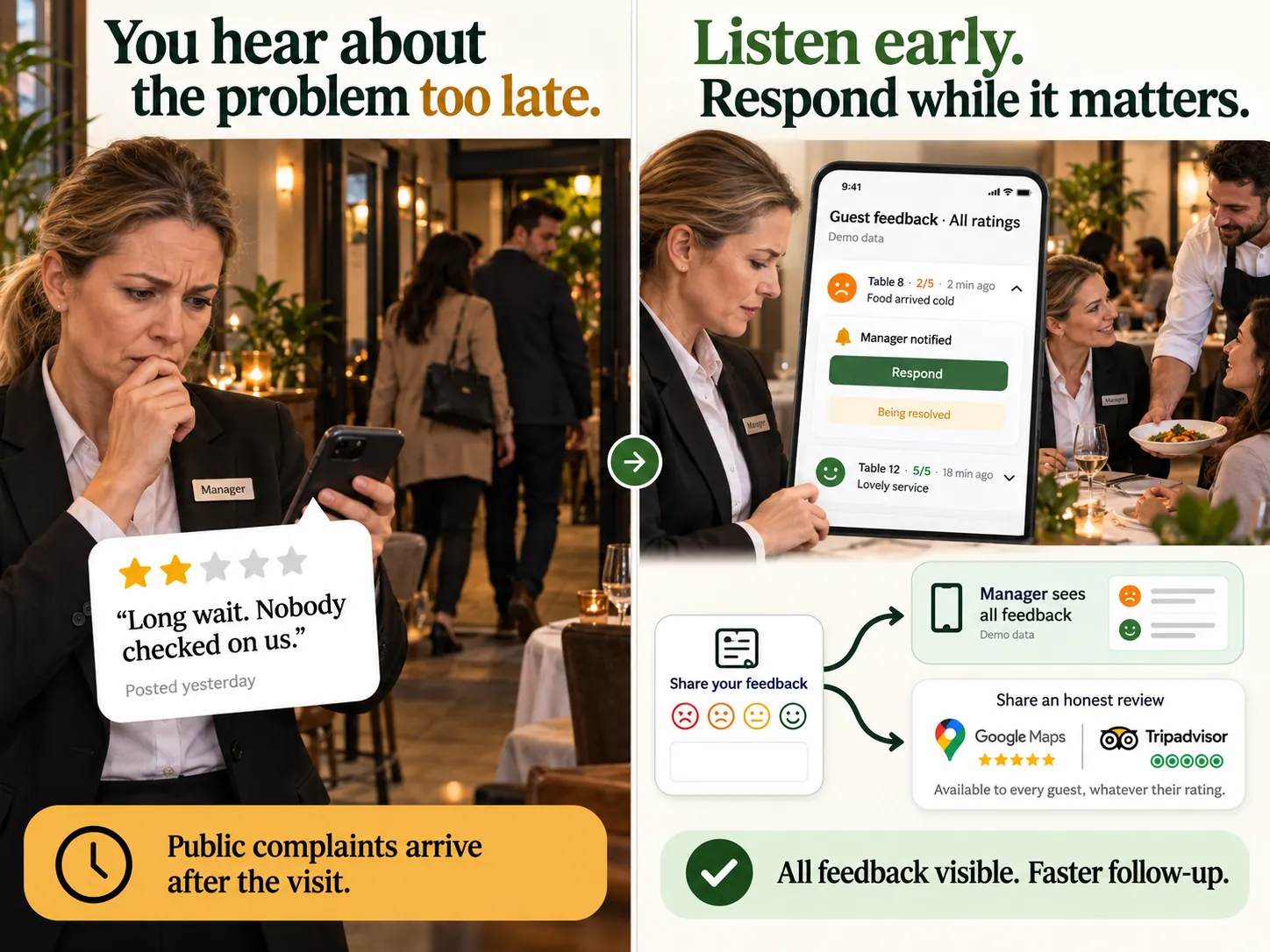
You learn about a guest’s problem from a public review. — Collect feedback and respond earlier.
14 / Challenge

You learn about a guest’s problem from a public review.

Collect feedback and respond earlier.

Collect feedback after an order, receive notifications and respond to guests. Reviews help you spot service issues.
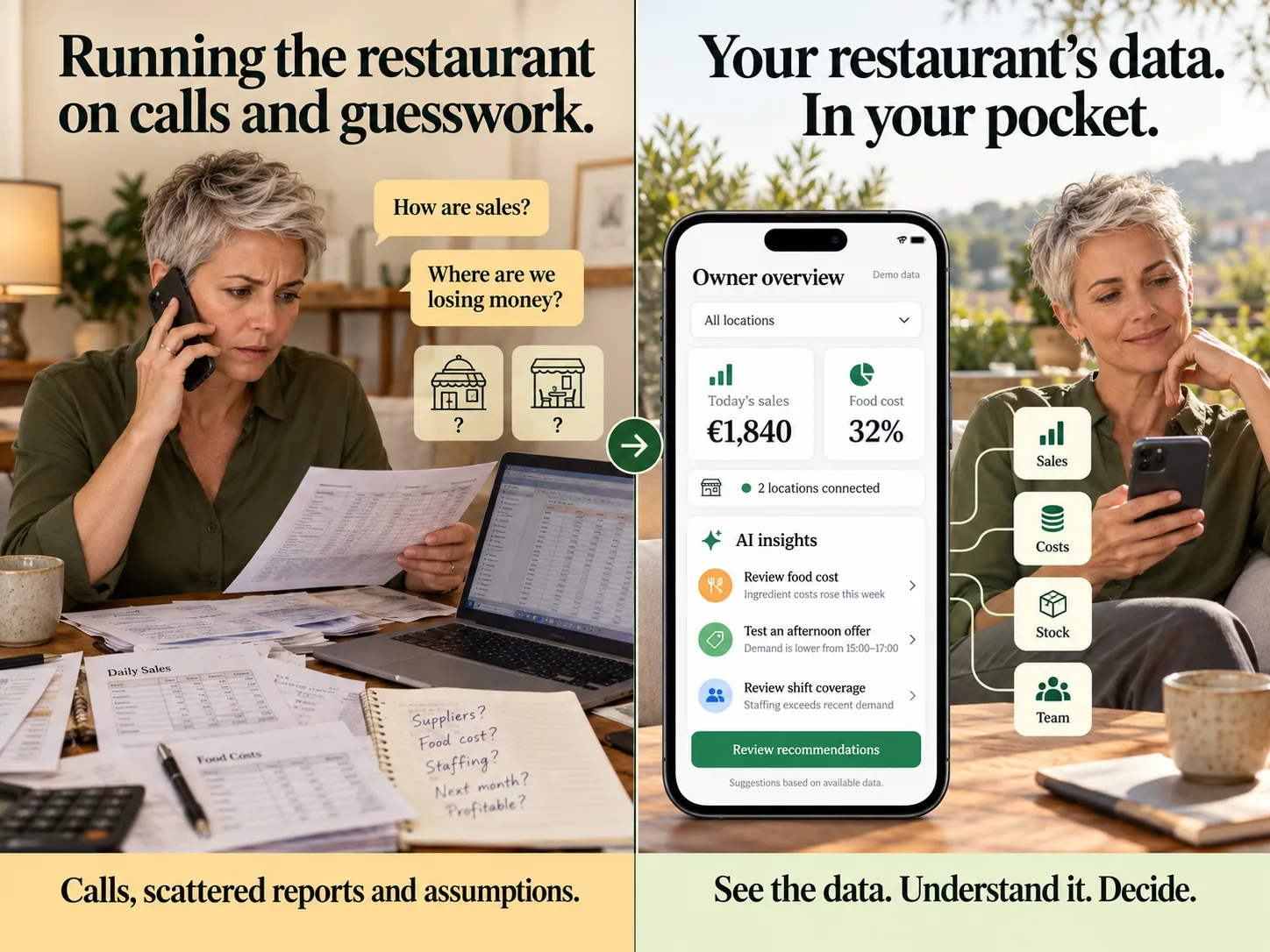
You run the restaurant through calls and intuition. — Ask questions about your venue’s data.
15 / Challenge

You run the restaurant through calls and intuition.

Ask questions about your venue’s data.

View sales, expenses and guest data in charts. The AI assistant analyses performance, suggests promotions for quiet hours and helps build an action plan. Decisions and verification of recommendations remain your responsibility.

Available features depend on enabled modules and compatible integrations. Outcomes depend on your existing processes, data quality and use of the platform.

Book a demo

We will discuss your processes and show which platform tools may help.

ALL-IN-ONE

All products for your venue

Menus, orders, payments, kitchen and guests in one system. All products are listed below, with the purpose of each clear at a glance.
01

Sales channels

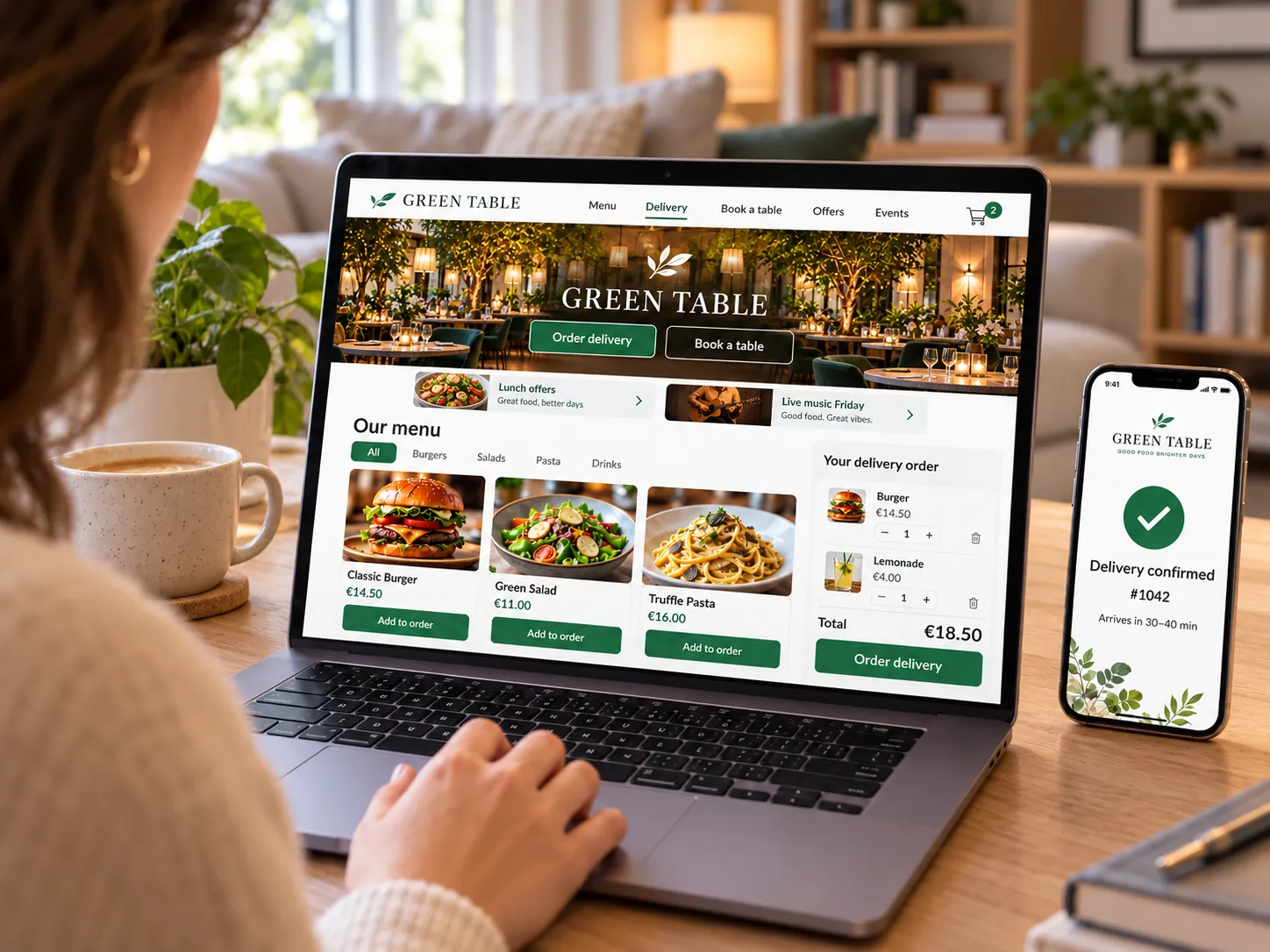
Restaurant website — Your website on your own domain: menus, contact details and connected guest services.
Restaurant website

Your website on your own domain: menus, contact details and connected guest services.

Explore featuresHide details
What it brings to your venue

Bring venue information and direct enquiries together. Guests can browse the menu and choose the ordering option that suits them.

Features

  • Own domain and brand styling
  • Homepage builder and mobile version
  • Menu, offers, opening hours and map
  • Orders and other services through connected modules
  • Venue chain and nearest-location selection
  • Meal subscriptions: WhatsApp enquiry and invoice

For owners and managers

Change the order of sections and edit content without a developer. For a chain, show venue addresses and help guests choose a location.

For guests and your team

Guests can see the menu, opening hours, contact details and directions, then choose what to do next.

Design features apply to the website; ordering, payments, delivery, tickets, guest accounts and other services require their respective modules. We will show what is included in your plan and connections before launch.

More about this module →
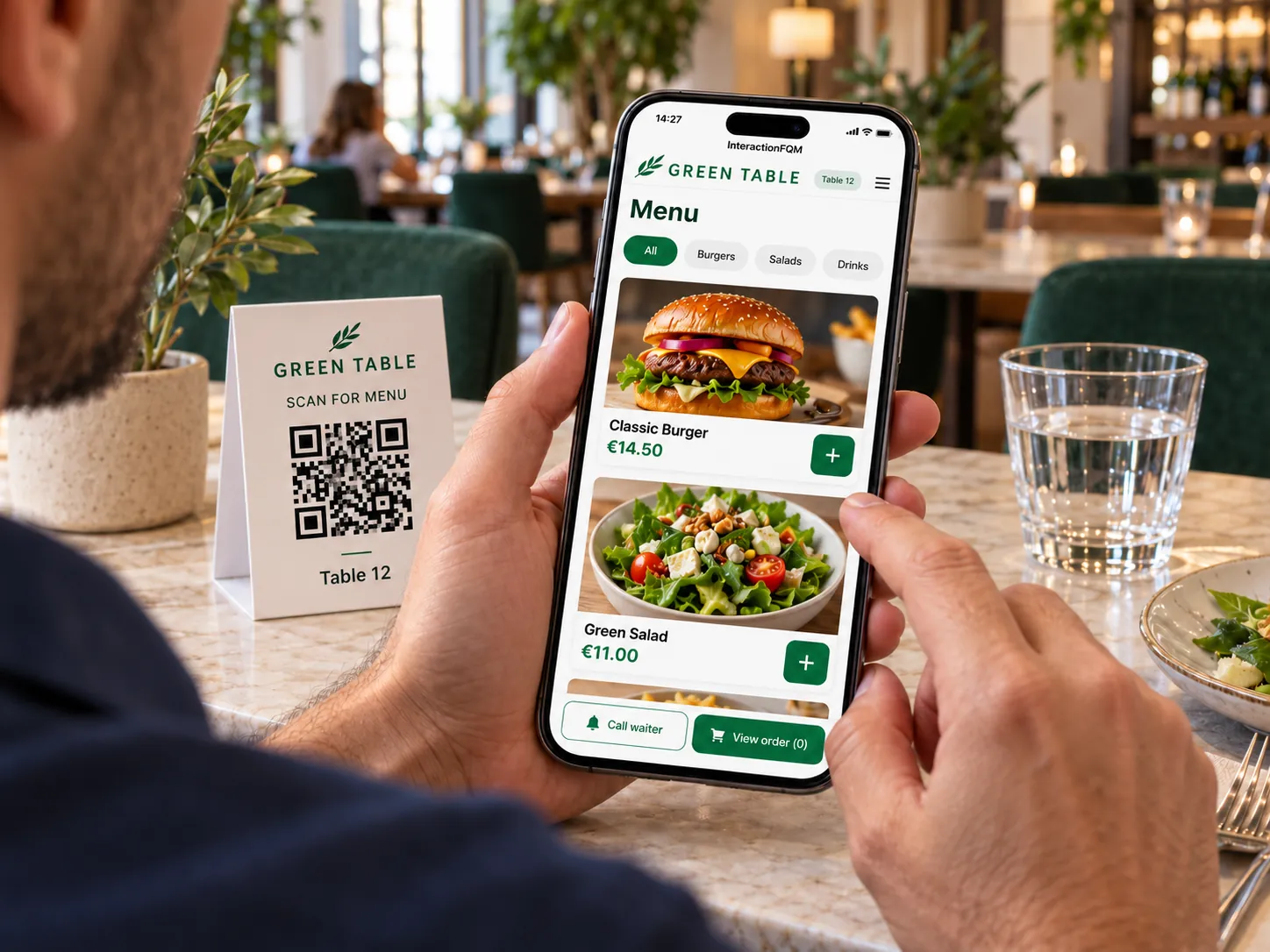
QR menu — Guests choose dishes, specify preferences and place orders from their phones.
QR menu

Guests choose dishes, specify preferences and place orders from their phones.

Explore featuresHide details
What it brings to your venue

A clear menu helps guests choose dishes and share preferences without repeated questions. Changes to the selection appear in the digital menu.

Features

  • Languages, photos, ingredients, allergens and nutrition
  • Sizes, options and separately priced add-ons
  • Search, scheduled categories and unavailable items
  • Dish comments and serving order
  • Nutrition, options, add-ons and remaining portions
  • Menu schedules, Happy Hour and promo codes

For owners and managers

Manage prices and the availability of dishes and individual add-ons. Adjust the menu layout and button labels to your format.

For guests and your team

Guests see ingredients, portion sizes and options; the team receives selected add-ons with the order.

Orders, payments, rewards and fiscal documents work through the relevant connected modules.

More about this module →
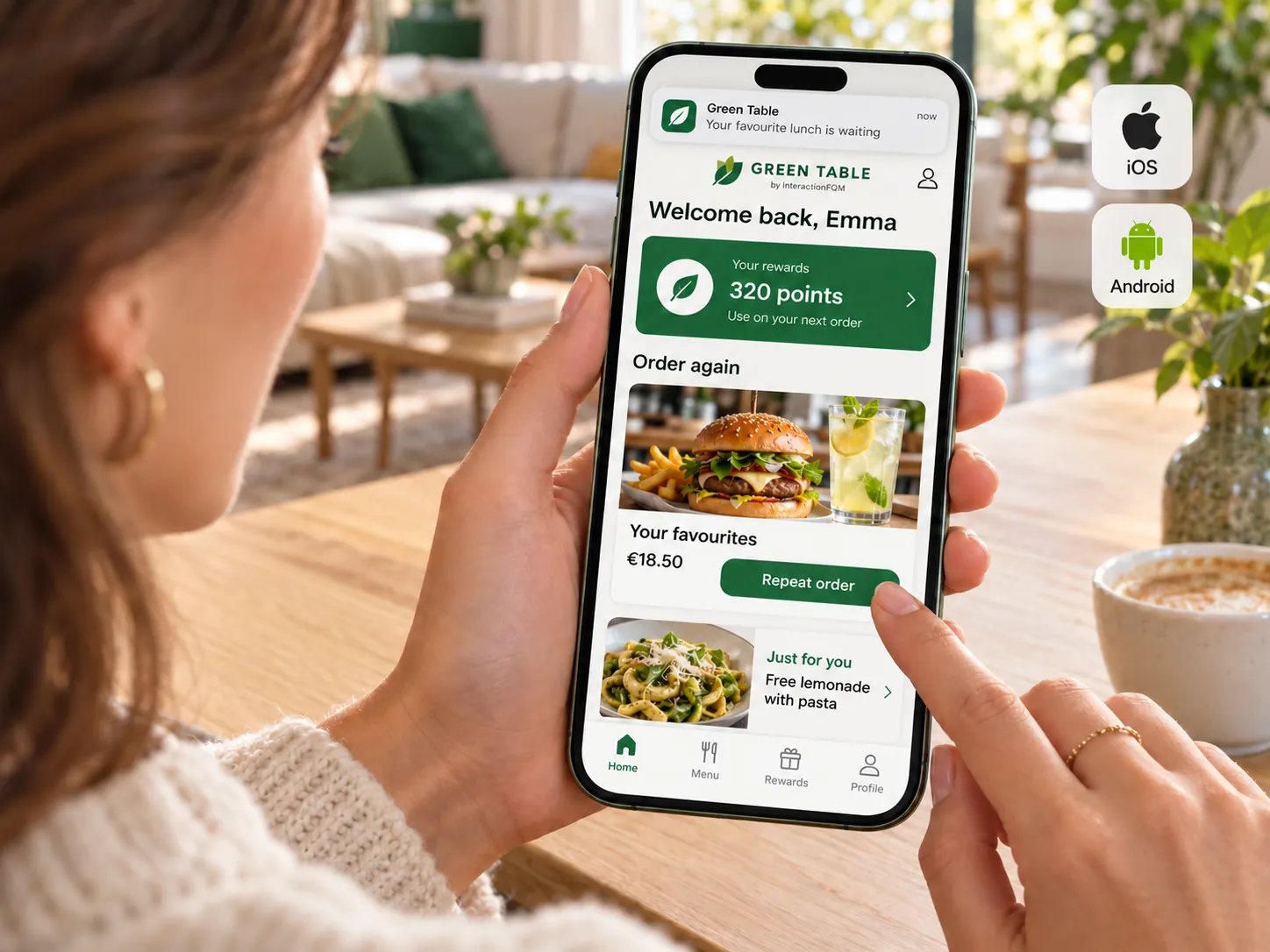
Guest mobile app — Orders, rewards and tickets in a guest account accessible from a phone.
Guest mobile app

Orders, rewards and tickets in a guest account accessible from a phone.

Explore featuresHide details
What it brings to your venue

Guests can easily return to a previous order and find an active reward. The team has a consistent way to manage repeat interactions.

Features

  • Order history and reordering
  • Current order and status
  • Rewards and purchased tickets with QR codes
  • Profile and consent management
  • Tickets with QR codes and personal data management

For owners and managers

Configure guest account access and connected services. Show guests current offers and their interaction history.

For guests and your team

Guests open orders, tickets or rewards in their accounts and manage their consent choices.

Rewards and referral features depend on the connected loyalty module; notification and marketing permissions are managed separately.

More about this module →
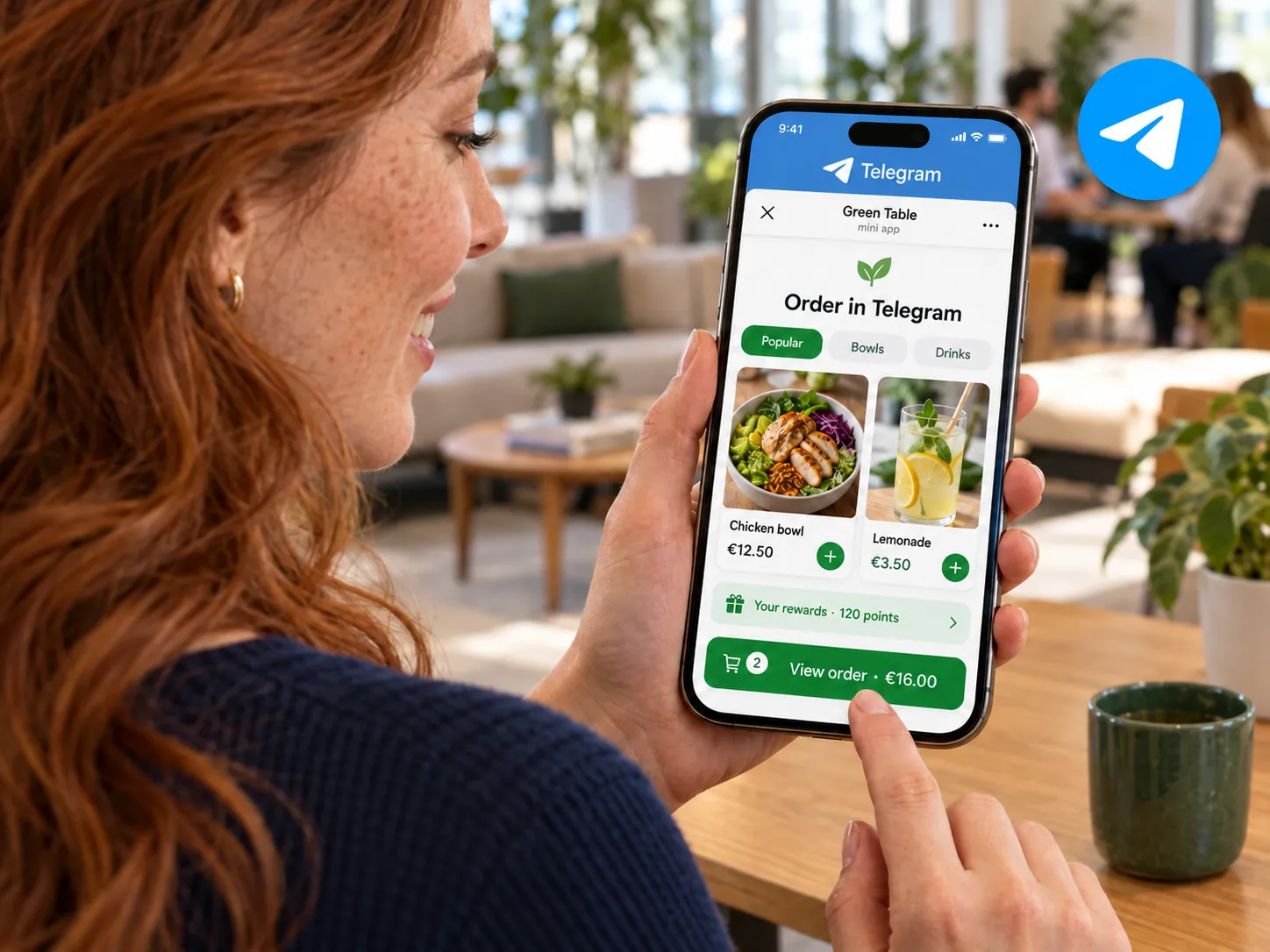
Telegram Mini App — Open the menu through Telegram and keep guests informed about order status.
Telegram Mini App

Open the menu through Telegram and keep guests informed about order status.
Explore featuresHide details
What it brings to your venue

The menu link and notifications help guests stay in touch with your venue through a familiar channel.

Features

  • Menu access through Telegram
  • Guest login code through Telegram
  • Order status notifications for guests
  • Venue bot for orders and feedback

For owners and managers

Enable team notifications for new orders, delivery and reviews. Keep guest messages separate from internal notifications.

For guests and your team

Guests receive login codes or order updates, while the team receives venue event notifications.

We will configure the bot and team notifications.

More about this module →

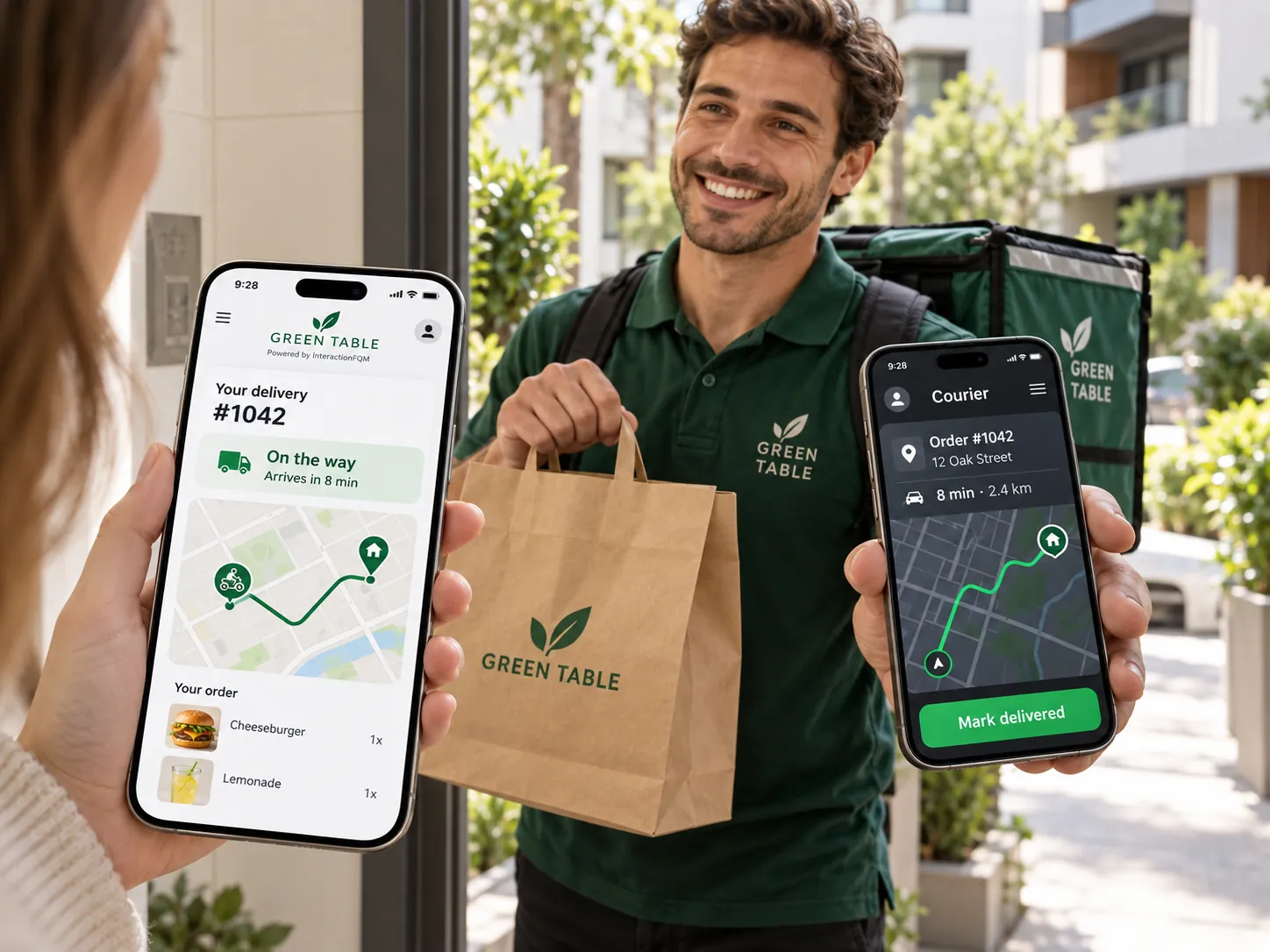
Own delivery & takeaway

Take direct orders from your website and set your own delivery and pickup terms.
Explore featuresHide details
What it brings to your venue

Guests see fulfilment terms in advance, and the team receives the order with its delivery address or selected pickup location.

Features

  • Delivery fee and minimum order
  • Free delivery above your chosen threshold
  • Scheduled pickup from a selected location
  • Order statuses and payment options
  • Delivery zones and courier tracking
  • Email receipts, feedback and rewards after delivery

For owners and managers

Manage delivery terms, pickup locations and order recipients. Connect incoming orders to kitchen and till workflows.

For guests and your team

Guests choose an address or pickup location, payment method and collection time, then track their order.

Before launch, we will configure delivery zones, fees, timing, pickup locations and courier service connections.

More about this module →
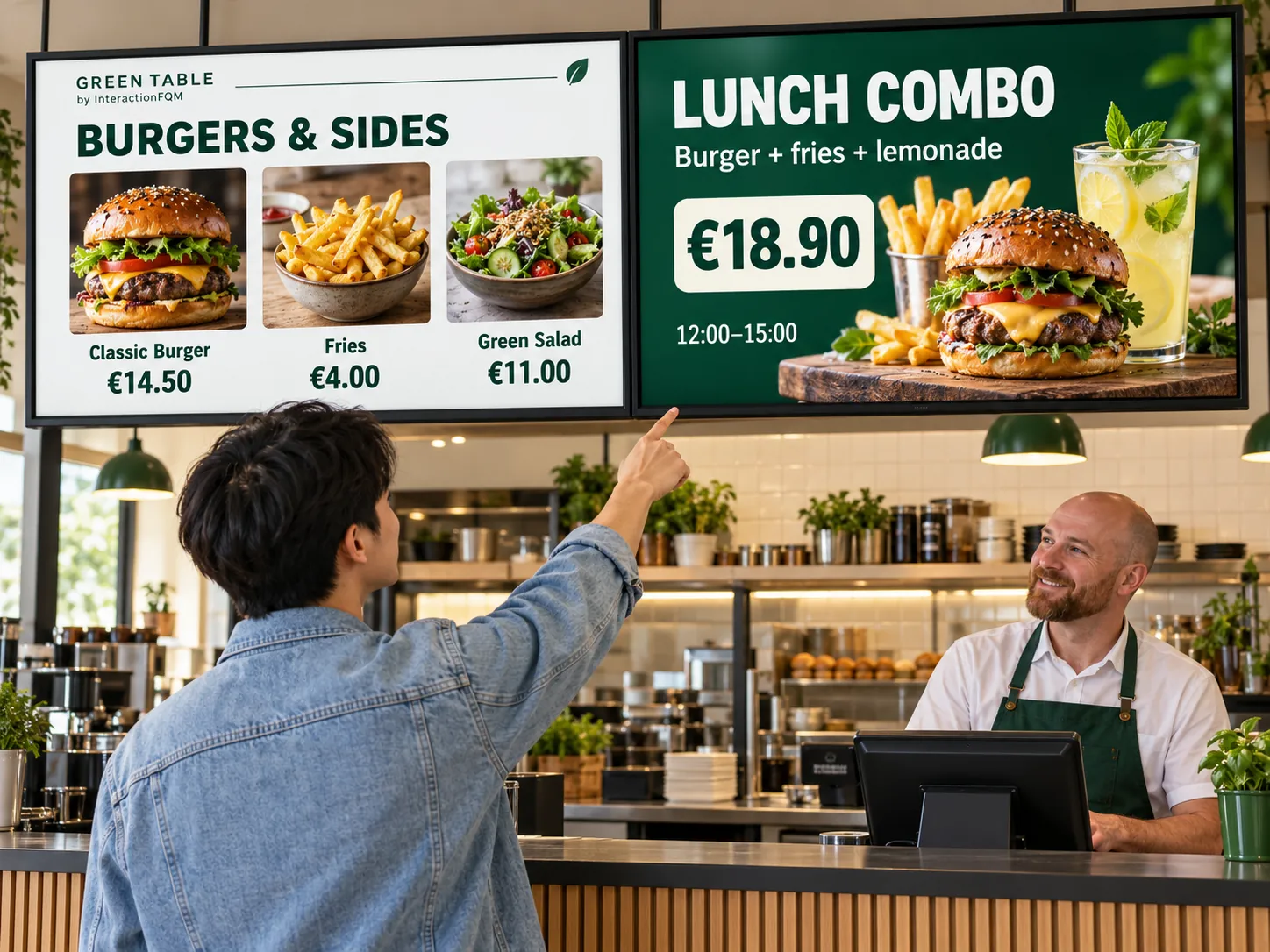
Digital Menu Board — Menus and offers on screens — Show menus, prices and offers on screens and manage content for all locations from one dashboard.

Digital Menu Board — Menus and offers on screens

Show menus, prices and offers on screens and manage content for all locations from one dashboard.
Explore featuresHide details
What it brings to your venue

A screen helps present your selection and promotions where guests choose and collect orders.

Features

  • Dish photos, prices and offers
  • Synchronisation with iiko/Syrve and HubRise
  • Promotional slides with QR codes
  • Display in two languages
  • Centralised screen updates

For owners and managers

Manage screens across all locations from one dashboard. Menus, prices and offers update automatically; the menu source connects to iiko/Syrve or HubRise.

For guests and your team

Guests see an offer on screen and can open the menu using a QR code.

Compatible equipment is required for display. Centralised menu and promotion management is available; displaying the order queue on a physical screen is coming soon.

More about this module →
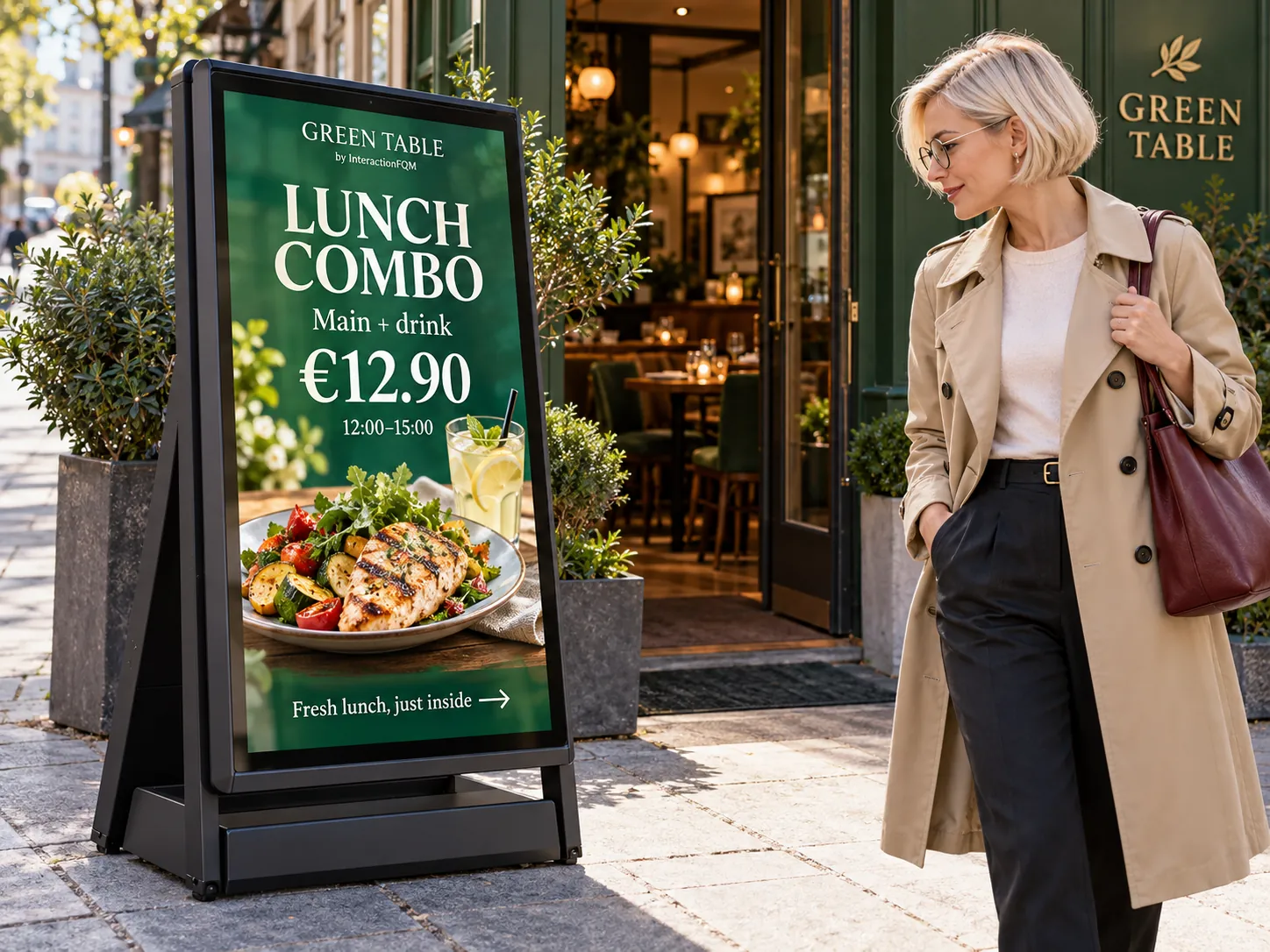
Outdoor Digital A-Board — Digital signage at your entrance — Show dishes, prices and offers on a digital A-board outside your entrance to introduce passers-by to your venue’s selection.
Outdoor Digital A-Board — Digital signage at your entrance

Show dishes, prices and offers on a digital A-board outside your entrance to introduce passers-by to your venue’s selection.

Explore featuresHide details
What it brings to your venue

Passers-by see dishes and promotions, then use the QR code to open the menu on their phones.

Features

  • Dishes and prices outside your entrance
  • Offers on a digital screen
  • QR link to the menu
  • Content matching your venue’s style

For owners and managers

Prepare offers and agree on how the screen will be updated. Capabilities depend on the chosen A-board.

For guests and your team

Guests explore your offers before entering and open the menu through a link or QR code.

This module does not imply compatibility with every screen; hardware and control options are checked separately.

More about this module →
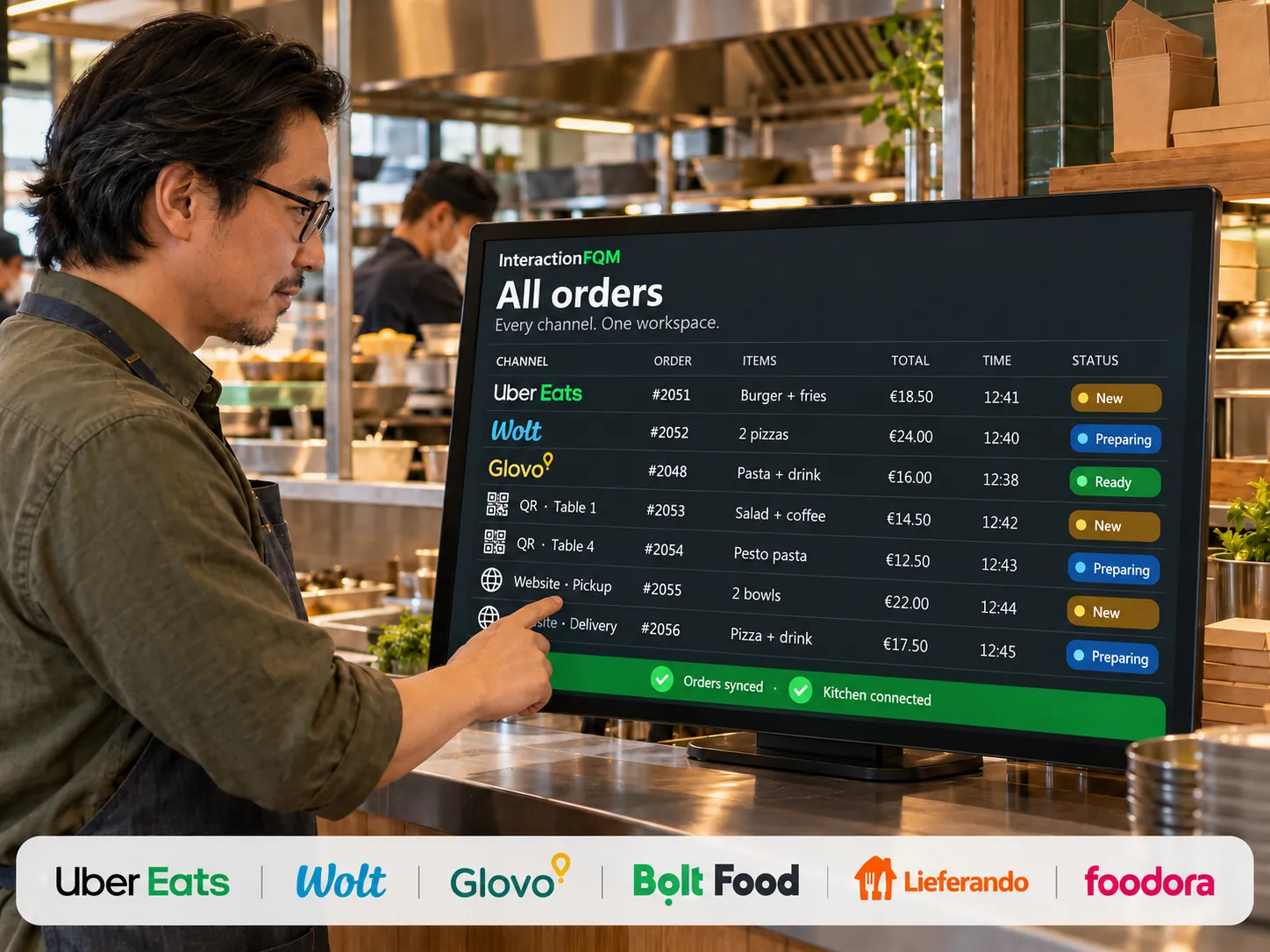
Unified aggregator dashboard

Unified aggregator dashboard

Connect orders from supported delivery services with your venue’s workflows. We check connection capabilities for each channel.
Explore featuresClose
What it brings to your venue

Order intake, statuses and menu updates are different integration functions. We check each service’s supported actions and connection terms for your venue before launch.

Features

  1. Choose delivery services and check the available data exchange.
  2. Agree on matching dishes, modifiers and statuses.
  3. Check a test order, kitchen transfer and error handling.

For owners and managers

Owners compare results across connected external sales channels.

The team switches less often between separate delivery-platform tablets.

Order intake and menu updates are different operations. Wolt, Uber Eats, Glovo, Bolt and other services’ capabilities depend on the specific connection. We do not promise automatic menu export before confirming it is ready.

More about this module →
02

Service & payments

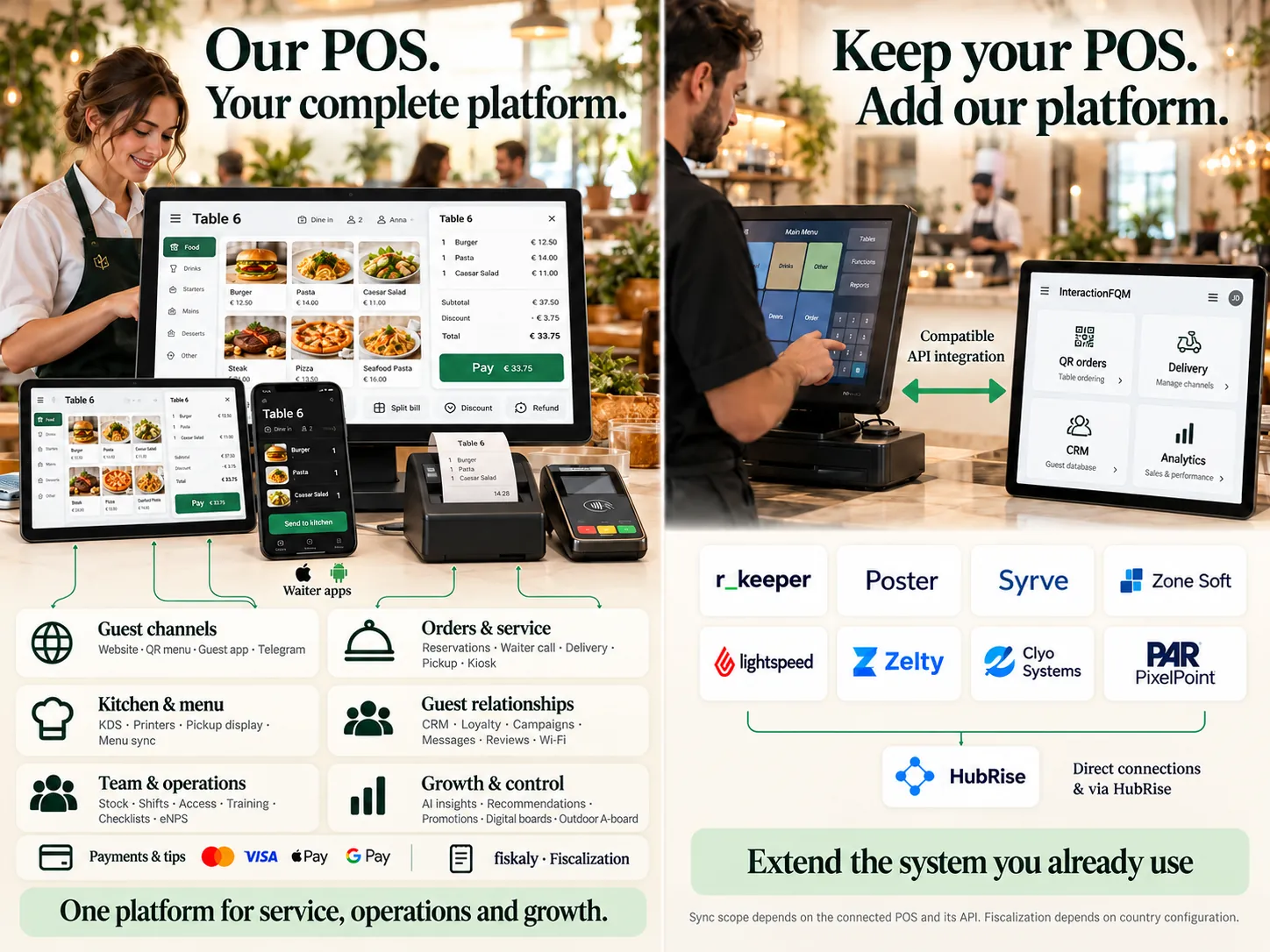
InteractionFQM POS

POS system and restaurant management

Use InteractionFQM as your main system for orders, payments and venue management, or connect it to your existing POS to extend its capabilities.
Explore featuresHide details
What it brings to your venue

Connect service, kitchen, stock, staff and analytics. Work on one platform or keep your familiar POS and add InteractionFQM digital services.

Features

  • Tables and guests. Floor plan, items by guest, additional orders, moving dishes and tables, merging and splitting bills.
  • Waiters and cashiers. Ordering from a compatible phone or tablet, sizes and add-ons, comments, open pricing and cancellations according to staff permissions.
  • Kitchen and bar. Printing by category and dish, a separate kitchen-ticket language, comments and cancellations. Kitchen displays connect through an agreed workflow.
  • Payments and shifts. Cash, connected payment services, tips, pre-bills and shift reports broken down by payment method.
  • Venue management. Menu, stock, recipes, food costs, roles and permissions, training and analytics through selected modules.

For owners and managers

Choose the right configuration and manage connected workflows from one dashboard. The system can help reduce duplicate data entry and manual work.

If you already have a POS or till

Connect a compatible system directly or through HubRise. Data scope, sync directions and frequency depend on its API and the integration implementation. We will check the required data exchange workflows before launch.

Fiscalisation, payments and equipment are connected according to the country, selected modules and configuration. Till registration and operation requirements are checked for your venue. External POS compatibility is checked before launch.

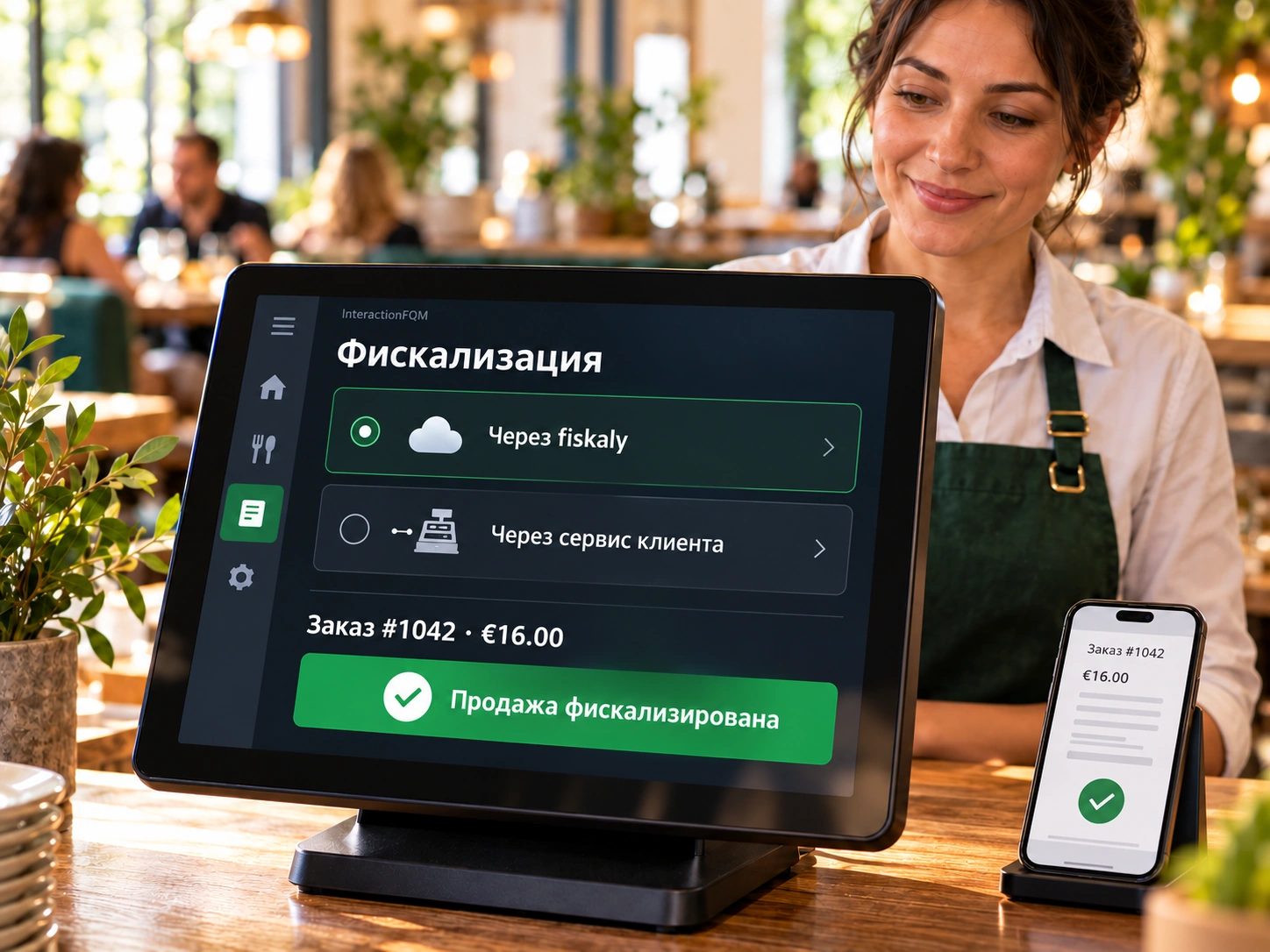
Fiscalisation

Fiscalisation

Use fiscalisation through InteractionFQM’s integration with fiskaly or through other fiscal services operated by your venue. We will choose a connection setup suited to your country and POS system.
Explore featuresClose
What it brings to your venue

Connect guest payments to a fiscal service within an agreed till workflow. Before launch, we identify which system handles fiscalisation, who is responsible for configuring it and how the result is verified.

Two connection options

  • Through a connected fiscal service. For supported EU countries: fiskaly (TSE in Germany); for Ukraine: Checkbox; for Kazakhstan: Webkassa and TipTopPay. The configuration and required registration steps are determined for your venue.
  • Through services on your side. Keep your existing fiscal service or till system if the available connection method supports the agreed data exchange with InteractionFQM. We check compatibility and integration scope before implementation.

Features

  • Choose a fiscal setup suited to your country, POS system and payment workflow.
  • Agree on the necessary data and interaction between the platform and selected service.
  • Check payment processing and documents in the agreed configuration.
  • Distinguish fiscal-service functions from printing guest receipts on compatible equipment.

How we launch

  1. Confirm your country, legal entity, POS and existing fiscal service.
  2. Select a connection option, check the API or other available data exchange method, and agree on the scope and cost.
  3. Configure the connection, run test transactions and check documents with the responsible employee.

Availability depends on the country, POS capabilities, selected service and supported API or connection method. Fiscal-provider terms, required registrations and service costs are confirmed separately. Having a POS or printer does not itself demonstrate fiscal compliance; requirements are checked for each venue.

More about this module →
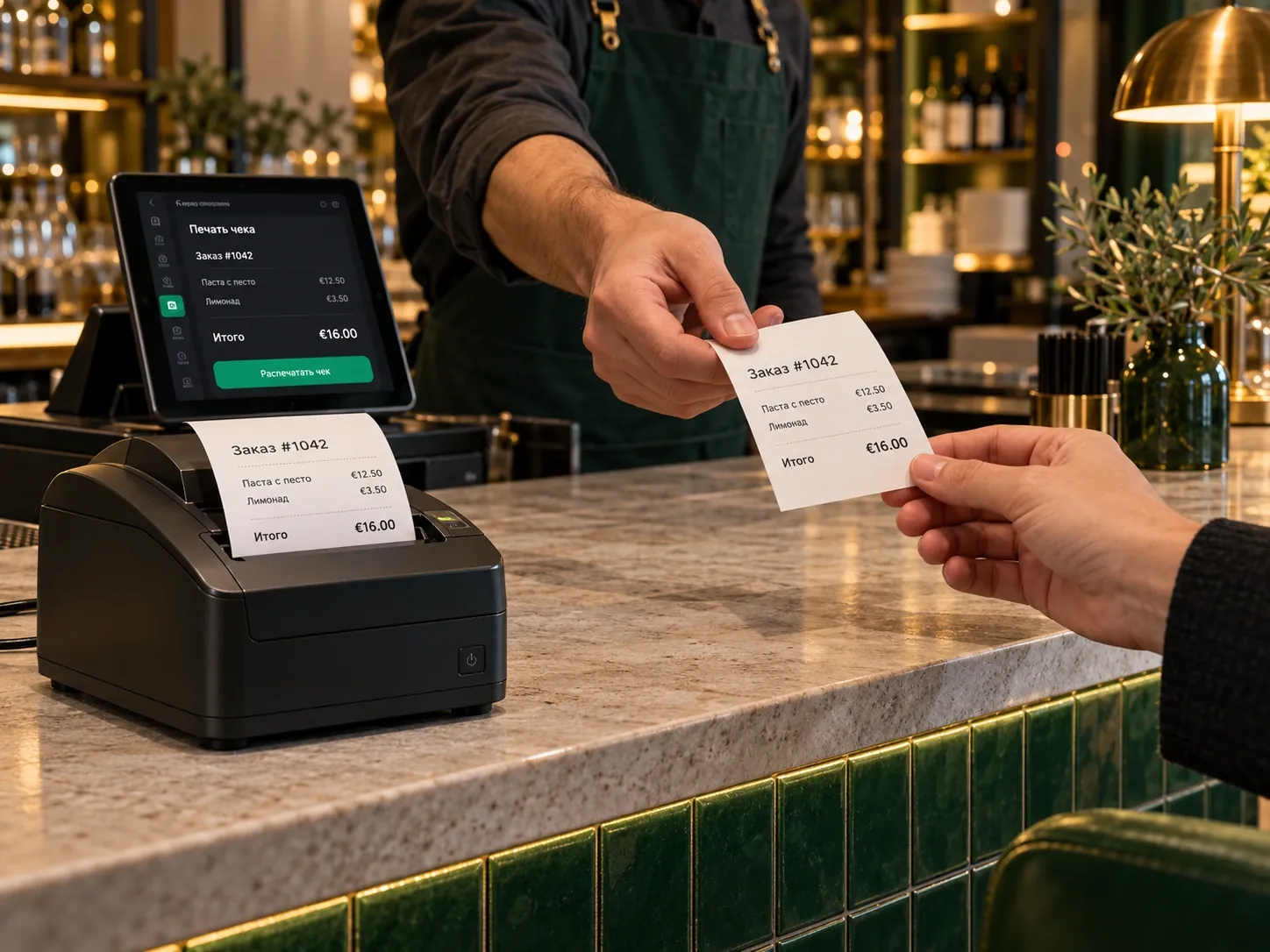
Till / receipt printer

Till / receipt printer

Print pre-bills, guest receipts and shift reports on a compatible receipt printer.
Explore featuresClose
What it brings to your venue
  • Guest documents are issued within the agreed till workflow.
  • Equipment compatibility and requirements are checked before connection.
  • Staff issue guest receipts within the familiar till workflow.

Features

Print pre-bills, guest receipts and shift reports on a compatible receipt printer.

What is needed for setup?

  1. Check the printer model and connection method.
  2. Configure documents, formatting and when to print.
  3. Check the pre-bill, payment and shift report using a test order.

Compatible Epson, Star and ESC/POS printers are supported. A German Bewirtungsbeleg is available in the relevant payment workflow. Printing a document does not itself replace fiscalisation.

More about this module →
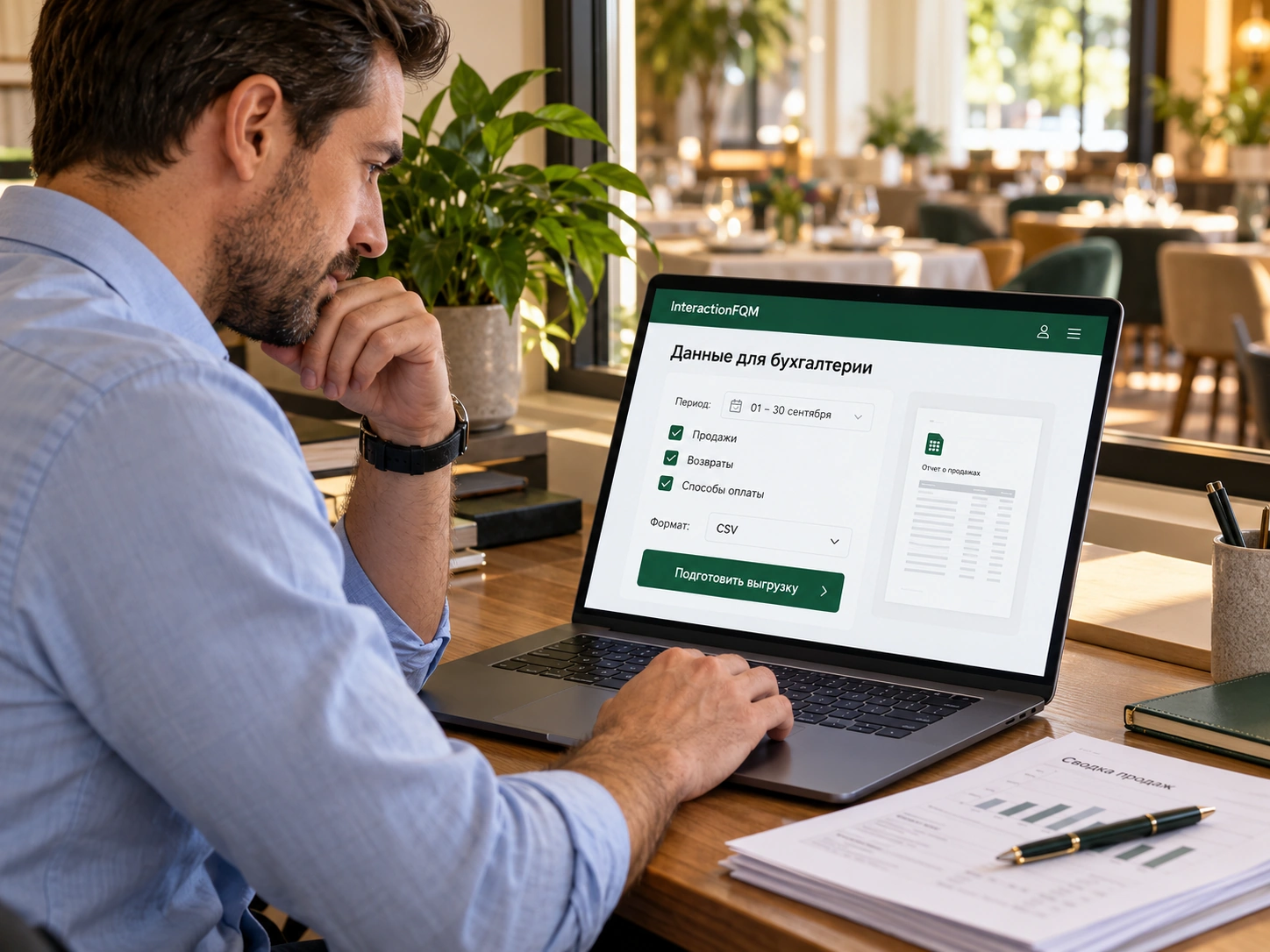
Data export for accounting

Data export for accounting

Export data to Excel for the period you need and send it to your accountant for further processing.
Explore featuresClose
What it brings to your venue
  • Sales and payment data are available for further processing.
  • Owners control the period and contents of the export.
  • The accountant receives a file; import and further accounting take place in their system.

Features

Export data to Excel for the period you need and send it to your accountant for further processing.

What is needed for setup?

  1. Choose the reporting period and data you need.
  2. Export the Excel file.
  3. Send the file to your accountant for checking and processing.

File export is not automatic synchronisation with accounting software. Agree on the fields and processing procedure with your accountant.

More about this module →
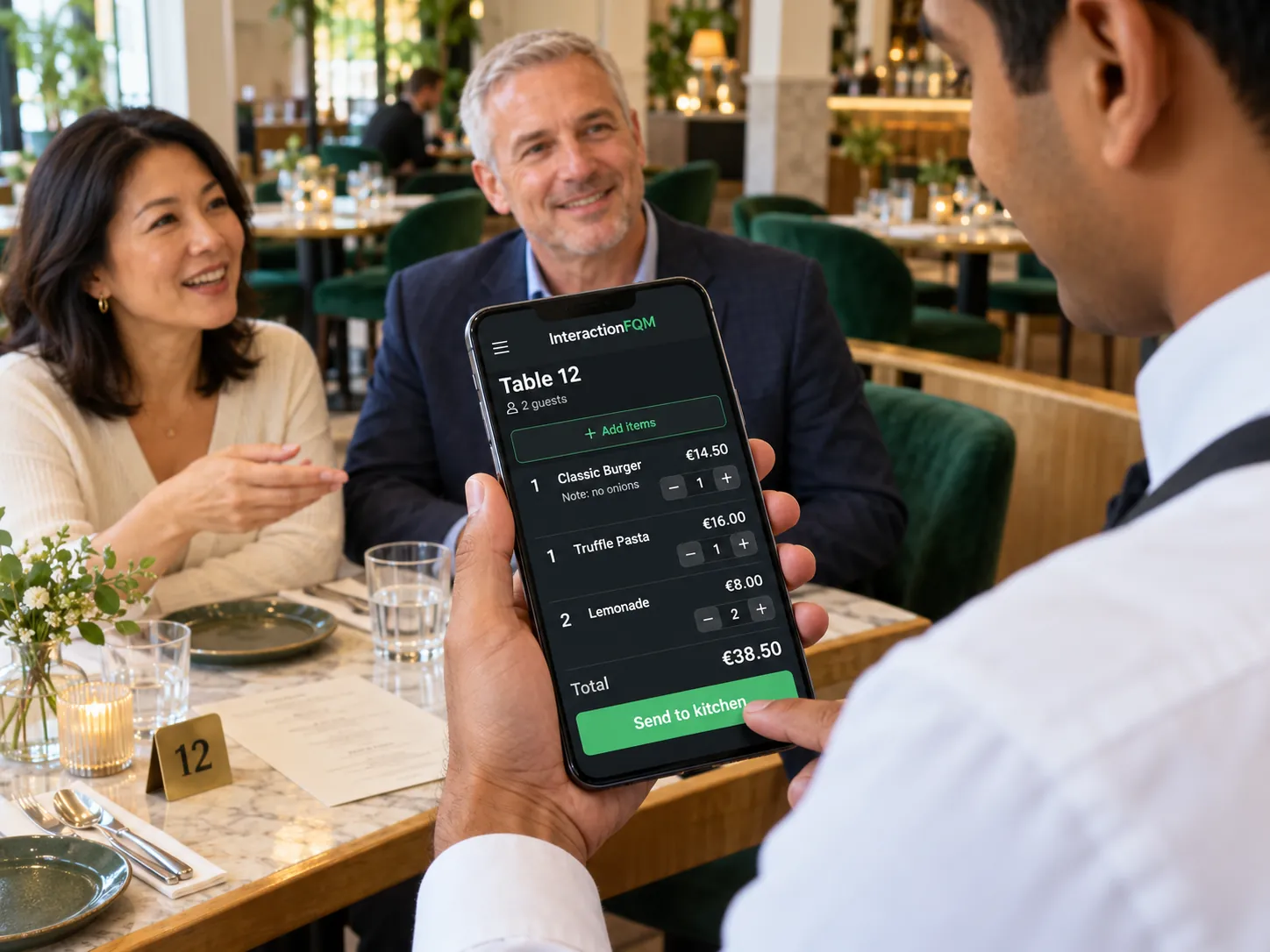
Mobile waiter / POS — Take orders and payments using a phone or tablet.
Mobile waiter / POS

Take orders and payments using a phone or tablet.

Explore featuresHide details
What it brings to your venue

Waiters manage tables, send requests to the kitchen and see their shift results in one working interface.

Features

  • Tables, guests and separate bills
  • Additional orders, moving items and splitting bills
  • Kitchen printing, cancellations and pre-bills
  • Payments, tips and shift report
  • Discounts, certificates and fiscal documents
  • Staff permissions, shifts and till report

For owners and managers

Configure permissions, assign tables, and monitor cancellations and payments. Hand over open tables to a colleague at the end of a shift.

For guests and your team

The team manages orders beside the guest. Guests can pay separately using the available methods.

Payment methods, printing and till integrations are configured for the venue’s equipment. An internet connection is required.

More about this module →
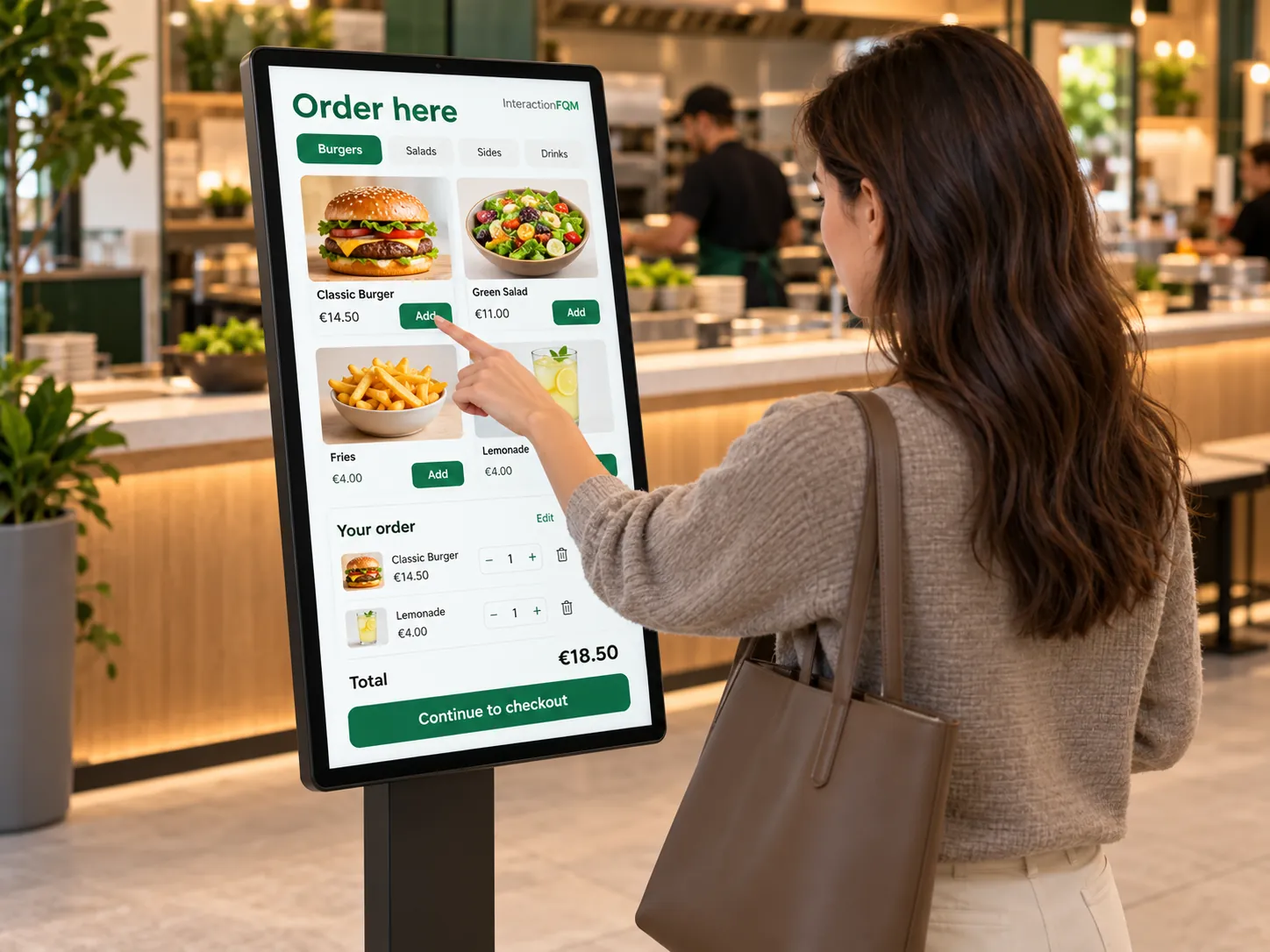
Self-service kiosk — Guests place orders themselves, and the team receives them for preparation.
Self-service kiosk

Guests place orders themselves, and the team receives them for preparation.

Explore featuresHide details
What it brings to your venue

Self-service ordering helps distribute demand between the counter and the digital menu.

Features

  • QR ordering without a table assignment
  • Self-service from a phone or compatible device
  • Order number and status page
  • Connect orders with payment and kitchen workflows
  • Bag label and order-status QR code on the receipt

For owners and managers

Choose a workflow: a QR code at the counter, a cashier’s tablet or compatible self-service equipment. Configure payment and pickup steps.

For guests and your team

Guests select dishes and receive an order number; the team sees the items and fulfilment method.

We will select a QR, tablet or kiosk workflow and check printer and payment compatibility.

More about this module →
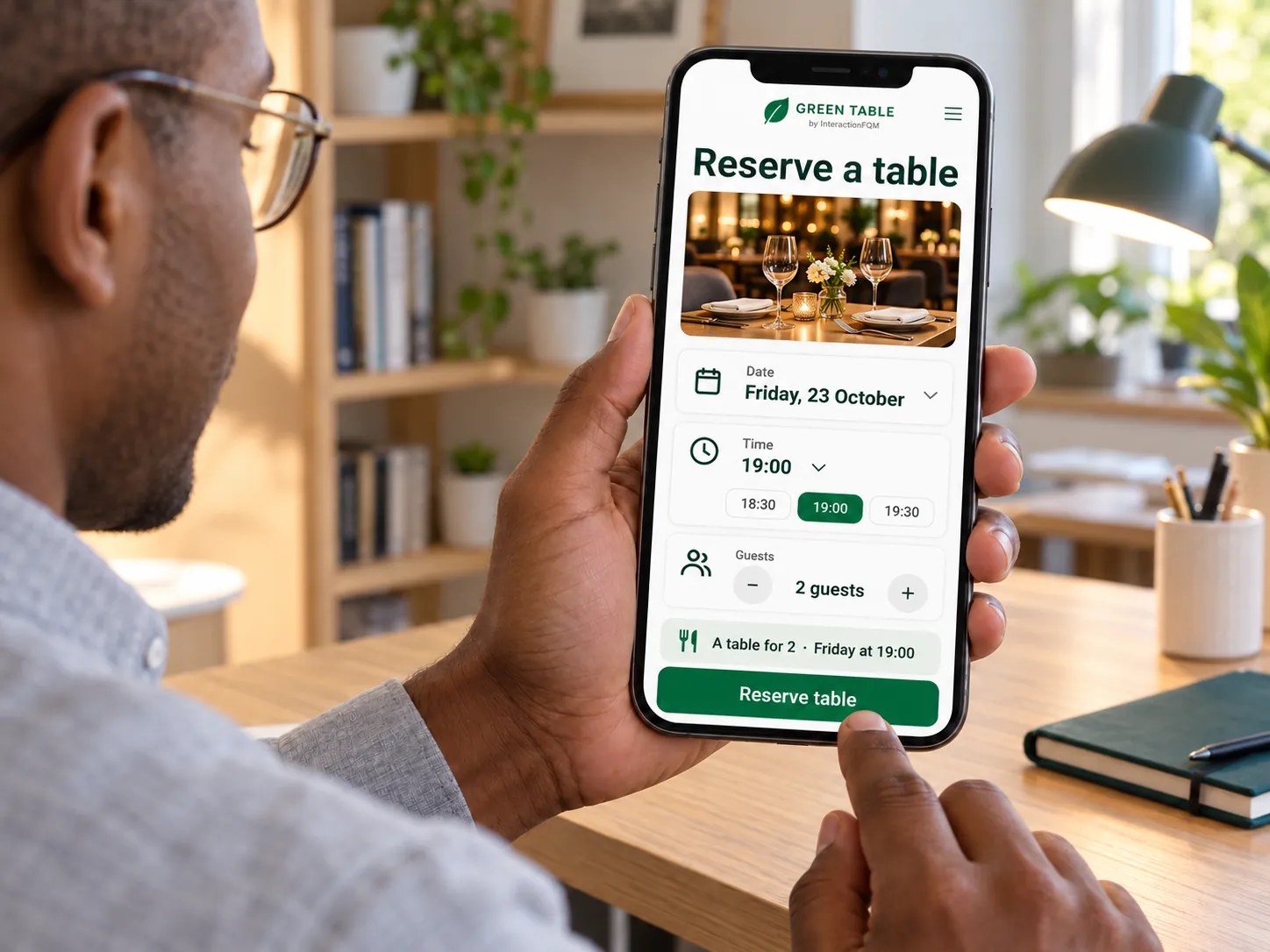
Table reservations — Help guests reach table booking from your venue’s website or menu.
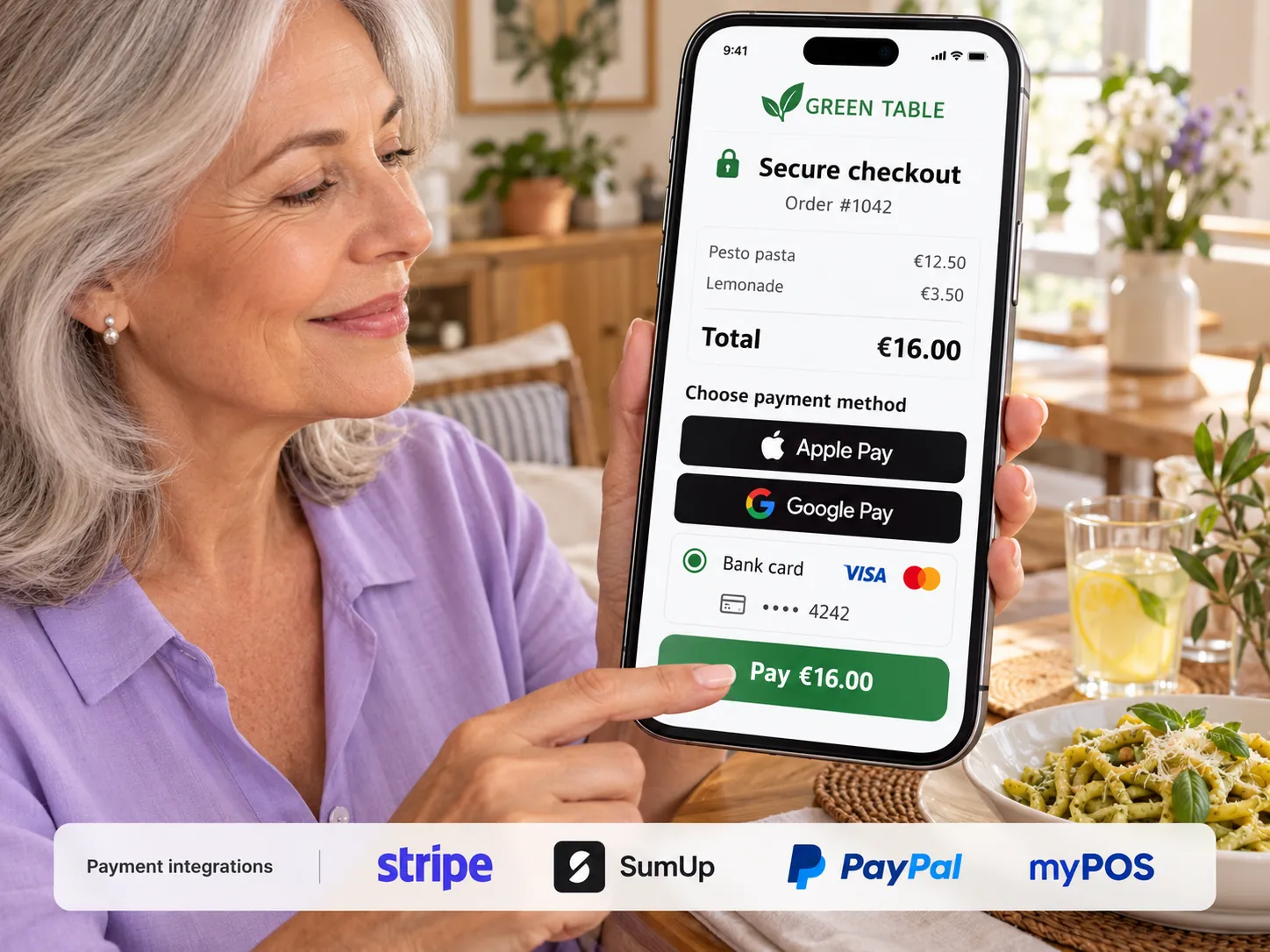
Table reservations

Help guests reach table booking from your venue’s website or menu.

Explore featuresHide details
What it brings to your venue

Guests find the booking option faster, while your venue keeps its chosen reservation process.

Features

  • External booking button on the website and menu
  • Coming soon: native table selection and floor plan
  • Coming soon: booking time slots and analytics
  • Ticket report with filters

For owners and managers

Specify your booking service and check the guest journey. Native booking workflows are discussed separately.

For guests and your team

Guests open reservations from the menu and use the connected service.

External booking services operate under their own rules and terms. InteractionFQM’s native reservation system is coming soon.

More about this module →
Payments & tips — Accept convenient payment methods and track tips separately.
Payments & tips

Accept convenient payment methods and track tips separately.

Explore featuresHide details
What it brings to your venue

Guests see the available ways to pay, while the team receives payment and tip data in operational reports.

Features

  • Pay a bill from a phone
  • Prepayment or payment after ordering
  • Tips as a separate item
  • Refunds through supported connections
  • Split bills and Monobank item-based splitting
  • Country-specific refunds and fiscal integrations

For owners and managers

Set up the provider and payment methods for your country. Monitor payments, refunds and tips by shift.

For guests and your team

Guests pay using an available method and can add a tip; the employee receives a notification.

Availability of payment and fiscal integrations depends on the country, provider and the venue’s agreement. Fees and connection terms are confirmed before launch.

More about this module →
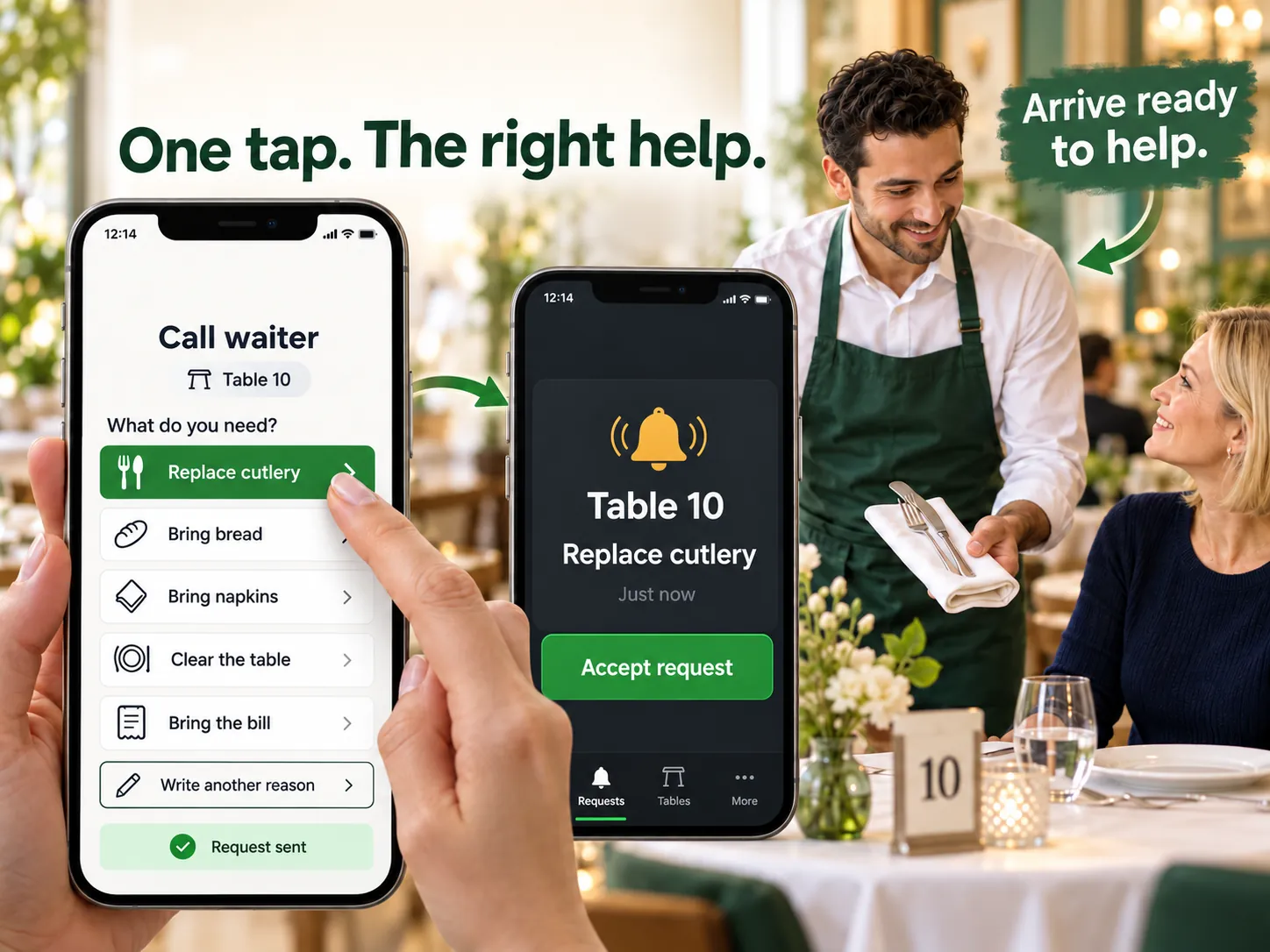
Call a waiter — Guests tell you what help they need directly from their phones.
Call a waiter

Guests tell you what help they need directly from their phones.

Explore featuresHide details
What it brings to your venue

Staff receive the reason for the request and can prepare before approaching the table.

Features

  • Preset reasons and custom text
  • Waiting timer and call cancellation
  • Notifications and call acceptance
  • Customisable buttons on the table page

For owners and managers

Set call reasons and notification recipients. The workflow is linked to the table page and its session.

For guests and your team

Guests choose a reason instead of explaining it repeatedly, and a waiter accepts the request.

For push notifications, staff must allow notifications on a supported device.

More about this module →
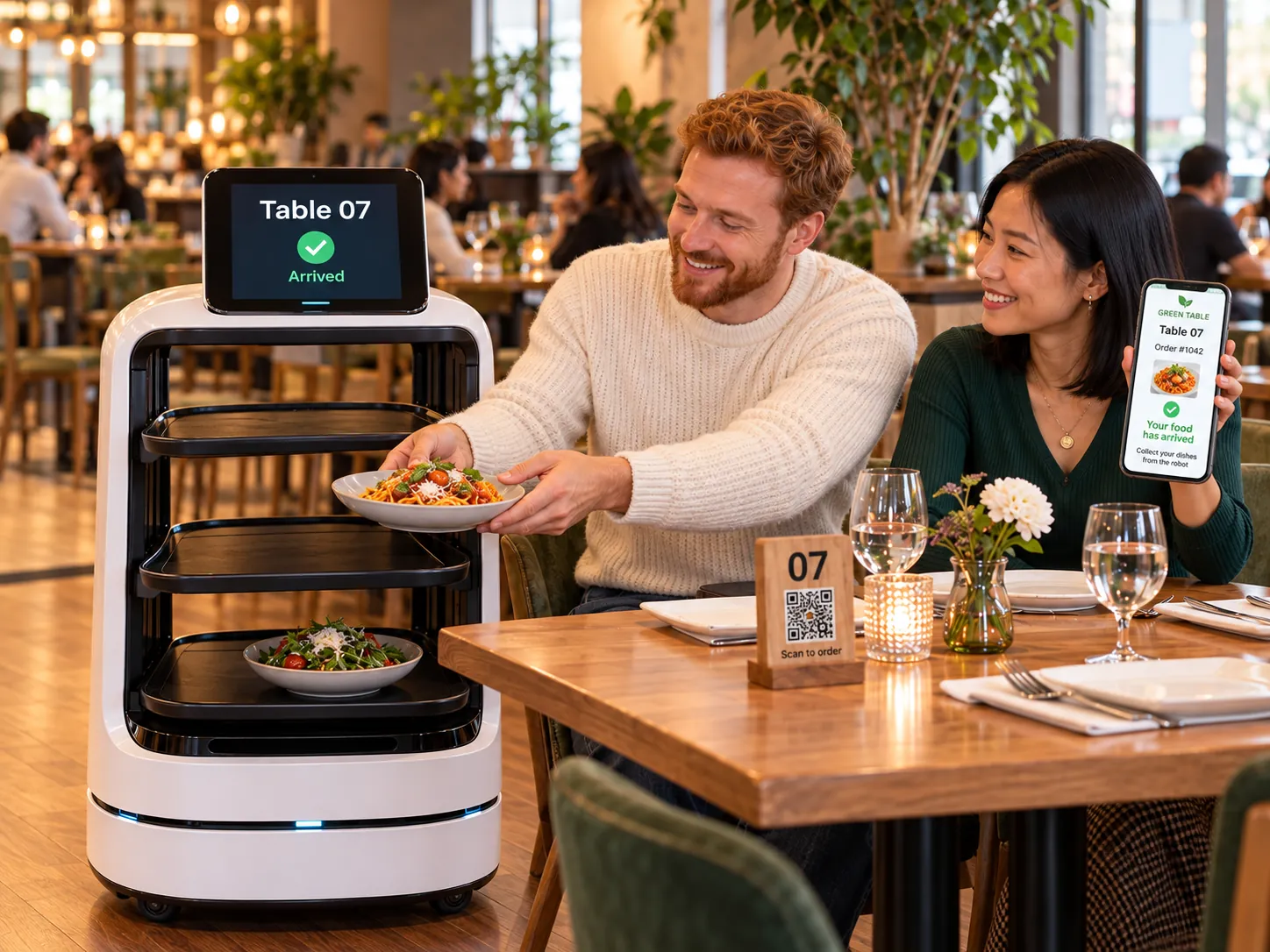
Robot waiter

Robot waiter

Integrate compatible service robots into a workflow for delivering dishes around the dining area.
Explore featuresClose
What it brings to your venue

Guests order through the QR menu, a compatible robot brings dishes to their table, and guests collect them themselves. Equipment, routes and connection capabilities are checked separately.

Features

  1. Check robot compatibility and the route.
  2. Take the guest’s order through the QR menu.
  3. Deliver dishes to the table for guests to collect themselves.

For owners and managers

Owners check equipment, routes and connection capabilities.

The robot supports dish delivery along a verified route in the dining area.

Compatibility, country, equipment and connection capabilities are checked separately.

More about this module →
03

Kitchen & operations

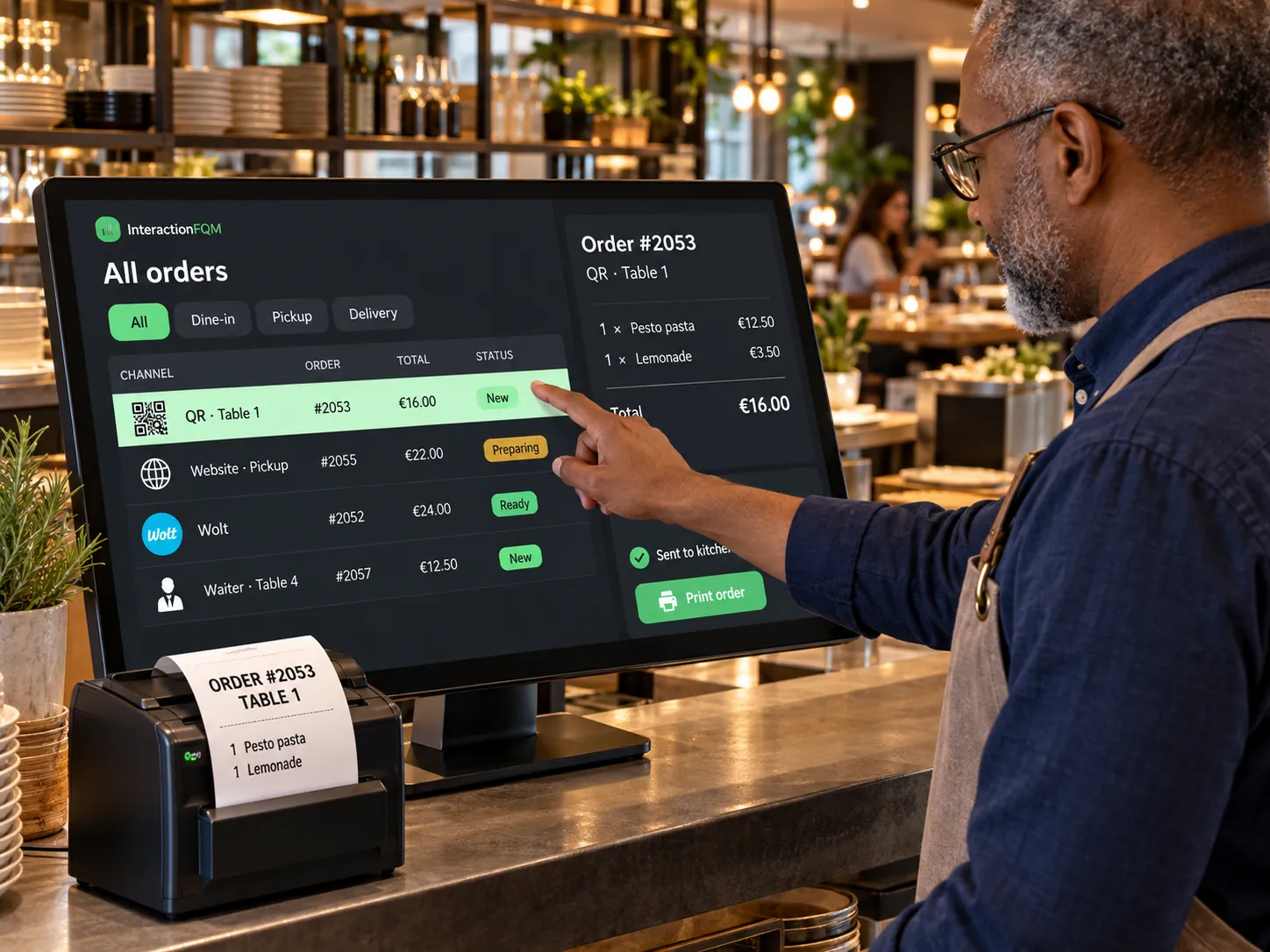
Unified orders

The team sees orders from connected channels in one working list.
Explore featuresHide details
What it brings to your venue

The order source, items and status are available within a shared workflow, reducing duplicate entry and switching between systems.

Features

  • Order feed with sources
  • Statuses and new-order sound
  • Phone orders from the dashboard
  • Printing, refunds and POS transfer
  • Dish ABC analysis and XLS export by order type

For owners and managers

Monitor dine-in, QR, website and pickup orders. Check whether transfer to a compatible POS succeeded.

For guests and your team

The team receives the order items and source; guests see their status in the connected workflow.

POS and delivery-platform connections are checked separately; order sources remain visible in the shared feed.

More about this module →
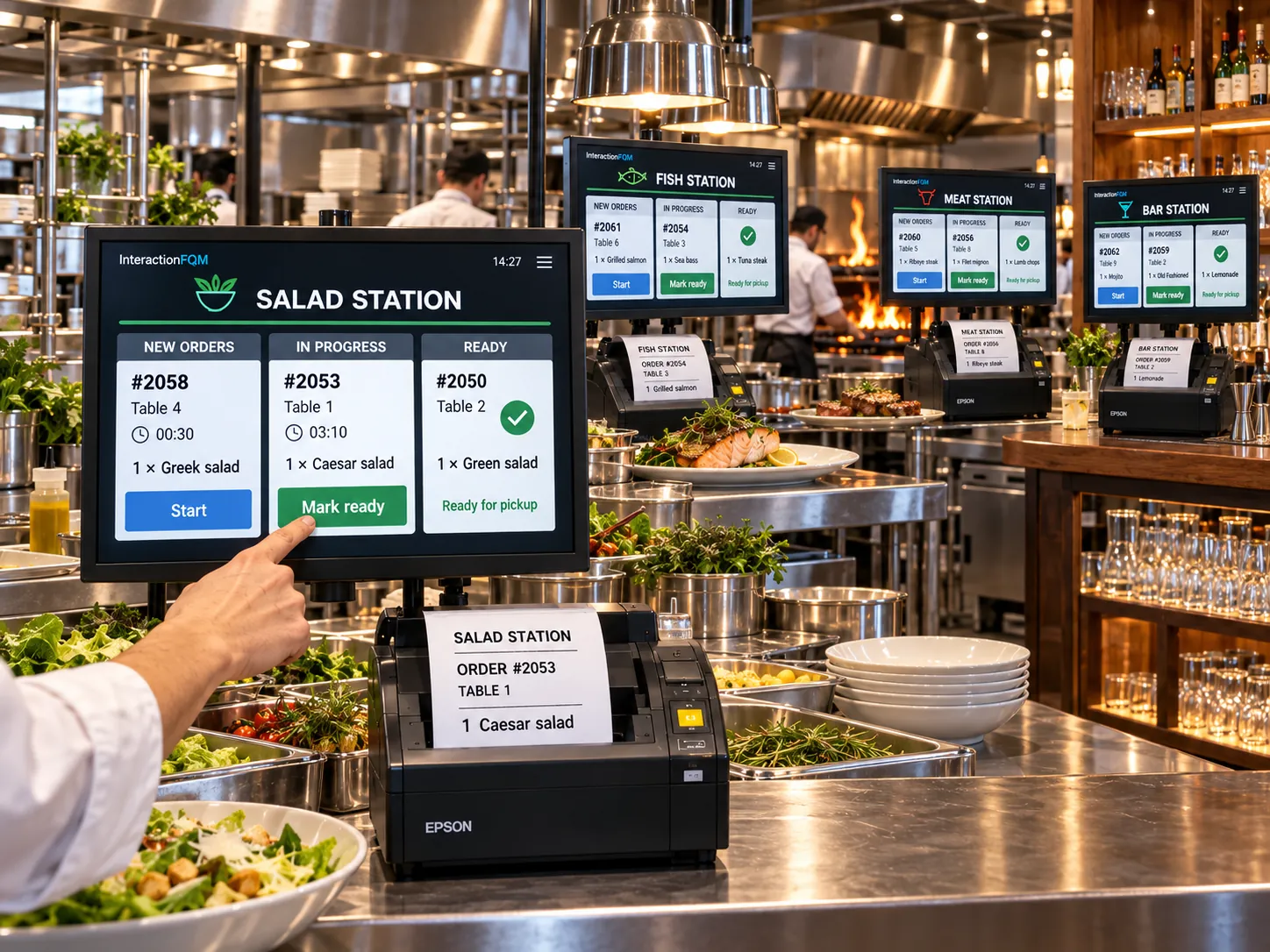
KDS & kitchen printing — Send each kitchen station its items and the guest’s preferences.
KDS & kitchen printing

Send each kitchen station its items and the guest’s preferences.

Explore featuresHide details
What it brings to your venue

Cooks receive clear order details, add-ons and cancellations; the team chooses a suitable printing and display workflow.

Features

  • Printing by category and dish
  • Kitchen-ticket language and format
  • Comments and cancellations
  • Order status panel
  • Timers, time alerts and separate stations
  • Kitchen handover button without a cashier

For owners and managers

Configure routing to printers and workstations. Agree on a separate KDS workflow for your kitchen.

For guests and your team

The kitchen sees dishes, portion sizes and comments; the team tracks order completion.

We will check printer compatibility and dish routing to kitchen stations.

More about this module →
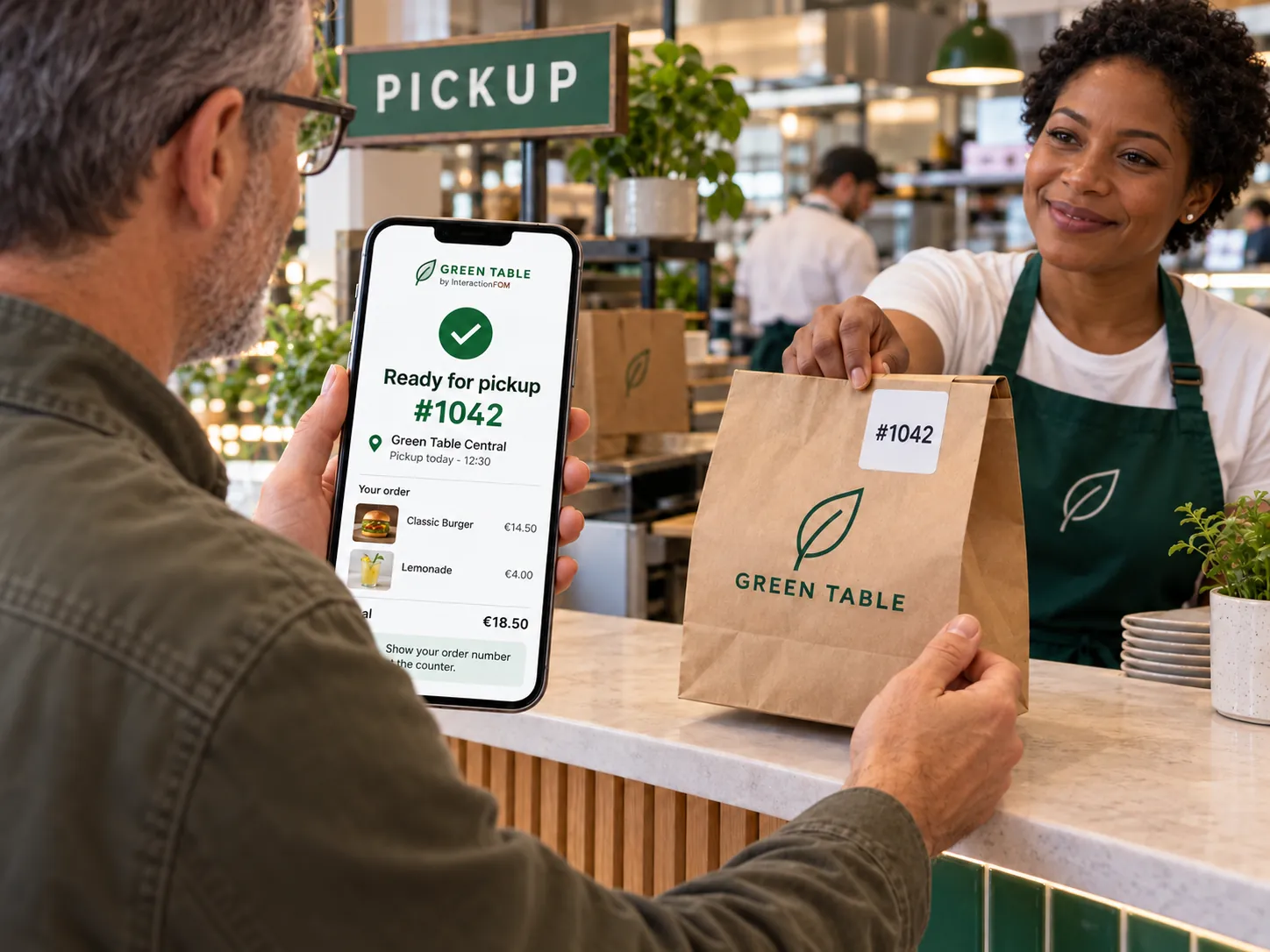
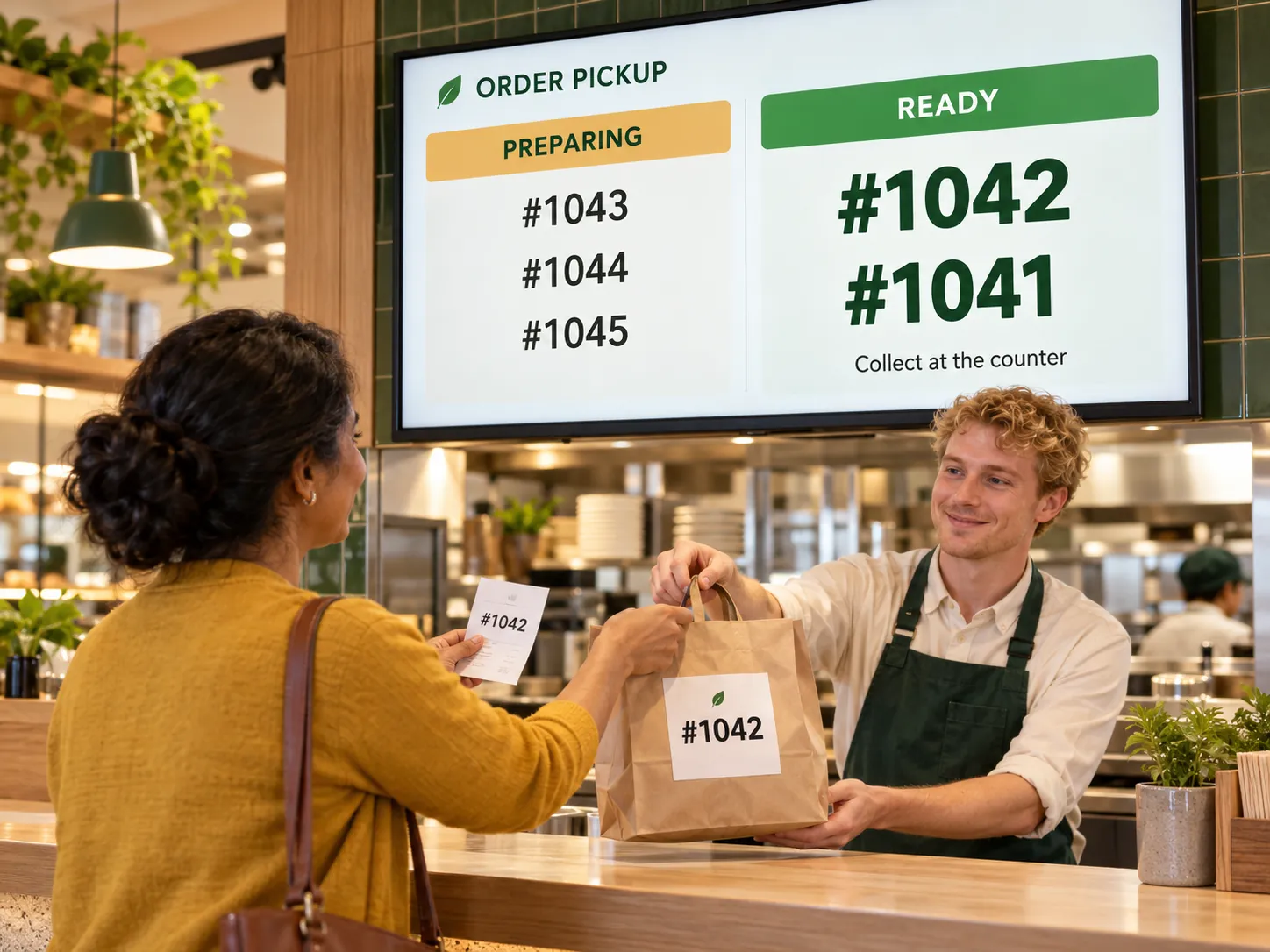
Pickup display — Help guests know when to collect their orders.
Pickup display

Help guests know when to collect their orders.

Explore featuresHide details
What it brings to your venue

An order number and status connect preparation with pickup and give guests a clear reference.

Features

  • Order number on the guest’s phone
  • Order progress steps
  • Ready-for-pickup notification in Telegram
  • Physical pickup display — coming soon

For owners and managers

Configure statuses and the pickup process. Choose a screen and queue display method separately.

For guests and your team

Guests check their number and status; staff hand over the order by number.

Phone status and Telegram notifications are available separately from the future physical pickup display.

More about this module →
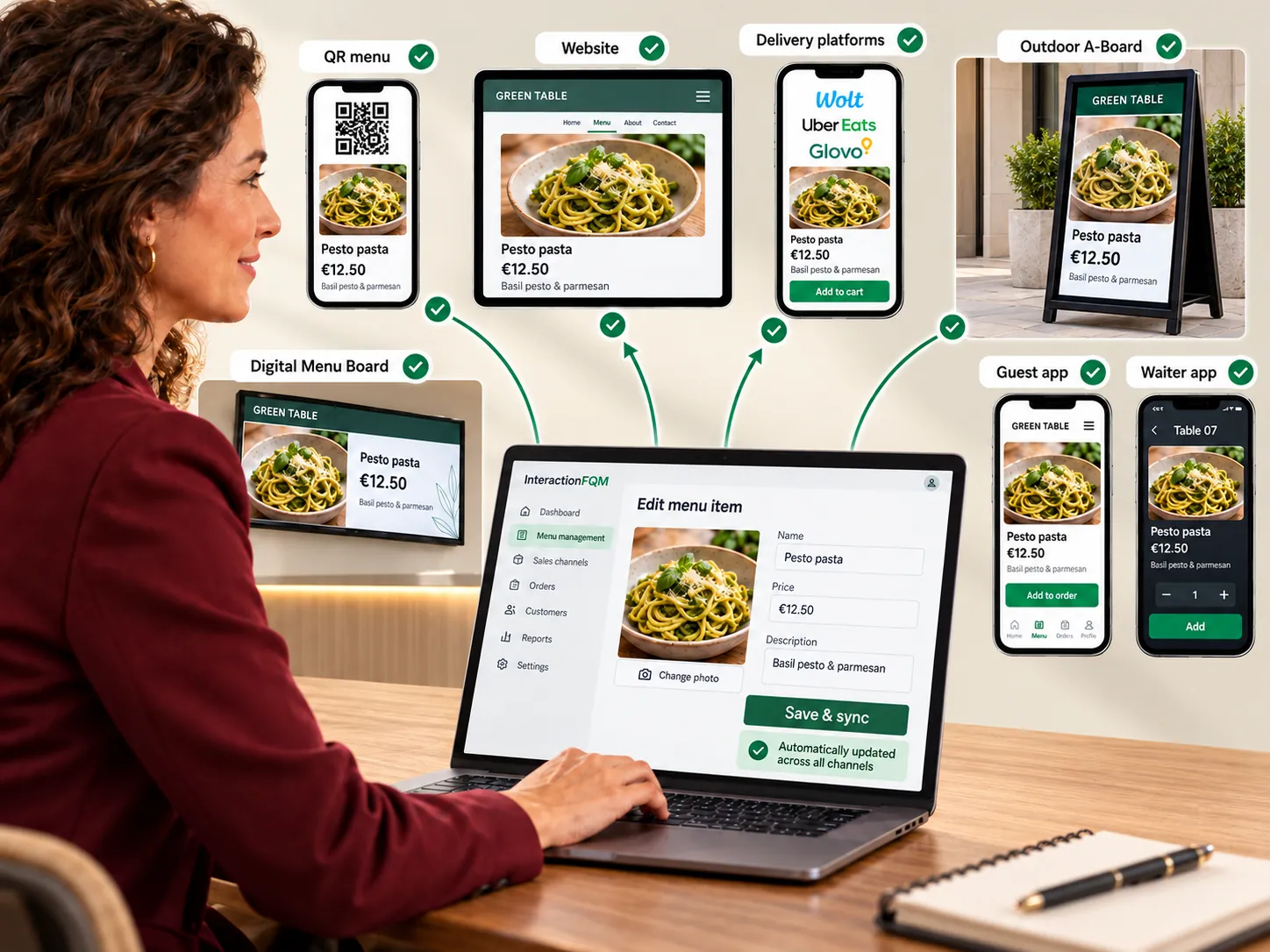
Centralised menu management — Update menus in one place for connected channels.
Centralised menu management

Update menus in one place for connected channels.

Explore featuresHide details
What it brings to your venue

The team maintains consistent names, prices and availability, and guests see the current selection.

Features

  • Menu import and translation checks
  • Sizes, ingredients, nutrition and allergens
  • Synchronisation with a compatible POS
  • Mobile editing according to permissions
  • AI import, recipes and translation checks
  • Change log and menu-board updates

For owners and managers

Manage the base language, categories, preparation times and printing. Check imports before publishing.

For guests and your team

Guests, waiters and the connected POS use a consistent menu within the configured data exchange.

Your team checks AI-prepared data; POS exchange depends on the configured integration.

More about this module →
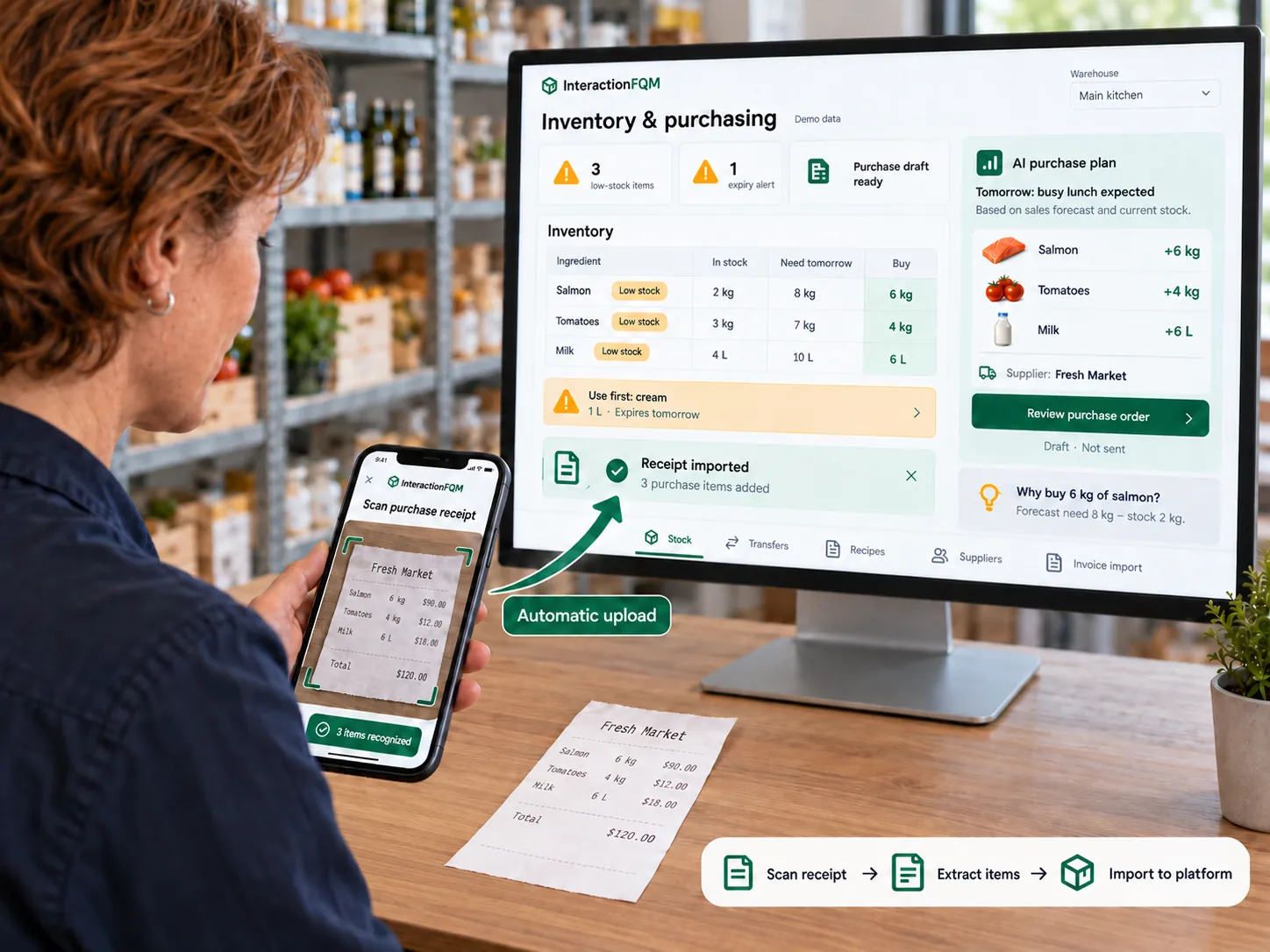
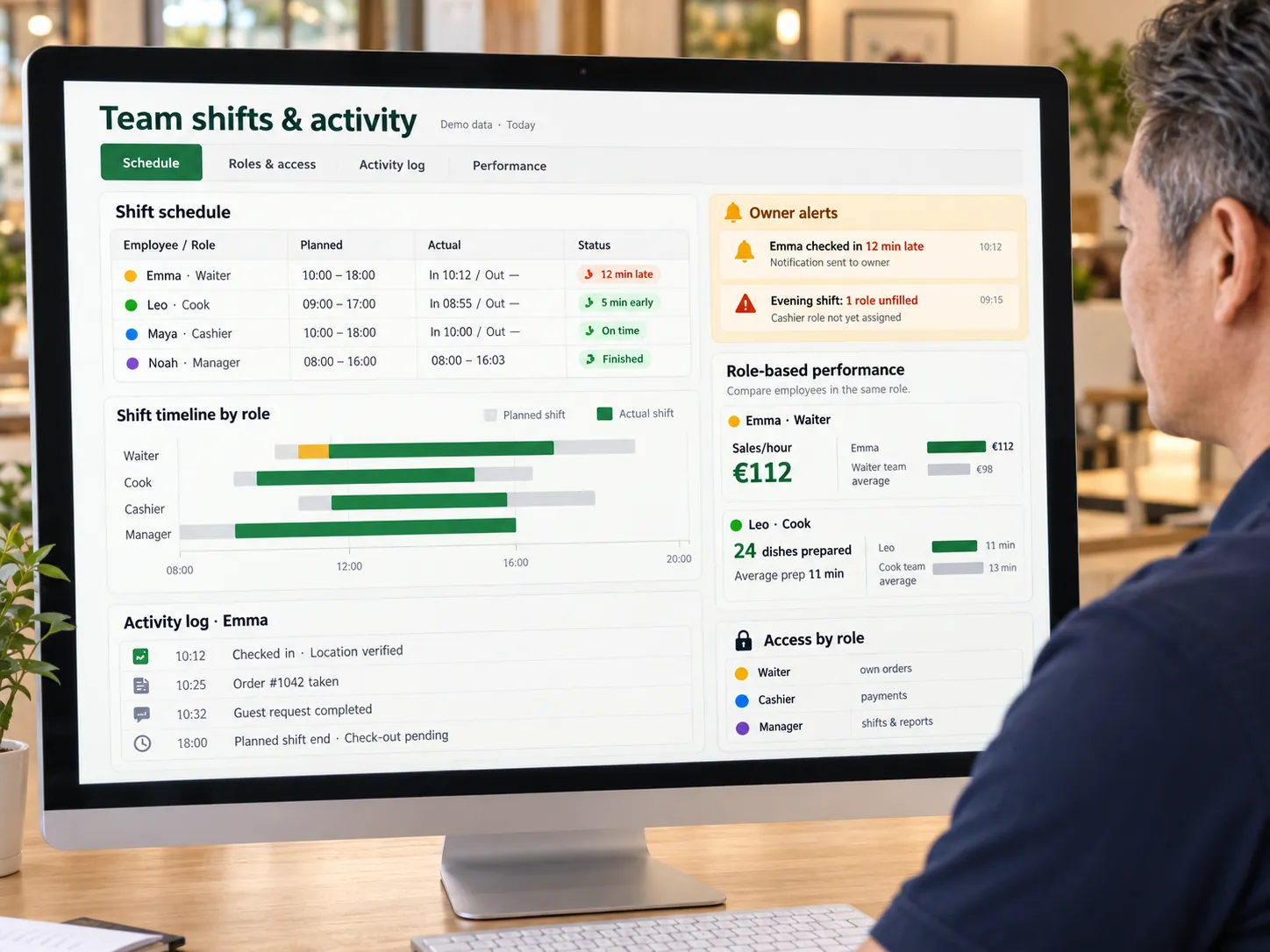
Inventory & purchasing — Control stock, purchasing and dish costs.
Inventory & purchasing

Control stock, purchasing and dish costs.

Explore featuresHide details
What it brings to your venue

Stock levels, recipes and write-offs help you make purchasing decisions and understand menu economics.

Features

  • Stock levels, goods receipt and suppliers
  • Stocktaking and write-offs with reasons
  • Recipes and semi-finished products
  • Food costs, markups and menu ABC analysis
  • Automatic stock deductions and purchasing forecasts based on stock levels
  • Invoices from photos/PDFs, Telegram and the app

For owners and managers

Compare dishes by cost and margin, record purchases and log reasons for write-offs.

For guests and your team

The team works with items and recipes; the kitchen receives printed recipe sheets.

We will configure stock locations, units, recipes and write-off rules; your team checks recognised documents and AI-generated recipes.

More about this module →
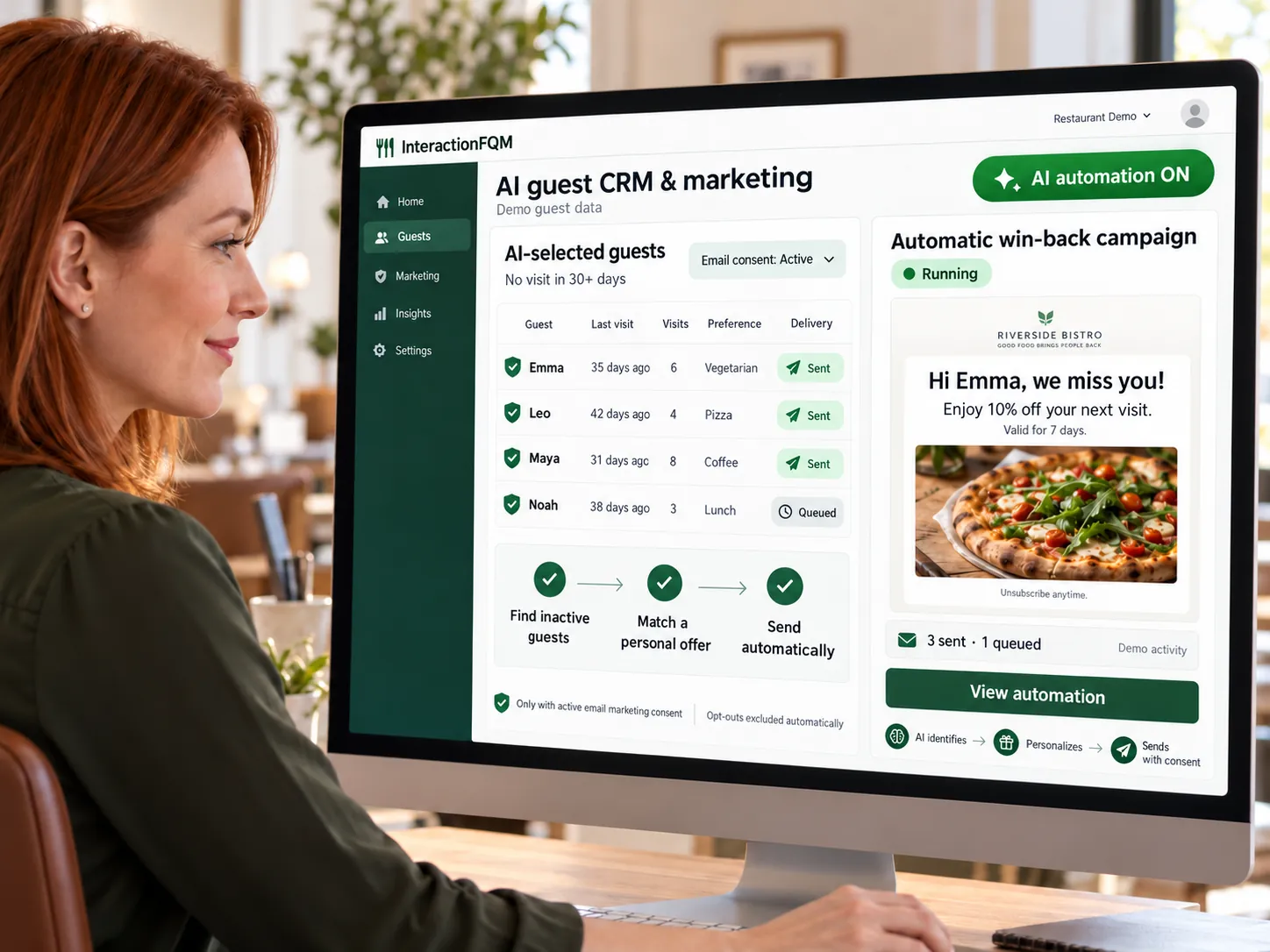
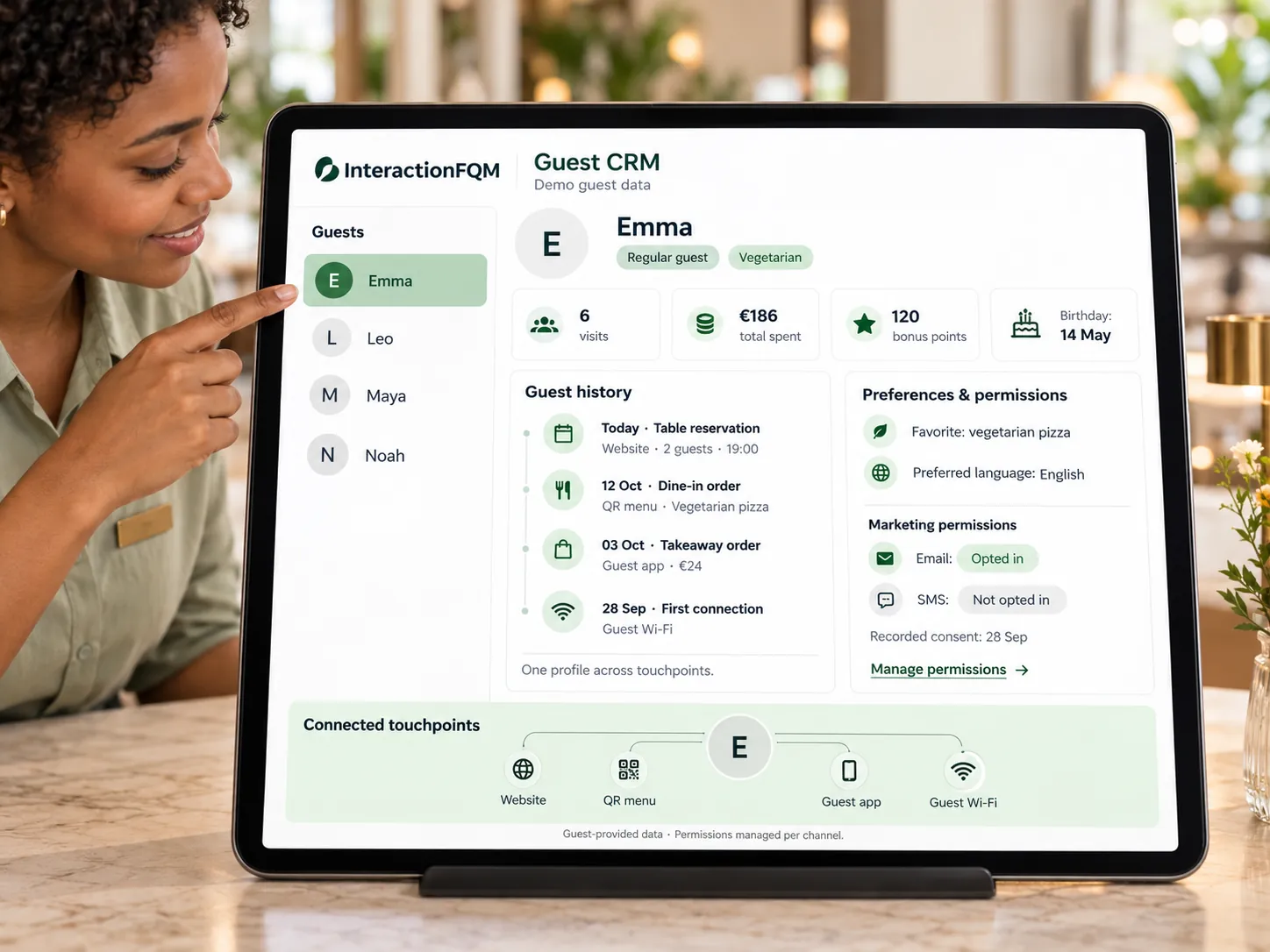
Shifts & permissions — Shifts, roles and permissions for waiters, cashiers, administrators and other staff. Orders, payments and tips are linked to a specific shift.
Shifts & permissions

Shifts, roles and permissions for waiters, cashiers, administrators and other staff. Orders, payments and tips are linked to a specific shift.

Explore featuresHide details
What it brings to your venue

Linking orders, payments and employees helps you control money and hand over unfinished work.

Features

  • Shift opening and handover
  • Revenue, cash and tips
  • Individual staff permissions
  • Order history and cancellation report
  • Till report with printing and export

For owners and managers

Set the working day and staff permissions. Owners and administrators manage shift closing and bill corrections.

For guests and your team

Waiters see their orders and shift totals; colleagues receive the tables handed over to them.

More about this module →
04

Guests & marketing

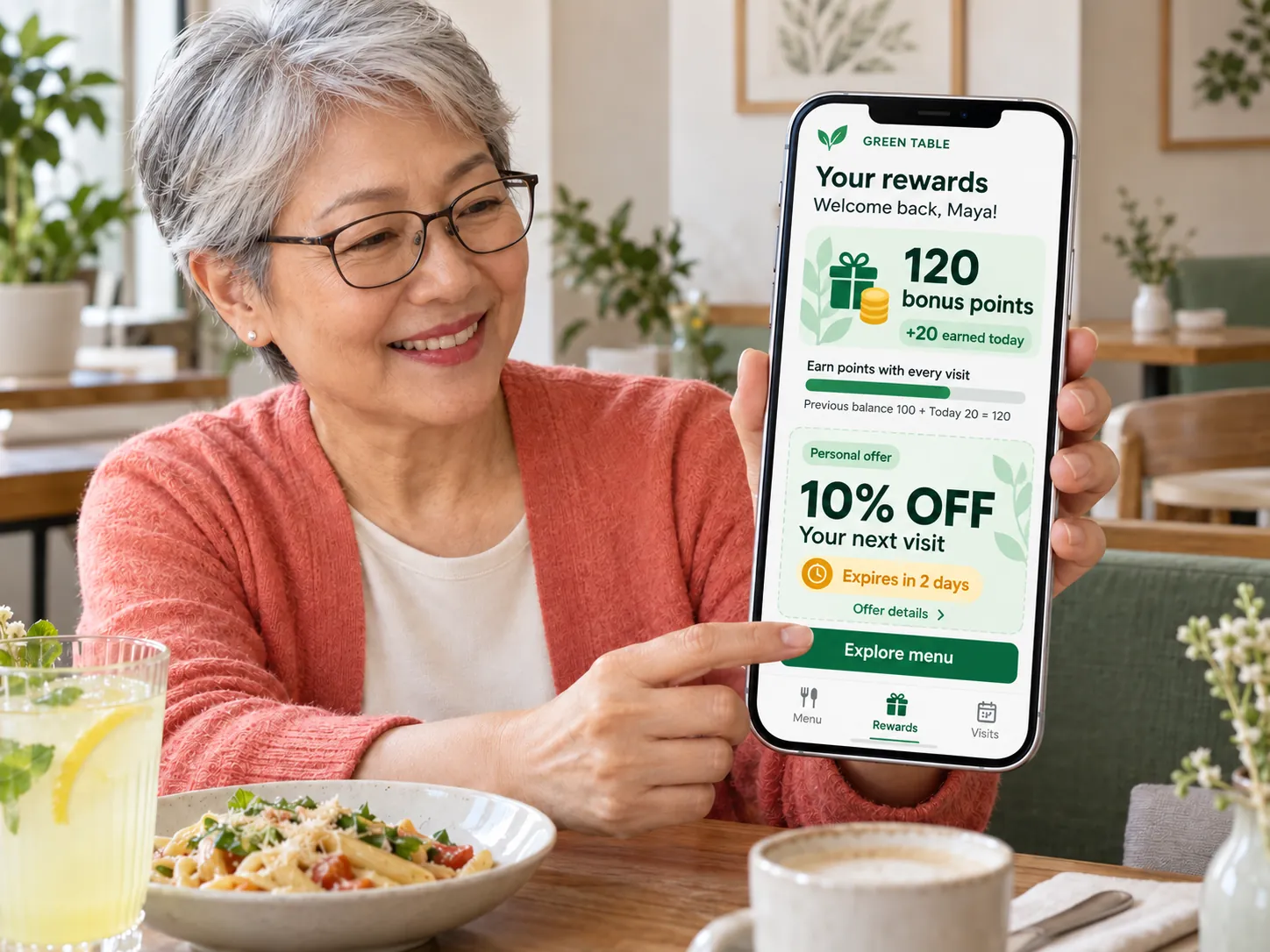
Guest CRM

A unified guest database from your website, QR menu, app and Wi-Fi: contacts, orders, preferences, rewards and consents.
Explore featuresHide details
What it brings to your venue

Contact details, orders, rewards and consents give the team context when helping a guest.

Features

  • Unified guest profile
  • Guest account and order history
  • Login through messengers, email and Google
  • Consent log and account deletion
  • Feedback transfer to CRM

For owners and managers

Find guests and use their available interaction history. Keep contact storage separate from permission to send marketing messages.

For guests and your team

Guests manage their profiles and consents, while the team sees available data in the dashboard.

More about this module →
Loyalty & referrals — Help guests return with rewards for their next visit, guest cards, offers and referrals to friends.
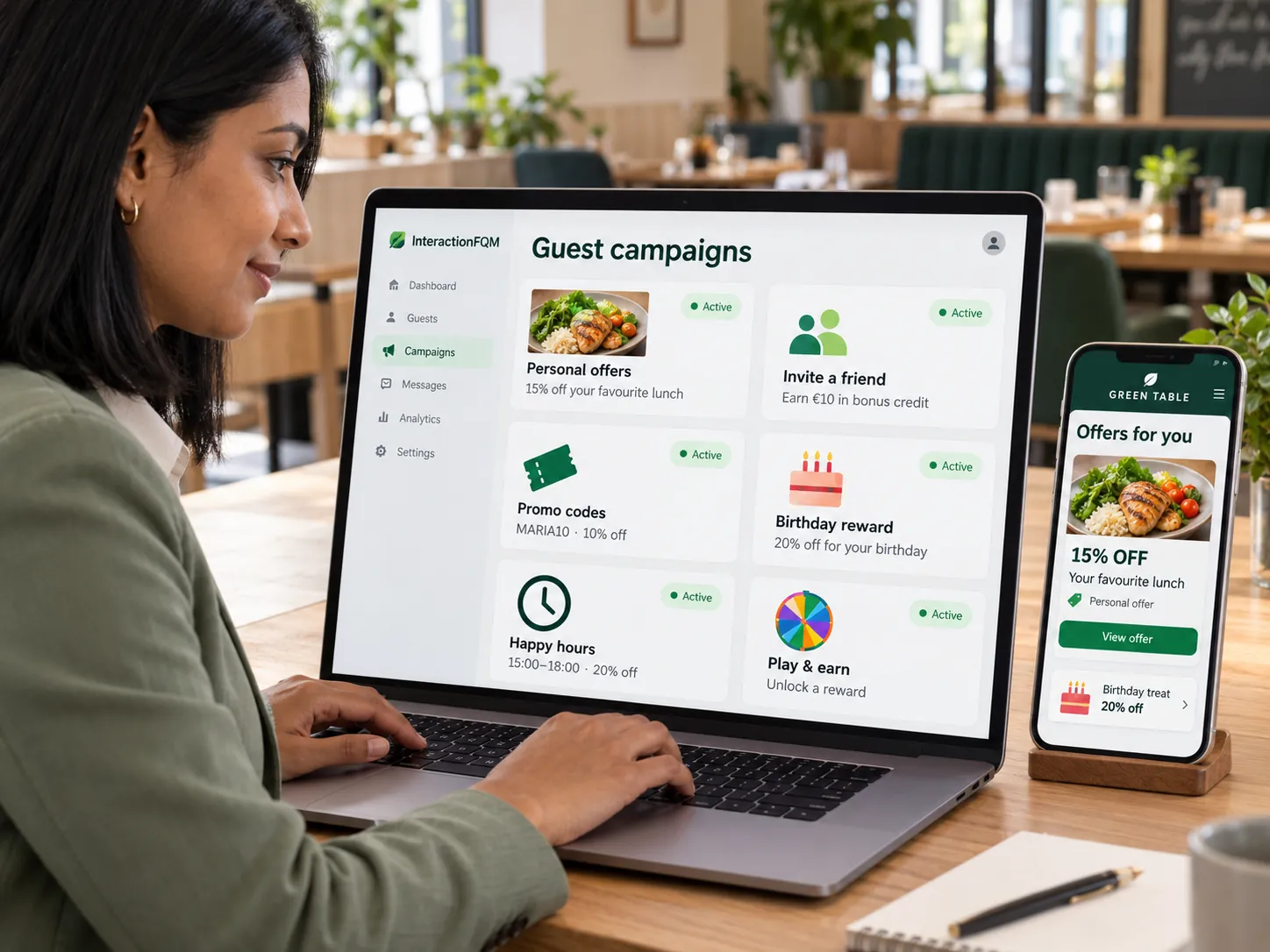
Loyalty & referrals

Help guests return with rewards for their next visit, guest cards, offers and referrals to friends.
Explore featuresHide details
What it brings to your venue

A reward with a clear validity period helps maintain guest relationships without complicated terms.

Features

  • Reward for the next visit
  • Guest cards and privileges
  • Creators’ promo codes and analytics
  • Rewards for Instagram posts
  • Guest account with rewards

For owners and managers

Set the percentage and validity period for next-visit rewards, display guest cards and track creators’ promo codes. Availability of automatic points accumulation and referral rewards is checked for your configuration.

For guests and your team

Guests see when a reward becomes active and the last day they can use it.

Next-visit rewards and guest-card display are described separately from automatic points accumulation and referral rewards: availability of the latter is checked for your configuration.

More about this module →

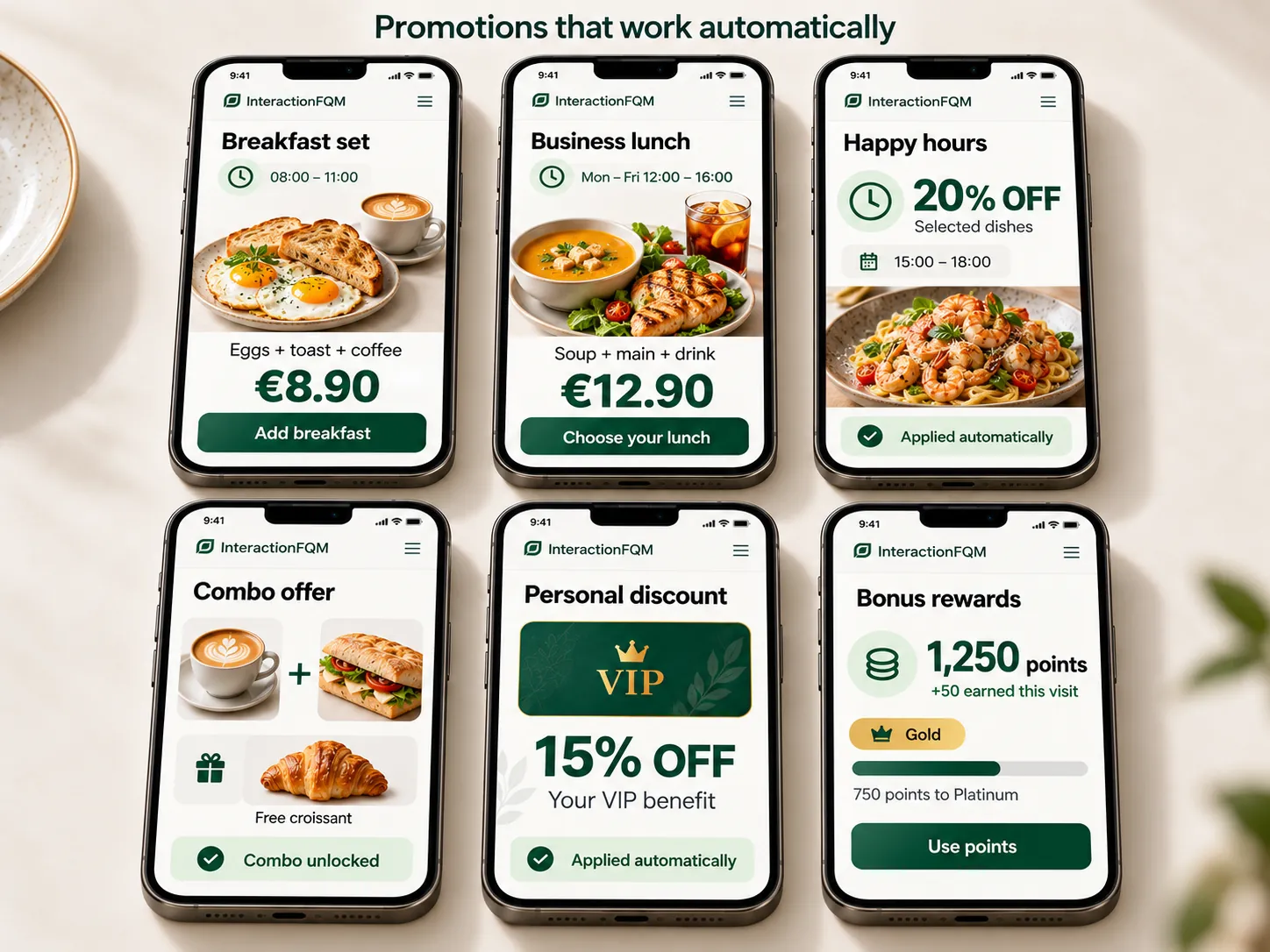
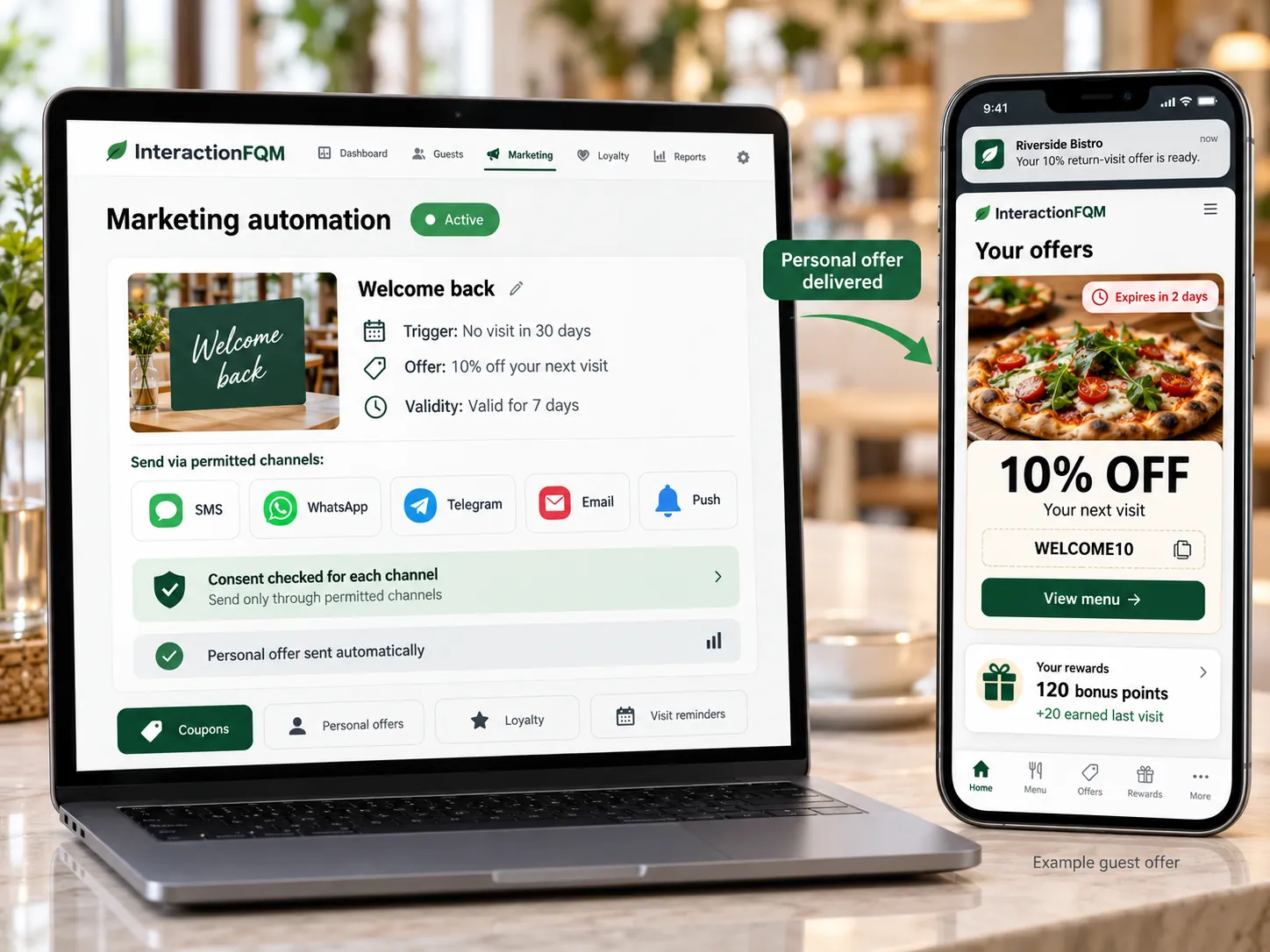
Offers & campaigns

Create promotions, combos and personalised offers, show them at the right time and guide guests towards an order.
Explore featuresHide details
What it brings to your venue

Guests see a current promotion alongside the menu, while the venue controls the offer and its display period.

Features

  • Promo codes and personalised discounts
  • Business lunches and combos
  • Happy Hour and 1+1 offers
  • Promotions on the website and QR menu
  • AI suggestions based on preferences

For owners and managers

Create promotions and choose where they appear. Distinguish promoting an offer from a pricing rule that changes the order total.

For guests and your team

Guests see what is included, the price and the terms of the offer before ordering.

More about this module →

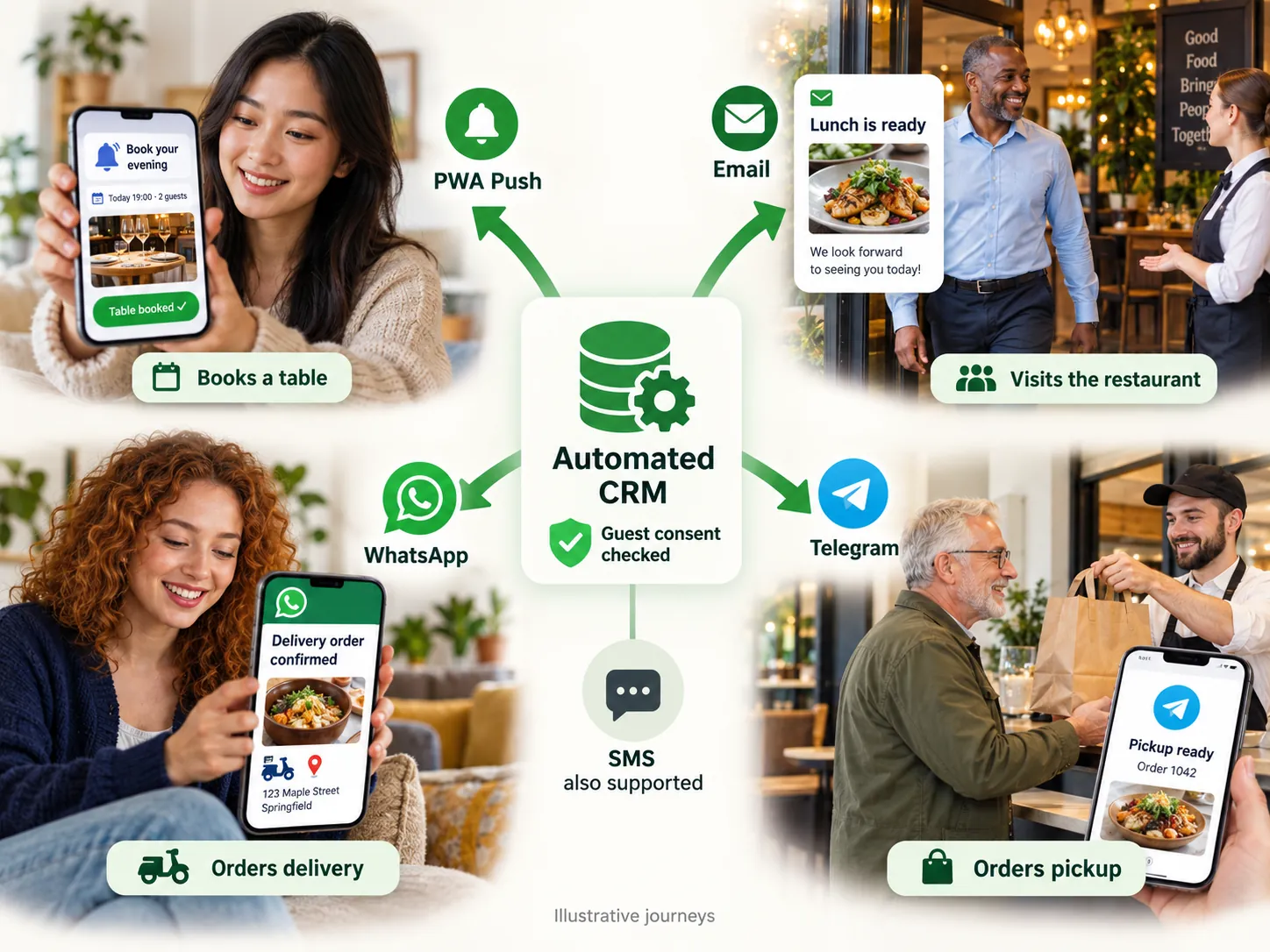
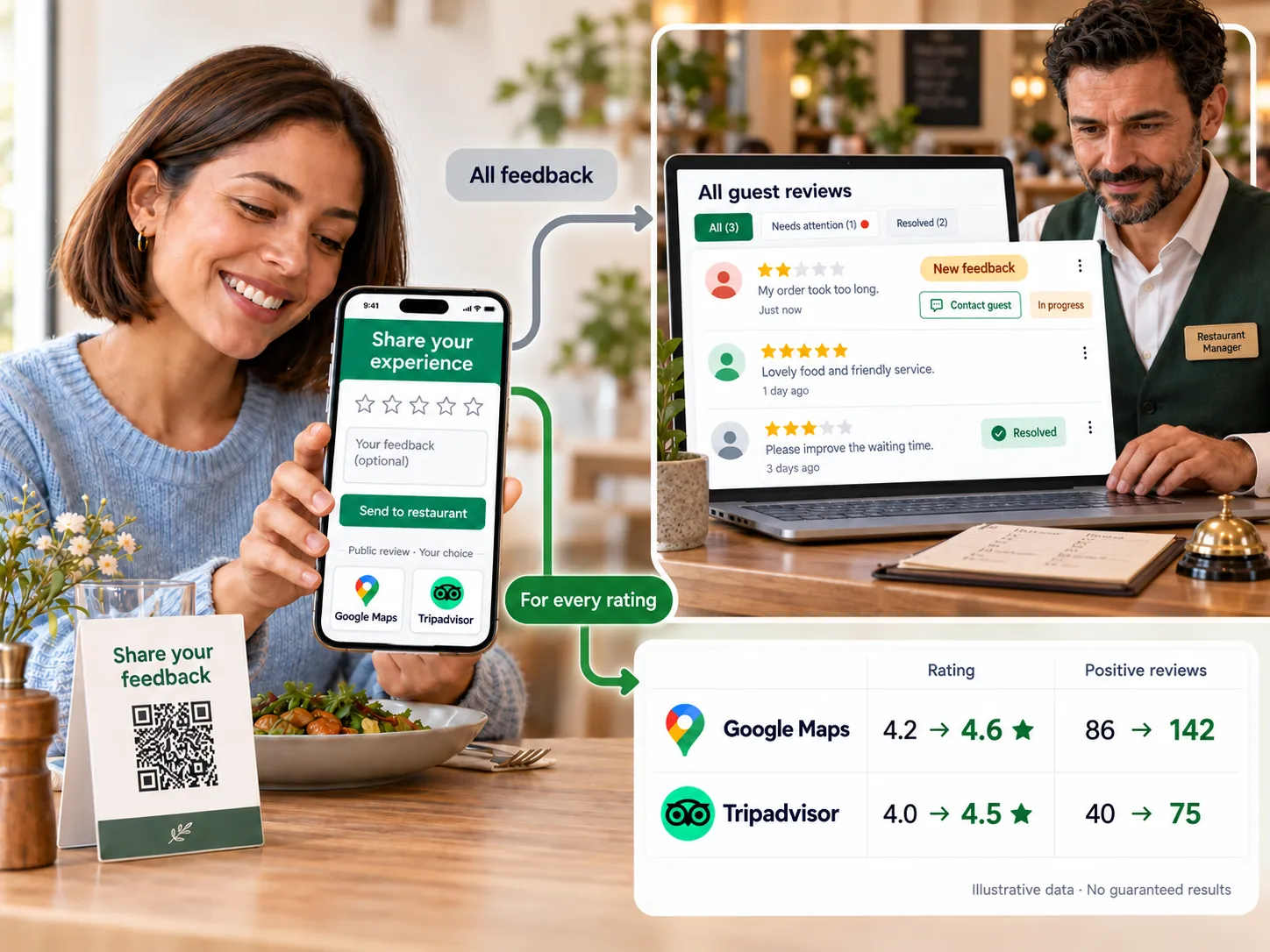
Guest communication

Keep guests informed about their orders, invite feedback and send offers through selected channels according to their consent choices.
Explore featuresHide details
What it brings to your venue

Clear service notifications help guests track orders, while consented marketing channels keep them informed about offers.

Features

  • Order statuses
  • Login through Telegram, WhatsApp and email
  • Invitations to leave feedback
  • WhatsApp campaigns and coupons
  • AI chat with handover to a manager

For owners and managers

Separate order updates, account login messages and marketing. Configure available channels and recipients.

For guests and your team

Guests receive relevant messages and can withdraw marketing consent.

More about this module →
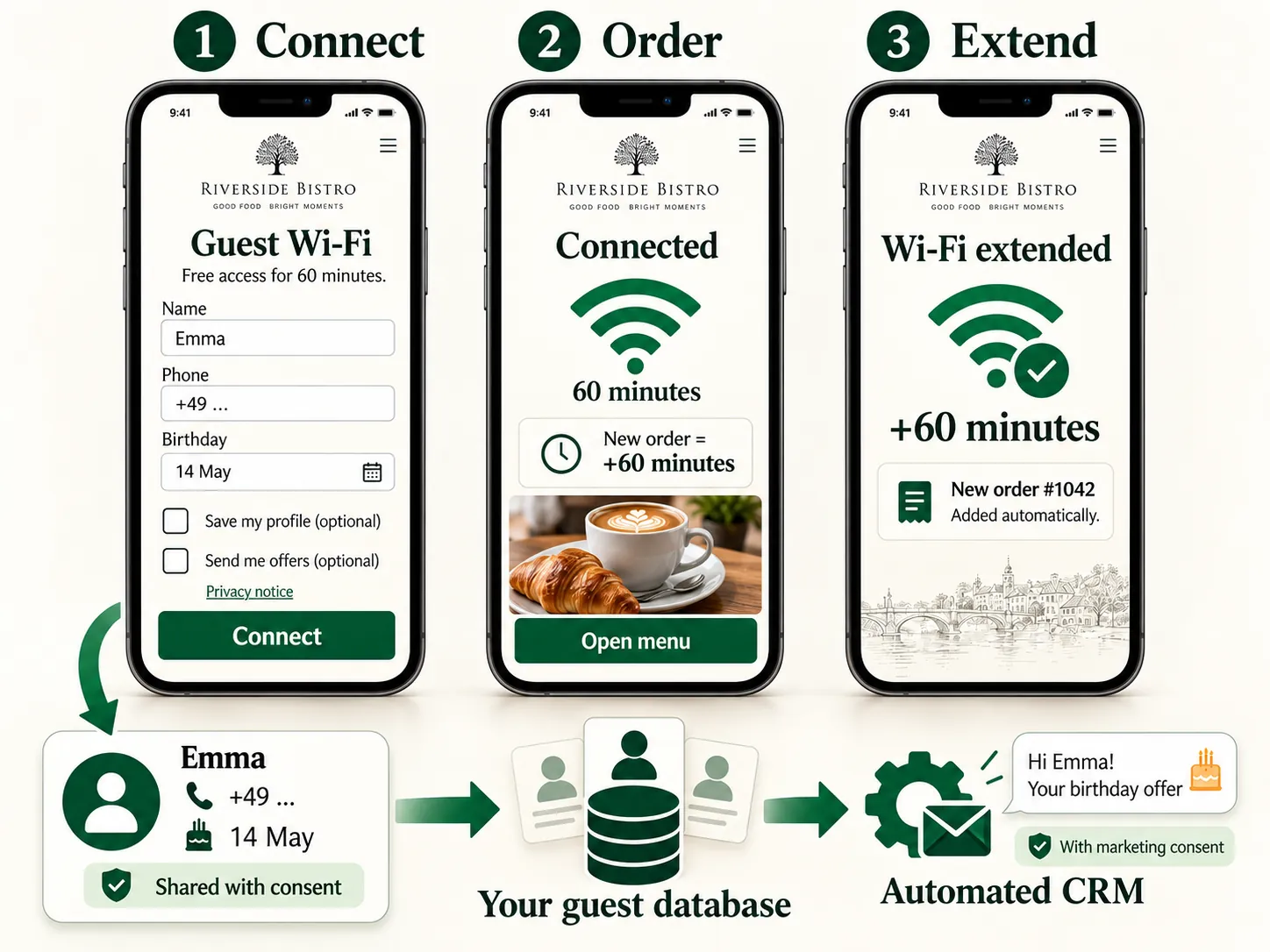
Feedback & reputation — Collect feedback through channels convenient for guests, track ratings across venues and help your team respond promptly.
Feedback & reputation

Collect feedback through channels convenient for guests, track ratings across venues and help your team respond promptly.

Explore featuresHide details
What it brings to your venue

The team sees enquiries and can respond to problems, while owners compare results over time and across venues.

Features

  • Feedback with photos and voice messages
  • Google, Tripadvisor, 2GIS and Yandex
  • Notifications and response tracking
  • CSAT, NPS, CES and PMF
  • AI analysis and draft replies

For owners and managers

Configure forms, recipients and reports. Use analysis to support staff, not replace review of their replies.

For guests and your team

Guests can leave feedback anonymously or provide contact details; the team receives it through the chosen channel.

Do not make rewards conditional on positive ratings. Invitations to external review platforms are configured and checked separately.

More about this module →
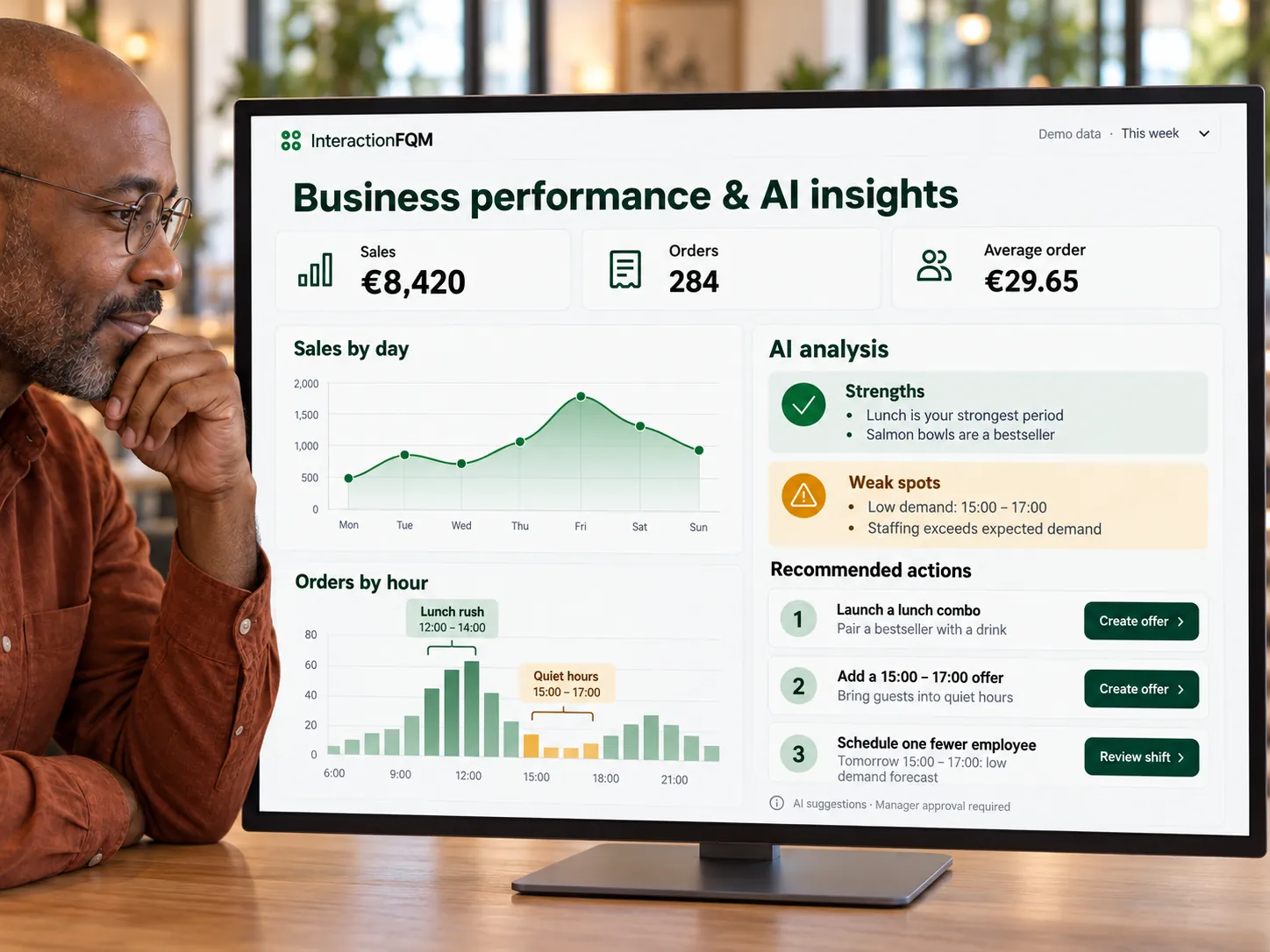
Guest Wi-Fi — Help guests connect to Wi-Fi, manage access duration and track connections and repeat visits.
Guest Wi-Fi

Help guests connect to Wi-Fi, manage access duration and track connections and repeat visits.
Explore featuresHide details
What it brings to your venue

Network information is available alongside the menu, so guests do not need to ask staff for the password separately.

Features

  • Network details on the table page
  • Connection through a guest portal
  • Guest registration and consent
  • Extended access after an order
  • Repeat-visit analytics

For owners and managers

Configure network information sharing or connection through a guest portal, limit access time and track repeat visits.

For guests and your team

Guests find connection details in the menu; staff need to share the password less often.

Managing access through a guest portal requires compatible network equipment.

More about this module →
05

AI & analytics

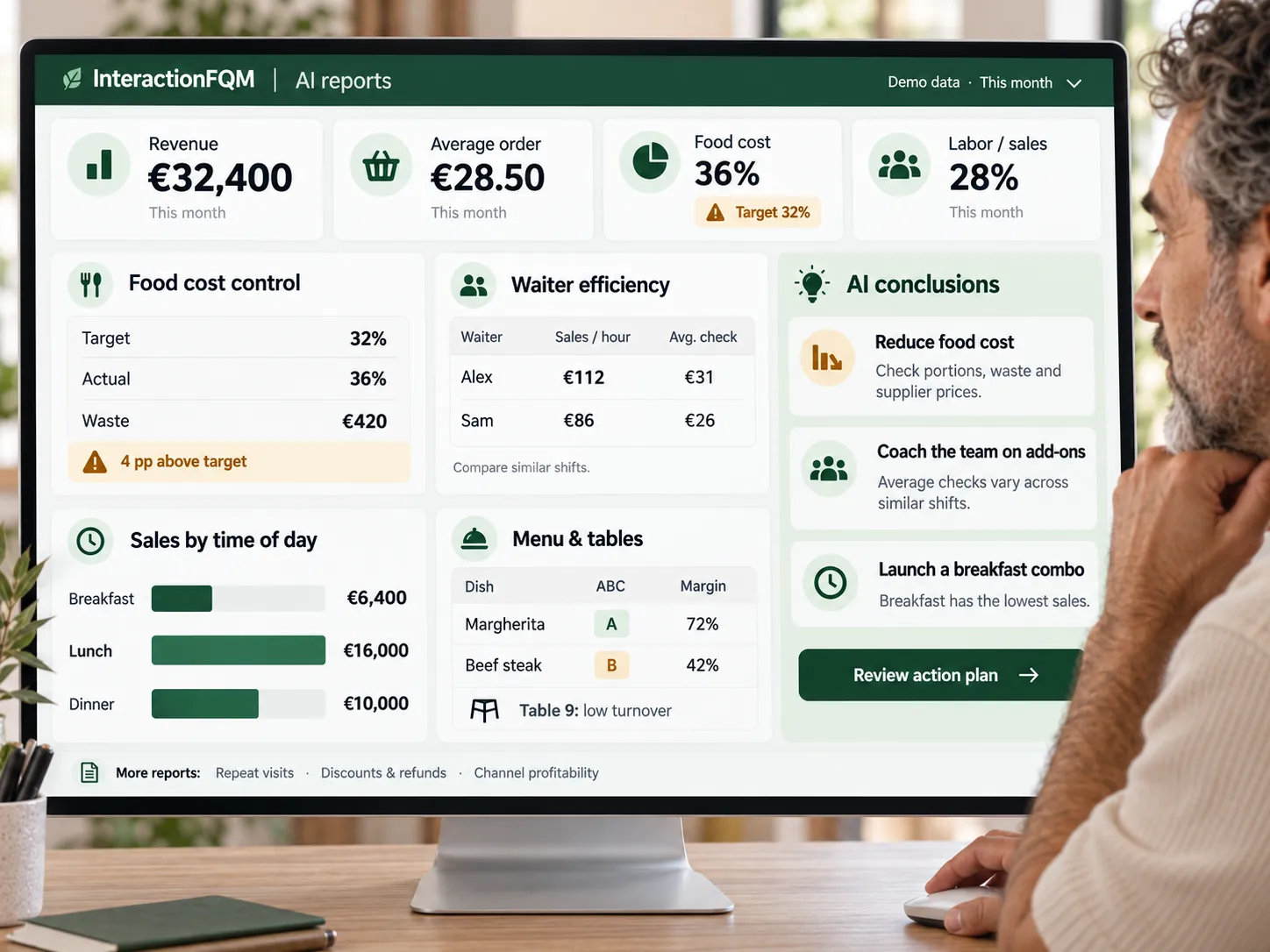
Business reports

Monitor revenue, demand, team performance and costs from a phone or computer, for one venue or your whole chain.
Explore featuresHide details
What it brings to your venue

Reports bring operational metrics together and help you discuss decisions using your venue’s data.

Features

  • Revenue, average order value and payments
  • Dish, table and waiter analytics
  • Stock, recipes and write-offs
  • Reports in Telegram and by email
  • AI chart analysis and recommendations

For owners and managers

Compare periods and locations, view data on your phone and export the metrics you need.

For guests and your team

Managers see results, while employees can work with the reports available to them.

More about this module →
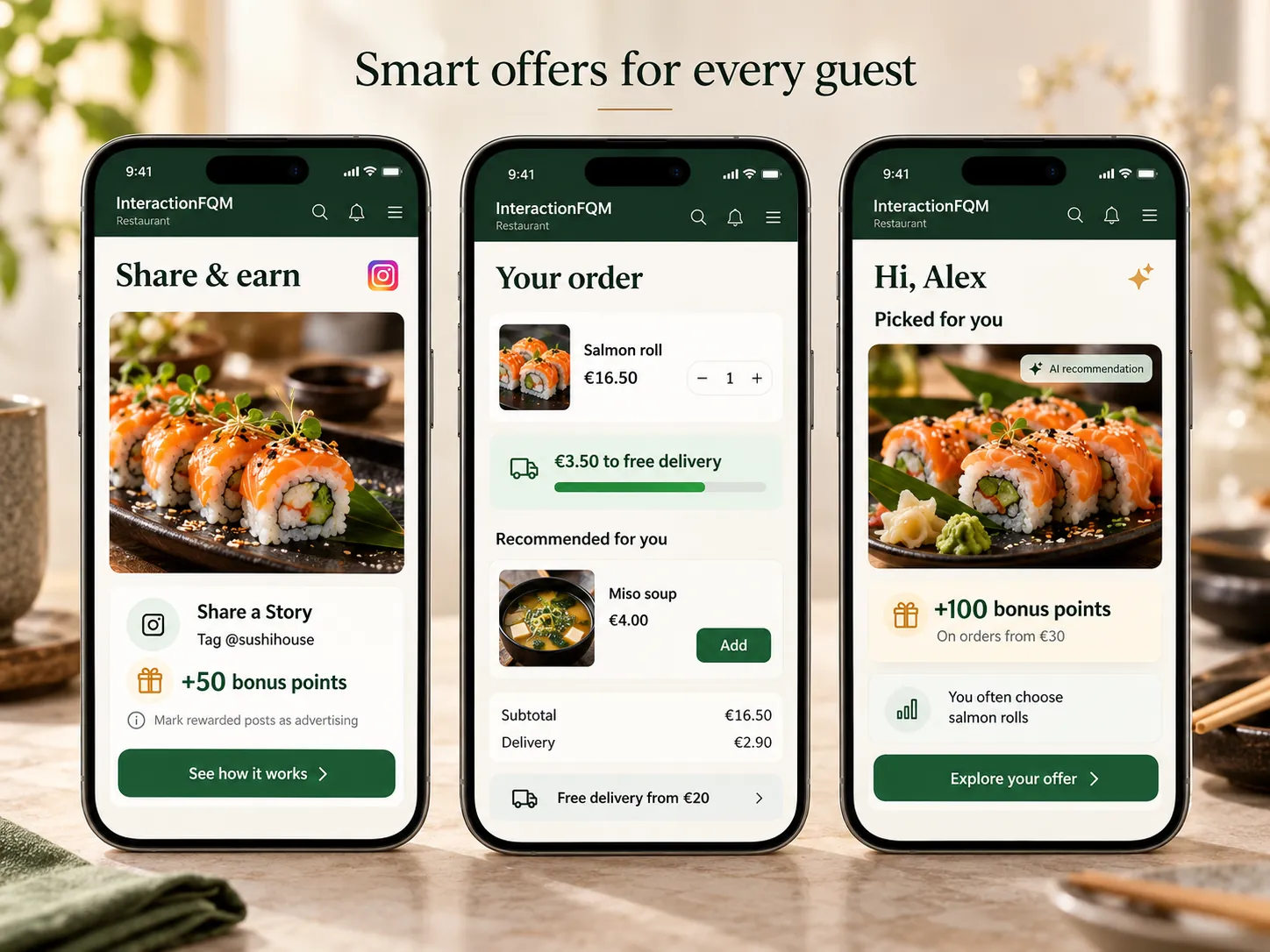
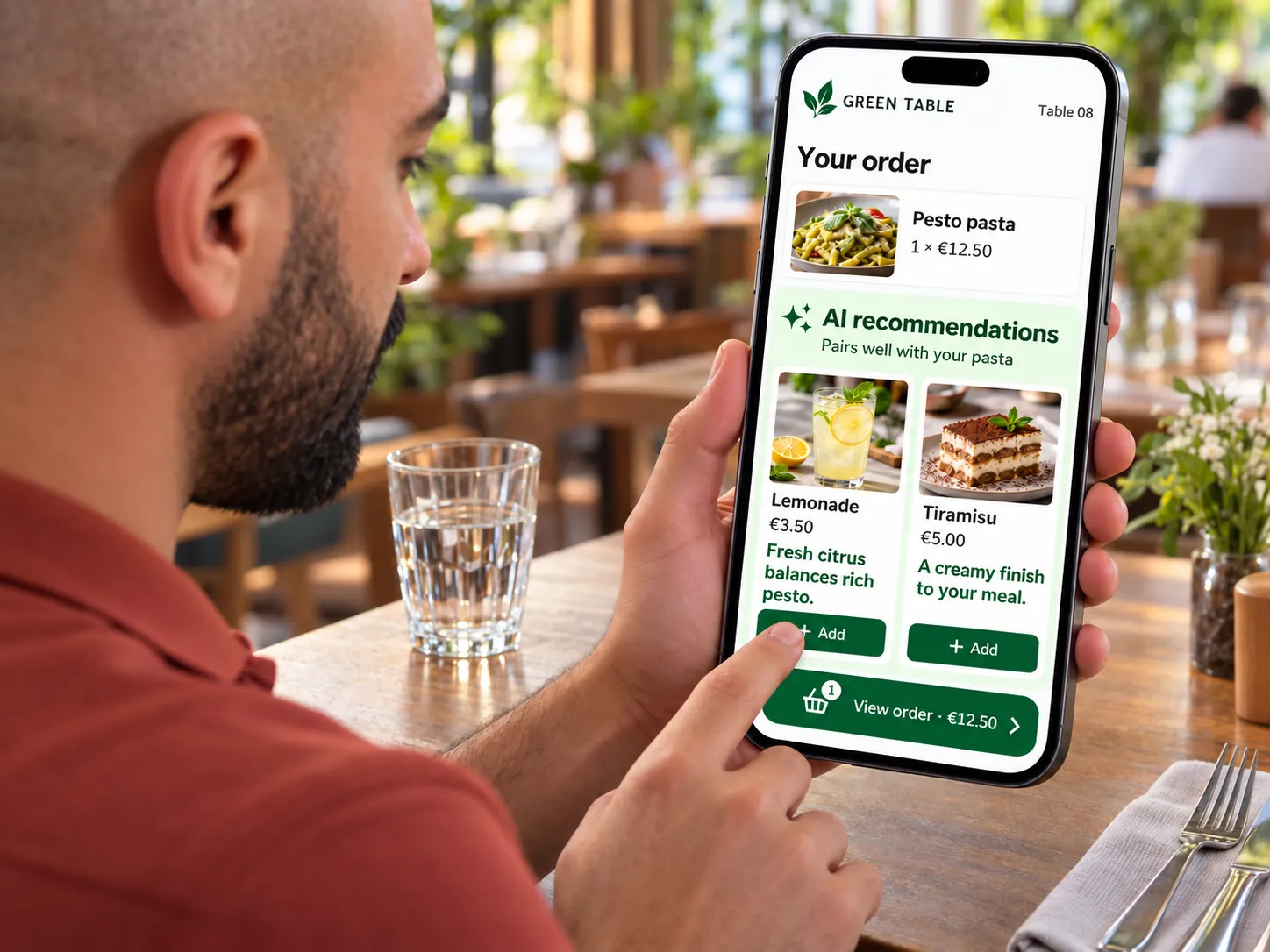
Smart dish recommendations — Suggest drinks, desserts and extras to complement selected dishes before the basket and during checkout.
Smart dish recommendations

Suggest drinks, desserts and extras to complement selected dishes before the basket and during checkout.

Explore featuresHide details
What it brings to your venue

Dish pairings and suggestions before the basket help guests complete their order and discover additional items.

Features

  • Digital waiter prompts
  • Popular dishes and your selected dishes
  • Pairings on the dish page
  • Upselling in the basket
  • Multilingual text and buttons

For owners and managers

Set pairings and offer contents. Avoid suggesting items already in the basket.

For guests and your team

Guests add a suitable extra in one step without returning to search the menu.

Recommendations are based on dish popularity and venue settings.

More about this module →
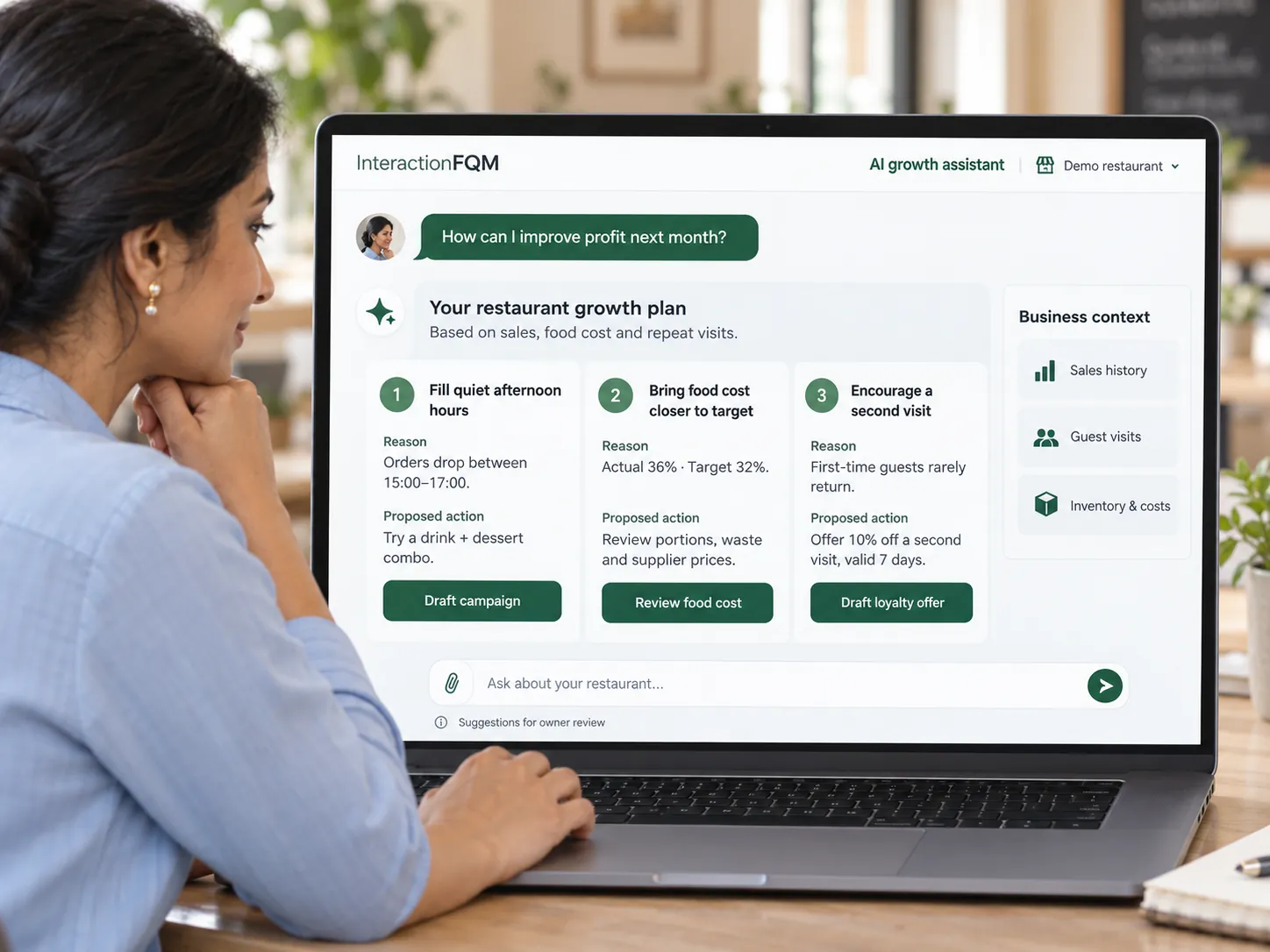
AI assistant for owners — Ask AI about sales, expenses and guests, and receive charts, promotional ideas and recommendations to inform your decisions.
AI assistant for owners

Ask AI about sales, expenses and guests, and receive charts, promotional ideas and recommendations to inform your decisions.

Explore featuresHide details
What it brings to your venue

AI helps prepare materials and draft analyses so managers can move sooner to reviewing and deciding.

Features

  • Answers with charts based on business data
  • Promotional ideas for quiet hours
  • AI menu import and recipes
  • Review analysis and draft replies
  • Food-cost recommendations and action plans

For owners and managers

Ask about sales, expenses and guests, and explore charts and promotional ideas. Check food-cost recommendations and approve recipes before applying them.

For guests and your team

The team receives prepared materials and retains control over final decisions.

The AI assistant can make mistakes. Check recommendations, imported menus and recipes before using them; the owner remains responsible for the decision.

More about this module →
06

Your team

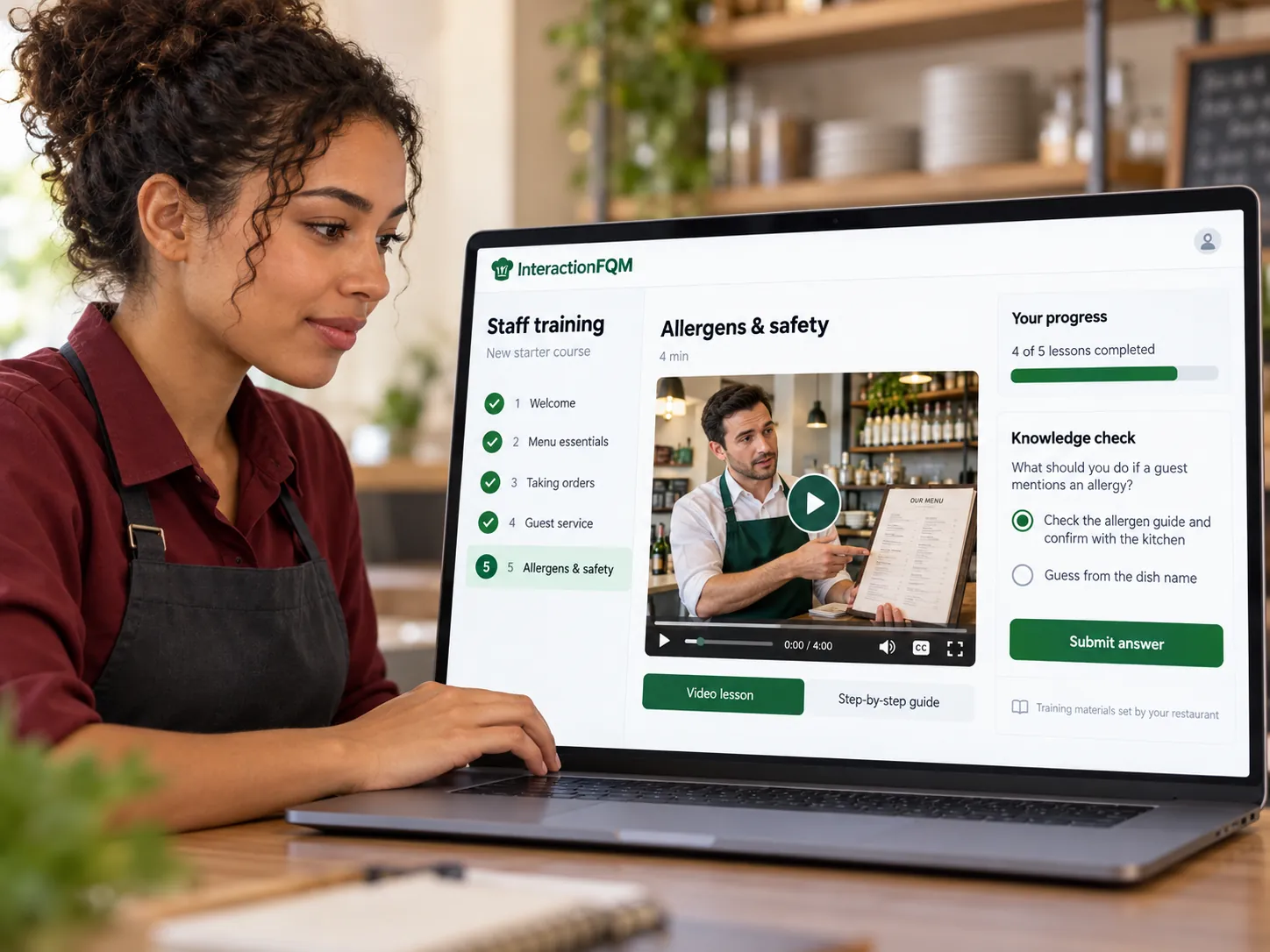
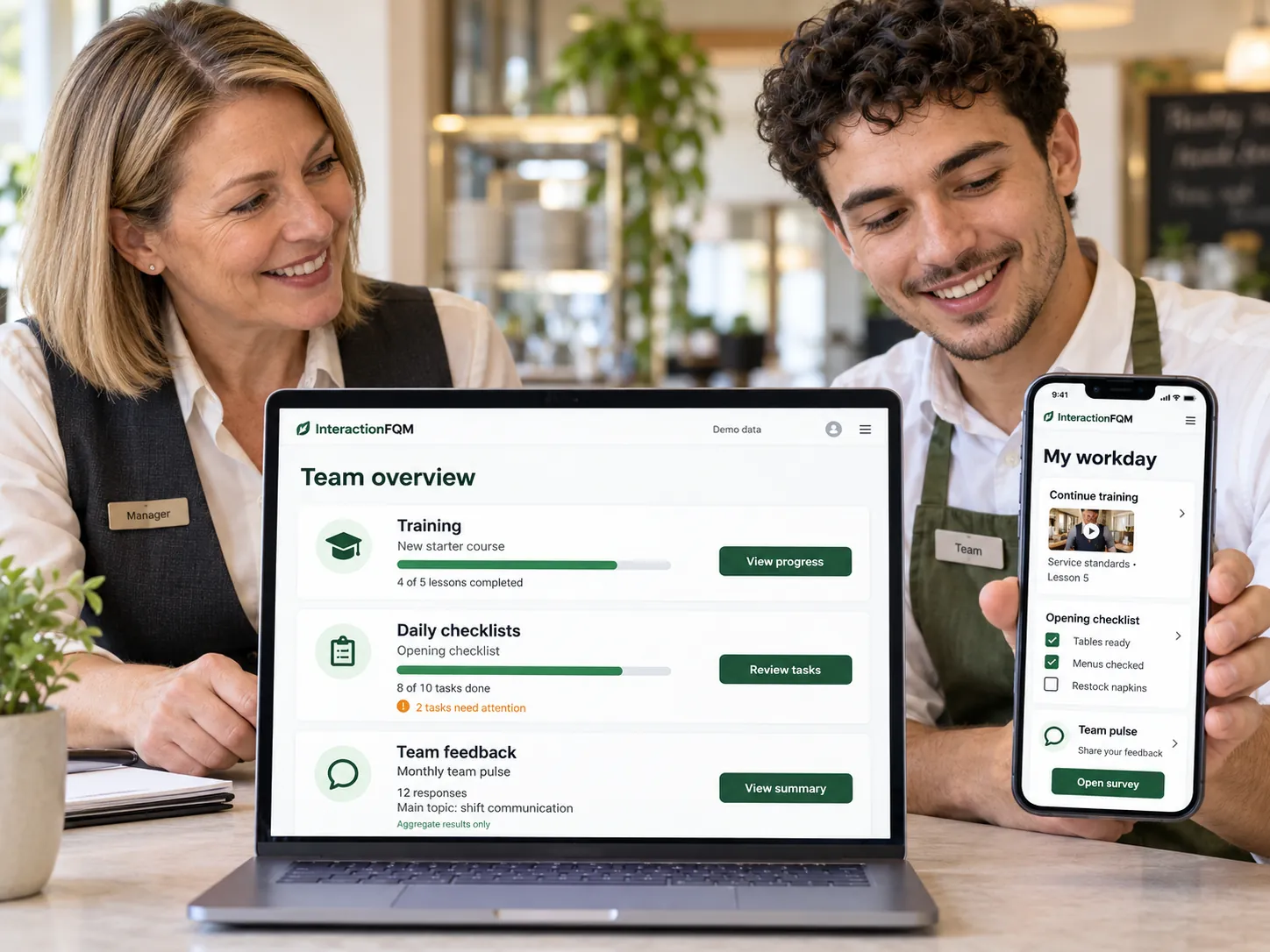
Training

Train employees with consistent materials: articles, tasks and tests, with knowledge checks and progress tracking.
Explore featuresHide details
What it brings to your venue

Courses and tasks give the team a clear learning path, while managers can see progress and assessment results.

Features

  • Courses in multiple languages
  • Practical tasks with review
  • Tests with another attempt
  • Assign courses to employees
  • Learning progress and time

For owners and managers

Assign courses to specific employees. Review practical work and return tasks for improvement.

For guests and your team

Employees see their courses and results; managers see training progress.

More about this module →
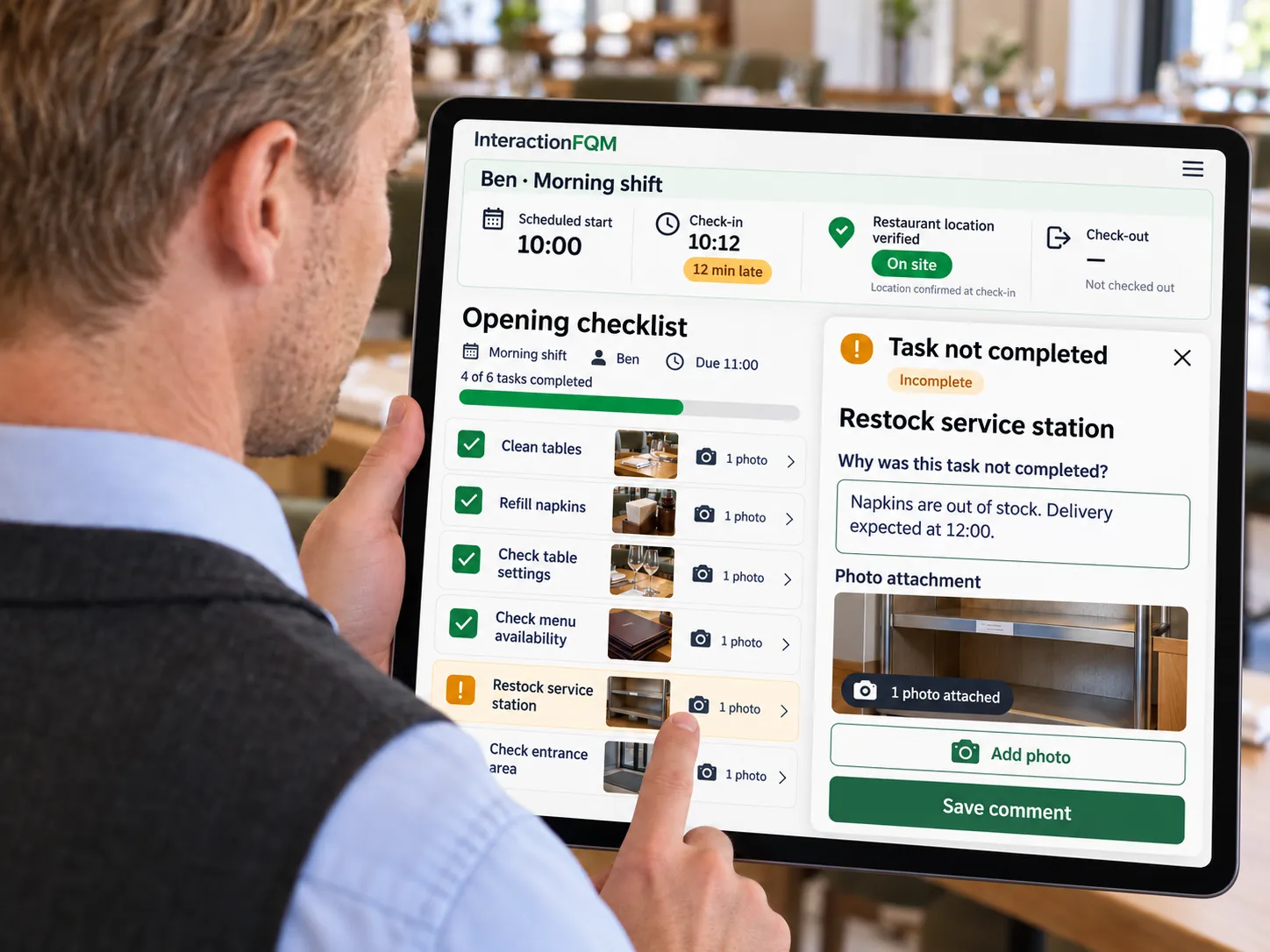
Checklists — Organise shift opening and closing with checklists and verify task completion through photo reports.
Checklists

Organise shift opening and closing with checklists and verify task completion through photo reports.

Explore featuresHide details
What it brings to your venue

Task lists, confirmations and review help the team follow working procedures.

Features

  • Opening and closing checklists
  • Photos for each item
  • Reason for non-completion
  • Task progress and statuses
  • Manager review

For owners and managers

Set shift opening and closing checklists, check photos for each item and review reasons for non-completion.

For guests and your team

Employees see what they need to do; managers receive confirmation.

More about this module →
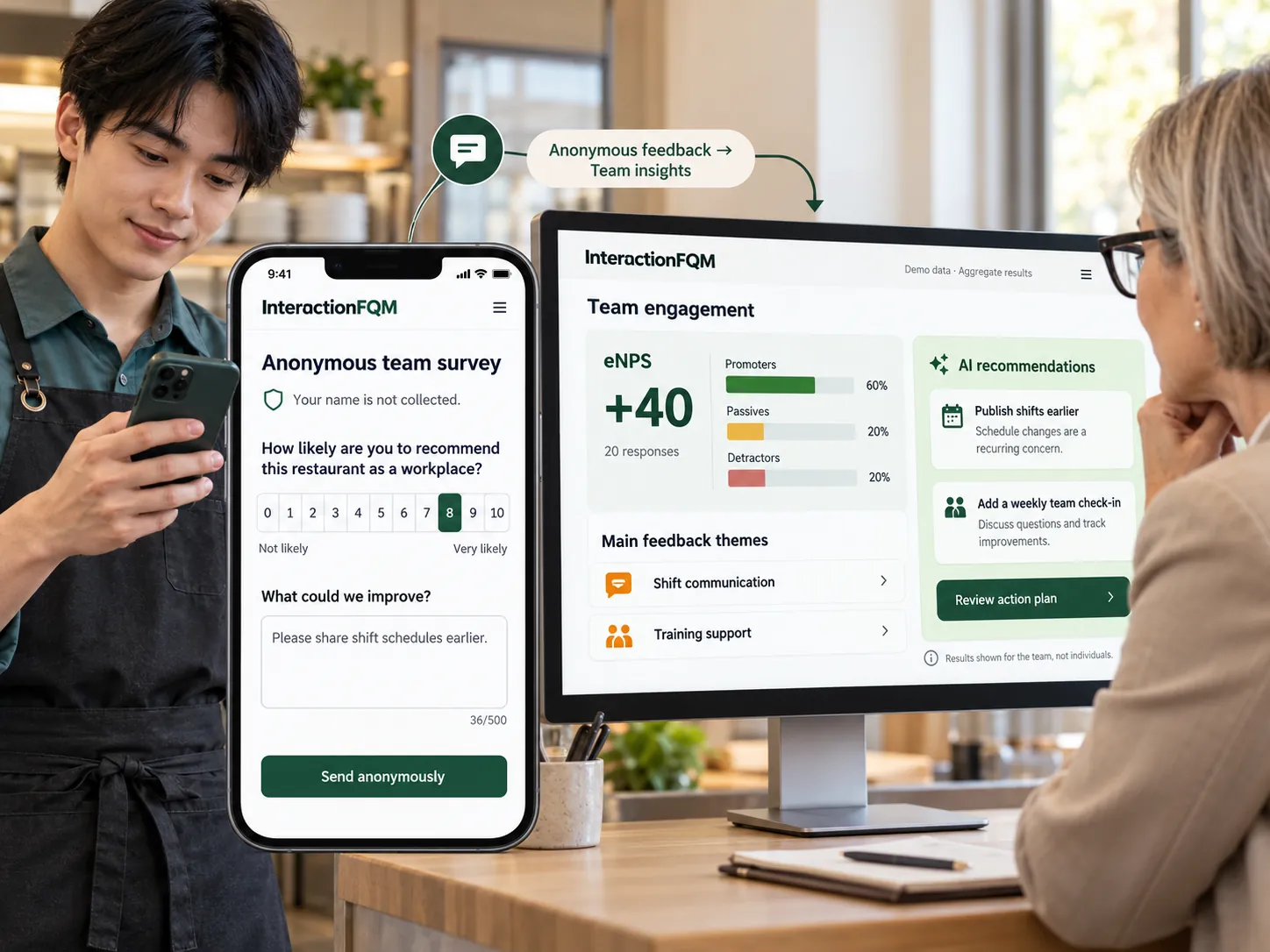
Team feedback / eNPS — Gather team feedback through eNPS and custom surveys, and track responses and changes over time.

Team feedback / eNPS

Gather team feedback through eNPS and custom surveys, and track responses and changes over time.

Explore featuresHide details
What it brings to your venue

Managers receive structured feedback and can track changes across periods.

Features

  • Builder with 15 question types
  • Anonymous or named responses
  • QR codes, links and messengers
  • Charts, tables and Excel
  • Automated response sentiment analysis

For owners and managers

Configure questions and participation options. Use automated sentiment analysis as an additional signal when reviewing responses.

For guests and your team

Employees respond through a link or QR code; managers see survey results.

More about this module →
InteractionFQM POS

Order channels

Restaurant websiteQR menuOwn delivery & takeaway

InteractionFQM

One workspace

Kitchen and pickup

KDS & kitchen printingPickup display

The flow depends on selected modules and confirmed connections.

03 / INTERACTIONFQM

Already have a POS? Let’s check compatibility.

Use InteractionFQM POS or connect a compatible till. We will show which data is exchanged, which services are required and how the exchange is checked before launch.

Book a demo
POS & cash registers
SyrvePosterZone SoftHubRiseLightspeedZeltyClyo SystemsPAR PixelPoint
Payment providers
AdyenStripemyPOSSumUpPayPal
Delivery channels
WoltGlovoLieferandoUber EatsBolt Foodfoodora

200+ integrations — find the connections for your restaurant

We’ll confirm compatibility, connection type and availability in your country.
POS integrationsSyrve/iiko and r_keeper; Lightspeed through HubRise. The data exchanged depends on the connection.

Keep your compatible POS and reduce duplicate entry. Menus, tables, availability and order transfer are configured within the capabilities of each connection.

Online payments and fiscal processingConnections to supported payment acquiring, digital payment and fiscal services.

Simplify checkout and data transfer to accounting. The provider, payment methods and fiscal configuration are selected for the country; compliance is checked for the specific implementation.

fiskaly.

Fiscalisation in EU countries through fiskaly

InteractionFQM integrates with fiskaly: you can take orders and process sales in our platform with fiscalisation according to the requirements of your venue’s country. The solution is available in EU countries supported by fiskaly.

From a first order to a returning guest

Develop your direct sales channel: your website, pickup and delivery connect with CRM, offers and loyalty.

  1. 01

    Give guests a direct link

    Share your menu link on your website, social profiles and venue QR materials so guests can browse your dishes.

  2. 02

    Accept and fulfil the order

    Guests choose their dishes and an available fulfilment option. Your team processes the order and sends it to the kitchen using the agreed setup.

  3. 03

    Give them a reason to order again

    Use rewards, promo codes and tailored offers. Send messages through supported channels with the required guest consent.

What can the owner track?

From daily orders to the reasons guests return.

01

What sells best?

Revenue, average order value and busy hours help you assess sales. ABC analysis highlights menu items worth reviewing.

02

Where are food costs changing?

Recipes, purchases, stock levels and waste records help you monitor food costs and plan purchasing.

03

Who comes back?

Order history and guest segments help you tailor offers and work on repeat visits.

04 / INTERACTIONFQM

You don’t have to figure it out alone.

Our team helps create, configure and launch your setup. The scope and timing depend on your menu, equipment and integrations.

01

Tell us how you work

Share your format, existing systems and the first task you want to solve.

02

Set up your first workflow

Prepare the menu and connect the agreed functions with our team.

03

Learn through your own workflow

We walk your team through an order: accept it, send it to the kitchen, hand it over and take payment if connected. We then clarify responsibilities. Training requirements depend on your configuration.

04

Try it in daily service

Use the 14-day trial to see what works for your guests and staff.

What to bring to the meeting

A demo built around your venue

Start with one process: ordering at the table, pickup or delivery. See the journey from the order to the kitchen and reporting.

  • Your menu and service format
  • Names of your current POS, payment provider and delivery platforms
  • One problem you want to solve first

Together, we will identify a suitable plan, check the connections you need and agree on the first workflow to test.

Book a demo
05 / INTERACTIONFQM

Clear plans. One platform.

Monthly subscription, excluding VAT. The same package conditions across markets.

Prices exclude VAT. Converted amounts are indicative; the contract determines the billing currency and payment terms.

What makes up your cost
Paid subscription
From 19 € per month, excluding VAT. Each plan’s features are listed below.
Setup and training
We agree on the scope of setup, menu migration and training before work begins.
Guest mobile app
Starter — Waiter mobile app. Full — Guest mobile app.
Integrations and hardware
We check your POS and devices. Additional connections, equipment and third-party services are itemised separately.
Payments and contract terms
We clarify payment-provider fees, contract duration, renewal and cancellation before connecting.

Free

For new venues

0 €/ month

Build your online presence and introduce guests to your menu.

  • Venue website
  • Multilingual menu — up to 20 dishes
Start for free

Minimal

Digital presence

19 €/ month
Excluding VAT
  • Restaurant website
  • QR menu for guests
  • Smart dish recommendations
  • Review management
  • Review analytics
  • Multiple languages
  • Centralised menu management
Book a demo

Starter

In-house automation

67 €/ month
Excluding VAT
  • Everything in Minimal
  • Waiter mobile app
  • Guest self-service
  • Call a waiter
  • Takeaway
  • Table reservations
  • Telegram Mini App
  • Roles and till shifts
  • Sales and order reports
Book a demo

Basic

Payments and integrations

138 €/ month
Excluding VAT
  • Everything in Starter
  • POS system and self-service kiosk
  • KDS & kitchen printing · Pickup display
  • Payments & tips
  • POS / till integration
  • Guest Wi-Fi
  • Own delivery
  • Digital Menu Board · Outdoor Digital A-Board
  • fiskaly · Separate connection
Book a demo
Compare all plan features

Each higher plan includes the previous plan’s features. Connection and third-party service terms are confirmed separately.

↗ Separate connection. Hardware and third-party provider services are not included in the subscription. Compatibility, connection terms and costs are agreed separately.

Sales channels
Sales channels
FeatureMinimal19 € / monthStarter67 € / monthBasic138 € / monthFull174 € / month
Restaurant website
Own domain and brand stylingIncludedIncludedIncludedIncluded
Tables, guests and separate billsNot includedIncludedIncludedIncluded
Menu, offers, opening hours and mapNot includedIncludedIncludedIncluded
Orders and other services through connected modulesIncludedIncludedIncludedIncluded
Venue chain and nearest-location selectionIncludedIncludedIncludedIncluded
Meal subscriptions: WhatsApp enquiry and invoiceIncludedIncludedIncludedIncluded
QR menu
Languages, photos, ingredients, allergens and nutritionIncludedIncludedIncludedIncluded
Sizes, options and separately priced add-onsIncludedIncludedIncludedIncluded
Search, scheduled categories and unavailable itemsIncludedIncludedIncludedIncluded
Dish comments and serving orderIncludedIncludedIncludedIncluded
Call a waiterNot includedIncludedIncludedIncluded
Payments & tipsNot includedNot includedIncludedIncluded
Menu schedules, Happy Hour and promo codesIncludedIncludedIncludedIncluded
Guest mobile app
Order history and reorderingNot includedNot includedNot includedIncluded
Current order and statusNot includedNot includedNot includedIncluded
Rewards and purchased tickets with QR codesNot includedNot includedNot includedIncluded
Profile and consent managementNot includedNot includedNot includedIncluded
Tickets with QR codes and personal data managementNot includedNot includedNot includedIncluded
Telegram Mini App
Menu access through TelegramNot includedIncludedIncludedIncluded
Tables, guests and separate billsNot includedIncludedIncludedIncluded
Payments & tipsNot includedNot includedIncludedIncluded
Order status notifications for guestsNot includedIncludedIncludedIncluded
Venue bot for orders and feedbackNot includedNot includedNot includedIncluded
Own delivery & takeaway
Delivery fee and minimum orderNot includedNot includedIncludedIncluded
Free delivery above your chosen thresholdNot includedIncludedIncludedIncluded
Scheduled pickup from a selected locationNot includedIncludedIncludedIncluded
Order statuses and payment optionsNot includedNot includedIncludedIncluded
Order number on the guest’s phoneNot includedIncludedIncludedIncluded
Order progress stepsNot includedIncludedIncludedIncluded
Creators’ promo codes and analyticsNot includedNot includedNot includedIncluded
Email receipts, feedback and rewards after deliveryNot includedIncludedIncludedIncluded
Digital Menu Board — Menus and offers on screens
Dish photos, prices and offersNot includedNot includedIncludedIncluded
Synchronisation with iiko/Syrve and HubRiseNot includedNot includedIncludedIncluded
Promotional slides with QR codesNot includedNot includedIncludedIncluded
Display in two languagesNot includedNot includedIncludedIncluded
Centralised screen updatesNot includedNot includedIncludedIncluded
Outdoor Digital A-Board — Digital signage at your entrance
Dishes and prices outside your entranceNot includedNot includedIncludedIncluded
Offers on a digital screenNot includedNot includedIncludedIncluded
QR link to the menuNot includedNot includedIncludedIncluded
Content matching your venue’s styleNot includedNot includedIncludedIncluded
TakeawayNot includedIncludedIncludedIncluded
Service & payments
Service & payments
FeatureMinimal19 € / monthStarter67 € / monthBasic138 € / monthFull174 € / month
POSNot includedNot includedIncludedIncluded
Mobile waiter / POS
Tables, guests and separate billsNot includedIncludedIncludedIncluded
Additional orders, moving items and splitting billsNot includedIncludedIncludedIncluded
Kitchen printing, cancellations and pre-billsNot includedIncludedIncludedIncluded
Payments, tips and shift reportNot includedIncludedIncludedIncluded
Discounts, certificates and fiscal documentsNot includedIncludedIncludedIncluded
Staff permissions, shifts and till reportNot includedNot includedIncludedIncluded
Self-service kiosk
QR ordering without a table assignmentNot includedNot includedIncludedIncluded
Self-service from a phone or compatible deviceNot includedNot includedIncludedIncluded
Order number and status pageNot includedNot includedIncludedIncluded
Connect orders with payment and kitchen workflowsNot includedNot includedIncludedIncluded
Bag label and order-status QR code on the receiptNot includedNot includedIncludedIncluded
Table reservations
External booking button on the website and menuNot includedIncludedIncludedIncluded
Coming soon: native table selection and floor planNot includedIncludedIncludedIncluded
Coming soon: booking time slots and analyticsNot includedIncludedIncludedIncluded
Ticket report with filtersNot includedNot includedIncludedIncluded
Payments & tips
Pay a bill from a phoneNot includedNot includedIncludedIncluded
Prepayment or payment after orderingNot includedNot includedIncludedIncluded
Tips as a separate itemNot includedNot includedIncludedIncluded
Refunds through supported connectionsNot includedNot includedIncludedIncluded
Split bills and Monobank item-based splittingNot includedNot includedIncludedIncluded
Country-specific refunds and fiscal integrationsNot includedNot includedIncludedIncluded
Call a waiter
Preset reasons and custom textNot includedIncludedIncludedIncluded
Waiting timer and call cancellationNot includedIncludedIncludedIncluded
Notifications and call acceptanceNot includedIncludedIncludedIncluded
Customisable buttons on the table pageNot includedIncludedIncludedIncluded
Kitchen & operations
FeatureMinimal19 € / monthStarter67 € / monthBasic138 € / monthFull174 € / month
Unified orders
Order feed with sourcesNot includedIncludedIncludedIncluded
Statuses and new-order soundNot includedIncludedIncludedIncluded
Phone orders from the dashboardNot includedNot includedIncludedIncluded
Printing, refunds and POS transferNot includedIncludedIncludedIncluded
Dish ABC analysis and XLS export by order typeNot includedNot includedNot includedIncluded
KDS & kitchen printing
Printing by category and dishNot includedNot includedIncludedIncluded
Kitchen-ticket language and formatNot includedNot includedIncludedIncluded
Comments and cancellationsNot includedNot includedIncludedIncluded
Order status panelNot includedNot includedIncludedIncluded
Timers, time alerts and separate stationsNot includedNot includedIncludedIncluded
Kitchen handover button without a cashierNot includedNot includedIncludedIncluded
Pickup display
Order number on the guest’s phoneNot includedNot includedIncludedIncluded
Order progress stepsNot includedNot includedIncludedIncluded
Ready-for-pickup notification in TelegramNot includedNot includedIncludedIncluded
Physical pickup display — coming soonNot includedNot includedIncludedIncluded
Centralised menu management
Menu import and translation checksIncludedIncludedIncludedIncluded
Sizes, ingredients, nutrition and allergensIncludedIncludedIncludedIncluded
Synchronisation with a compatible POSNot includedNot includedNot includedIncluded
Mobile editing according to permissionsNot includedNot includedIncludedIncluded
Guest mobile appNot includedNot includedNot includedIncluded
Mobile waiter / POSNot includedIncludedIncludedIncluded
Change log and menu-board updatesIncludedIncludedIncludedIncluded
Inventory & purchasing
Stock levels, goods receipt and suppliersNot includedNot includedNot includedIncluded
Stocktaking and write-offs with reasonsNot includedNot includedNot includedIncluded
Recipes and semi-finished productsNot includedNot includedNot includedIncluded
Food costs, markups and menu ABC analysisNot includedNot includedNot includedIncluded
Automatic stock deductions and purchasing forecasts based on stock levelsNot includedNot includedNot includedIncluded
Invoices from photos/PDFs, Telegram and the appNot includedNot includedNot includedIncluded
Shifts & permissions
Shift opening and handoverNot includedNot includedNot includedIncluded
Revenue, cash and tipsNot includedNot includedNot includedIncluded
Individual staff permissionsNot includedNot includedNot includedIncluded
Order history and cancellation reportNot includedIncludedIncludedIncluded
Till report with printing and exportNot includedNot includedNot includedIncluded
POS integrationsNot includedNot includedIncludedIncluded
Unified aggregator dashboardNot includedNot includedNot includedIncluded
Guests & marketing
Guests & marketing
FeatureMinimal19 € / monthStarter67 € / monthBasic138 € / monthFull174 € / month
Guest CRM
Unified guest profileNot includedNot includedNot includedIncluded
Guest account and order historyNot includedNot includedNot includedIncluded
Login through messengers, email and GoogleNot includedNot includedNot includedIncluded
Consent log and account deletionNot includedNot includedNot includedIncluded
Feedback transfer to CRMNot includedNot includedNot includedIncluded
Loyalty & referrals
Reward for the next visitNot includedNot includedNot includedIncluded
Guest cards and privilegesNot includedNot includedNot includedIncluded
Creators’ promo codes and analyticsNot includedNot includedNot includedIncluded
Rewards for Instagram postsNot includedNot includedNot includedIncluded
Guest account with rewardsNot includedNot includedNot includedIncluded
Offers & campaigns
Promo codes and personalised discountsNot includedNot includedNot includedIncluded
Business lunches and combosNot includedNot includedNot includedIncluded
Happy Hour and 1+1 offersNot includedNot includedNot includedIncluded
Promotions on the website and QR menuNot includedNot includedNot includedIncluded
AI suggestions based on preferencesNot includedNot includedNot includedIncluded
Guest communication
Order statusesNot includedNot includedNot includedIncluded
Login through Telegram, WhatsApp and emailNot includedNot includedNot includedIncluded
Invitations to leave feedbackNot includedNot includedNot includedIncluded
WhatsApp campaigns and couponsNot includedNot includedNot includedIncluded
AI chat with handover to a managerNot includedNot includedNot includedIncluded
Feedback & reputation
Feedback with photos and voice messagesIncludedIncludedIncludedIncluded
Google, Tripadvisor, 2GIS and YandexIncludedIncludedIncludedIncluded
Notifications and response trackingIncludedIncludedIncludedIncluded
CSAT, NPS, CES and PMFIncludedIncludedIncludedIncluded
AI analysis and draft repliesIncludedIncludedIncludedIncluded
Guest Wi-Fi
Network details on the table pageNot includedNot includedIncludedIncluded
Connection through a guest portalNot includedNot includedIncludedIncluded
Guest registration and consentNot includedNot includedNot includedIncluded
Extended access after an orderNot includedNot includedNot includedIncluded
Repeat-visit analyticsNot includedNot includedIncludedIncluded
AI & analytics
AI & analytics
FeatureMinimal19 € / monthStarter67 € / monthBasic138 € / monthFull174 € / month
Sales and order reportsNot includedIncludedIncludedIncluded
Business reports
Revenue, average order value and paymentsNot includedNot includedNot includedIncluded
Dish, table and waiter analyticsNot includedNot includedNot includedIncluded
Stock, recipes and write-offsNot includedNot includedNot includedIncluded
Reports in Telegram and by emailNot includedNot includedNot includedIncluded
AI chart analysis and recommendationsNot includedNot includedNot includedIncluded
Smart dish recommendations
Digital waiter promptsIncludedIncludedIncludedIncluded
Popular dishes and your selected dishesIncludedIncludedIncludedIncluded
Pairings on the dish pageIncludedIncludedIncludedIncluded
Upselling in the basketNot includedNot includedNot includedIncluded
Multilingual text and buttonsIncludedIncludedIncludedIncluded
AI assistant for owners
Answers with charts based on business dataNot includedNot includedNot includedIncluded
Promotional ideas for quiet hoursNot includedNot includedNot includedIncluded
AI menu import and recipesNot includedNot includedNot includedIncluded
Review analysis and draft repliesNot includedNot includedNot includedIncluded
Food-cost recommendations and action plansNot includedNot includedNot includedIncluded
Your team
Your team
FeatureMinimal19 € / monthStarter67 € / monthBasic138 € / monthFull174 € / month
Training
Courses in multiple languagesNot includedNot includedNot includedIncluded
Practical tasks with reviewNot includedNot includedNot includedIncluded
Tests with another attemptNot includedNot includedNot includedIncluded
Assign courses to employeesNot includedNot includedNot includedIncluded
Learning progress and timeNot includedNot includedNot includedIncluded
Checklists
Opening and closing checklistsNot includedNot includedNot includedIncluded
Photos for each itemNot includedNot includedNot includedIncluded
Reason for non-completionNot includedNot includedNot includedIncluded
Task progress and statusesNot includedNot includedNot includedIncluded
Manager reviewNot includedNot includedNot includedIncluded
Team feedback / eNPS
Builder with 15 question typesNot includedNot includedNot includedIncluded
Anonymous or named responsesNot includedNot includedNot includedIncluded
QR codes, links and messengersNot includedNot includedNot includedIncluded
Charts, tables and ExcelNot includedNot includedNot includedIncluded
Automated response sentiment analysisNot includedNot includedNot includedIncluded
Separate connection

Hardware and third-party provider services are not included in the subscription. Compatibility, connection terms and costs are agreed separately.

Separate connection
FeatureMinimal19 € / monthStarter67 € / monthBasic138 € / monthFull174 € / month
fiskalyNot includedNot includedSeparate connectionSeparate connection
Robot waiterNot includedNot includedNot includedSeparate connection

The included modules and integrations are specified in your offer. Payment processing, equipment and third-party services may be charged separately.

Extra months free when you pay upfront

Pay for 6 months and get 1 extra free; pay for 12 and get 3; pay for 24 and get 6. Gift months extend access to your chosen plan.

Save approximately 14%
6+ 1
Pay for 6 monthsGet 1 month free
Total access 7 months
Book a demo
Save 20%
12+ 3
Pay for 12 monthsGet 3 months free
Total access 15 months
Book a demo

Another way to pay — 1% of processed orders

Prefer usage-based pricing? Instead of a fixed subscription fee, choose 1% of the value of orders processed through InteractionFQM. All Full plan features are included.

300 €Deposit for commission payments
1%Commission deducted from the deposit

You pay 300 € into a deposit. A 1% fee on the value of processed orders is deducted from this balance. The deposit is an advance payment towards these fees, not an extra charge on top of the 1%.

Example excluding VAT: orders worth 1 000 € → fee 10 € → remaining deposit 290 €.

The calculation basis, top-up, deposit refund and termination terms are set out in the contract.

Book a demo

Guides

Our team helps create, configure and launch your setup. The scope and timing depend on your menu, equipment and integrations.

06 / INTERACTIONFQM

What to know before connecting

Will I have to replace my current system?

Not necessarily. InteractionFQM can connect supported systems. Tell our team which POS and sales channels you use so we can check the integration.

Who will set it up?

Our team helps create, configure and launch the agreed setup. We’ll confirm the materials needed from you and the scope of support.

Can I start with only a few functions?

Yes. Choose a suitable package and start with the workflow that matters most. Confirm any additional module requirements with the team.

How long is the trial?

14 days free, with no deposit or obligation. After the demo, we will agree on the launch, collect the necessary materials and configure the platform.

Are there extra fees?

Prices exclude VAT. Payment processing, equipment, third-party services and specific connections may carry separate costs. The alternative 1% model has its own terms.

Does AI make decisions for me?

AI provides recommendations and analysis in the described functions. Your team remains responsible for operational decisions and guest information.

Can I see the product before deciding?

Yes. Explore the guest demo or contact our team for a demonstration of the functions relevant to your business.

Will our equipment work?

Share your device, printer and terminal models, plus your POS name and version. Compatibility is checked for the chosen workflow before connection.

How can we assess the trial?

Choose one workflow and compare it before and during the trial: order processing time, manual steps and errors. Assessing repeat visits may require a longer period.

Do we need to stop using delivery platforms?

No. Direct ordering can run alongside delivery platforms. We will check compatibility and order transfer for your connections. Evaluate your direct order share using actual results.

Do direct orders mean no fees?

Not automatically. Include your InteractionFQM plan, payment processing, delivery and third-party services. Subscription plans and the alternative 1% model have different terms; compare total costs for your venue.

We already use several services. Why add another platform?

You can replace some services with InteractionFQM tools and connect compatible solutions you want to keep through integrations. During our review, we will identify what to retain, connect or replace.

Our guests want to speak to a waiter, not order through a QR code.

Keep that choice. QR ordering and payment are an additional option for guests who prefer them. Your team can continue taking orders in person.

How do we know whether the platform is worth the cost?

We will compare your current tools and processes, choose the modules you need and define metrics to assess: manual work, direct orders, repeat visits, write-offs and service time. Results are assessed using your venue’s data.

We do not have time to train staff on a new system.

Training can be organised by role with instructions, video lessons and knowledge checks. Managers can see progress and help where needed.

Will switching disrupt restaurant operations?

Before launch, we will agree on the connection sequence and check equipment, integrations and key workflows. The transition plan depends on your current configuration and goals.

Where is AI used, and where do venue settings apply?

AI helps import menus, prepare recipes and review replies, analyse sales, expenses and guests, and suggest an action plan. A responsible employee checks the results. Dish recommendations before the basket are based on popularity and the venue’s selections: this is a separate mechanism and should not be confused with the AI assistant.

Do you guarantee profit growth?

There is no universal guarantee. The platform’s tools can help reduce manual work, control costs and grow sales. Results depend on processes, data and how your team uses the platform.

Will guests receive unwanted marketing messages?

Marketing messages are sent with valid consent for the chosen channel and an option to stop further messages. The restaurant determines its communication rules and offers.

Can I monitor my venue from a smartphone?

You can view metrics, tasks, notifications, checklist photos and recorded shift events from a smartphone. Access depends on connected modules and user permissions.

What if I have a technical question?

Before connecting, we will agree on support channels and how to request help. During launch preparation, we will check the necessary equipment, internet connection and integrations.

Does the system work without internet access?

An internet connection is required. During a brief outage, a waiter’s order is saved on the device and sent when connectivity is restored. Payments cannot be accepted offline.

See how the platform can work for your venue

In 20 minutes, we will show the features relevant to your business and answer your questions. Then we can discuss a 14-day free trial, with no deposit or obligation.

Book a demo
Free demo · 20–30 minutes

See how the platform can work for your venue

Tell us about your venue so we can tailor the demo to your needs.

Tell us about your venue

Optional. This does not affect your demo or trial. Choose your channels below. You can withdraw consent free of charge by emailing sales@interactionfqm.com or using the unsubscribe option in a message.

By clicking “Send enquiry”, you ask IT Dynamic Systems GmbH to contact you about this enquiry. This does not subscribe you to marketing. How we process enquiry data.