INTERACTIONFQM

Payments & tips

Accept convenient payment methods and track tips separately.

Payments & tips — Accept convenient payment methods and track tips separately.

What it brings to your venue

Guests see the available ways to pay, while the team receives payment and tip data in operational reports.

For owners

Set up the provider and payment methods for your country. Monitor payments, refunds and tips by shift.

For guests and your team

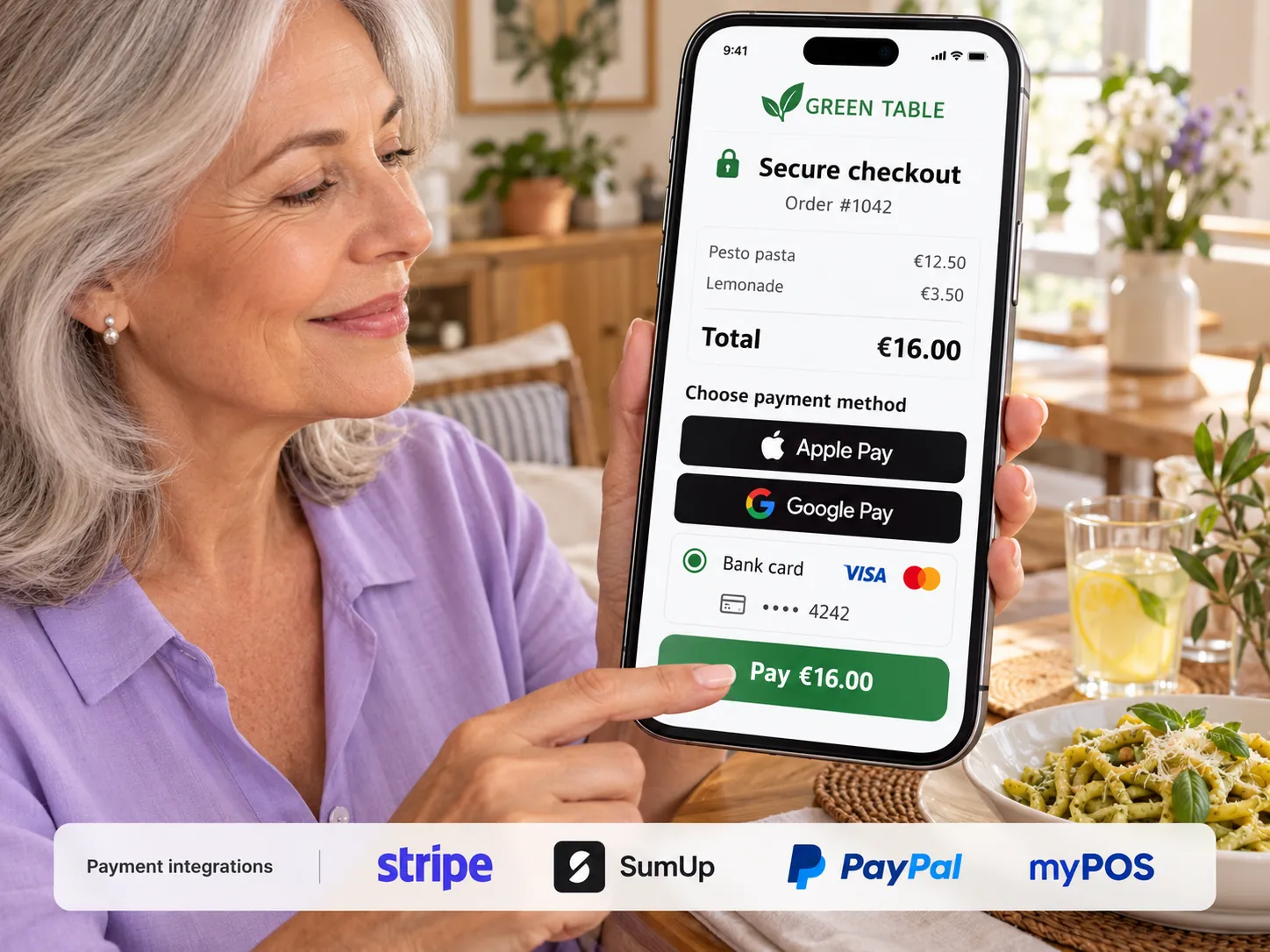
Guests pay using an available method and can add a tip; the employee receives a notification.

How it works

  1. The guest selects a payment method

  2. They confirm the payment and tip

  3. The team receives the result

  4. The payment appears in the shift report

Module features

Setup and payment methods

  • Additional providers: Adyen, Monobank, WayForPay, Kaspi, ePay, TipTop Pay and Payme
  • Adyen for Platforms: the venue enables payment acceptance from its account
  • Apple Pay and Google Pay on the payment screen, through a payment provider that supports them.
  • Order mode: pay in advance or afterwards
  • One-tap PayPal without an intermediate window
  • Pay with a gift certificate

Table payments and payment allocation

  • The guest pays the table bill on their phone; the table closes automatically and the waiter is notified
  • Monobank split payments: different recipients for different dishes
  • Guests split the bill themselves using one QR code

Tips and reporting

  • Tips: three percentages set by the venue, an All tips go to waiters label, and the option to disable tips for cash payments
  • Tips shown separately in the cash report and shift totals
  • Tax or service charge on the bill
  • Keep the change: turn change into a tip — coming soon.

Refunds, receipts and fiscal integrations

  • Refund payments from the dashboard through Adyen, Kaspi, ePay or TipTop Pay
  • Receipt by email
  • Fiscalisation through integrations: fiskaly in Germany with TSE, Checkbox in Ukraine, Webkassa and TipTop Pay in Kazakhstan; alternatively, through the venue's own services within an agreed POS workflow.

Setup and conditions

  • Country and payment provider agreement
  • Fees and available payment methods
  • Separate fiscalisation setup

Availability of payment and fiscal integrations depends on the country, provider and the venue’s agreement. Fees and connection terms are confirmed before launch.

Frequently asked questions

Are all providers available in every country?

No. Availability, currencies and payment methods depend on the provider and country.

Are payments and fiscalisation the same feature?

No. Payment acceptance, document printing and fiscalisation are connected but separate processes.

See how it works for your venue

We will review your processes, demonstrate the features you need and help you choose modules. Setup and team training are free. Test the solution for 14 days, then decide whether to move to a paid plan.

Book a demo

Works with this product

See how the platform can work for your venue

In 20 minutes, we will show the features relevant to your business and answer your questions. Then we can discuss a 14-day free trial, with no deposit or obligation.

Book a demo