INTERACTIONFQM

Mobile waiter / POS

Take orders and payments using a phone or tablet.

Mobile waiter / POS — Take orders and payments using a phone or tablet.

What it brings to your venue

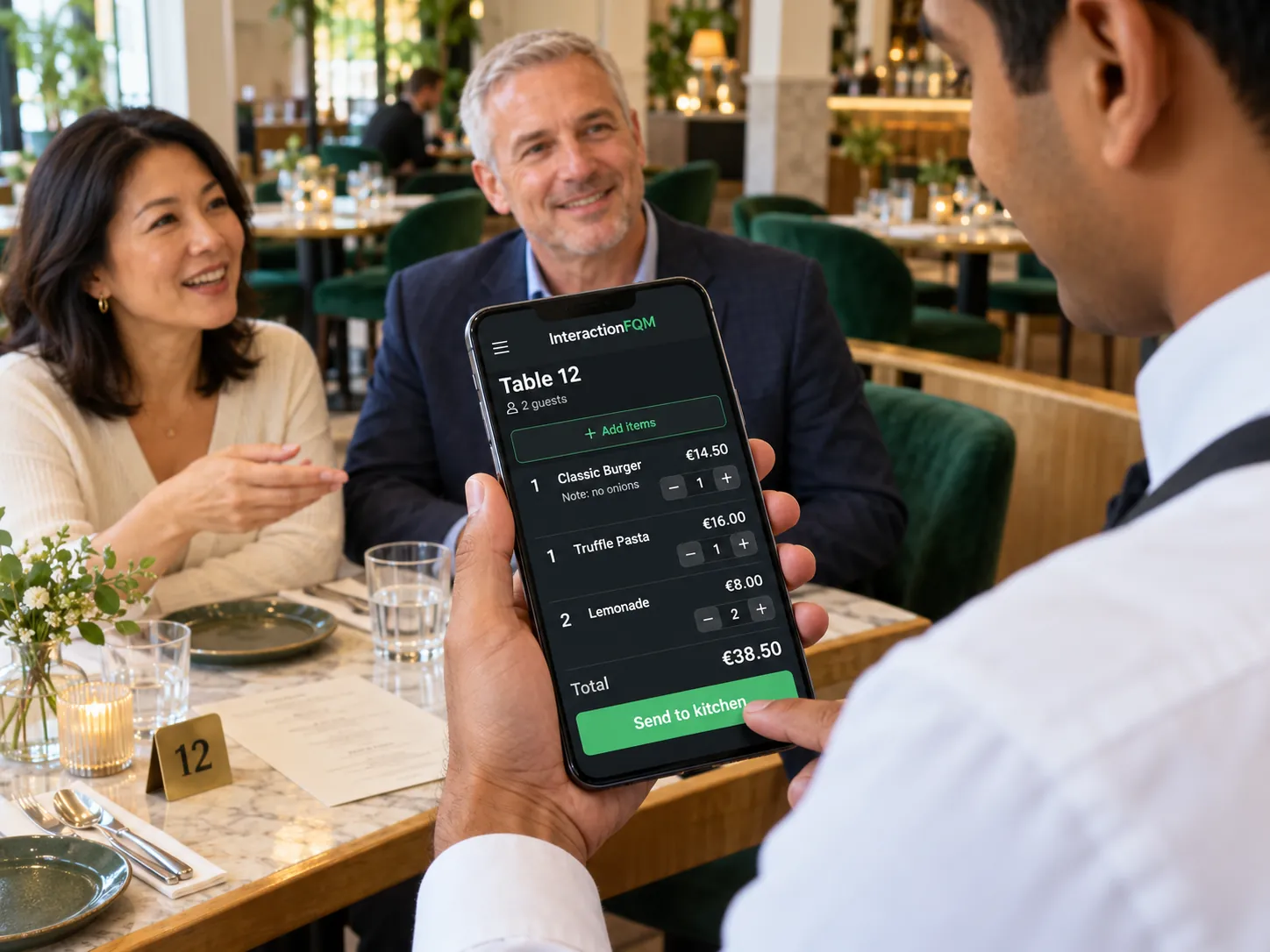
Waiters manage tables, send requests to the kitchen and see their shift results in one working interface.

For owners

Configure permissions, assign tables, and monitor cancellations and payments. Hand over open tables to a colleague at the end of a shift.

For guests and your team

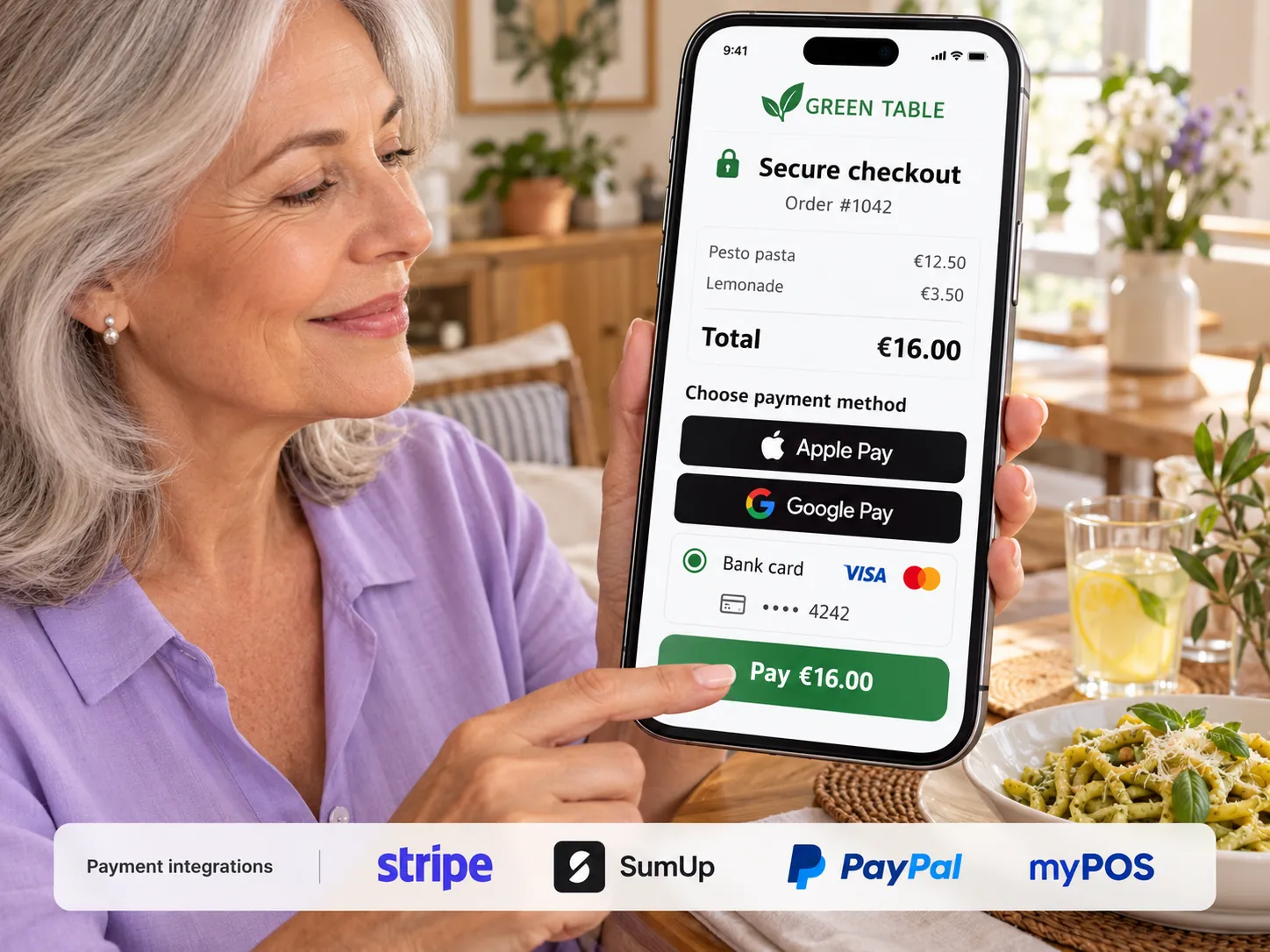
The team manages orders beside the guest. Guests can pay separately using the available methods.

How it works

  1. The waiter opens a shift

  2. They select a table and add an order

  3. They send dishes and guest requests to the kitchen

  4. They take payment together or separately

  5. They close the shift and see the totals

Module features

A waiter's workspace on their phone

  • Work from a phone or tablet in the browser or an installed PWA; push notifications can also appear on a locked screen when supported by the device and permitted by the user.
  • Notifications: waiter calls, new QR orders, bill requests, delivery, online payment and reviews
  • Interface in 26 languages, a built-in guide and a What's New screen
  • New orders appear in the waiter's work list

Dining areas, tables and guests

  • Floor plan by area: available and occupied tables, paid tables and table timers
  • Guests at a table: items by guest, adding guests and moving dishes between guests
  • Multiple bills at one table and bill merging
  • Move an order or dishes to another table, or move a table between dining areas
  • Only the waiter who took a table can manage it, when this setting is enabled
  • Assign tables to waiters

Taking orders and sending them to the kitchen

  • Serving order and comments for individual dishes or the whole order
  • Quick dish search, size-selection buttons and extras
  • An open-price item, such as a custom cake
  • Create and edit a dish directly from a phone — photo, price and portion size — subject to employee permissions
  • Out-of-stock dishes and individual options, with search
  • Cancel an item with a reason and print a cancellation ticket in the kitchen
  • Connection to iiko/Syrve and r_keeper POS: order, waiter name and comments
  • Dine-in / Takeaway per item, with Zum Mitnehmen on the ticket
  • Send a separate instruction to the kitchen for the second course

Payments and documents

  • Split bills: each guest pays with their own method and receives separate pre-bills and receipts
  • Bill change log, table reopening and payment-method changes
  • Print pre-bills manually or automatically when sending an order to the kitchen
  • Business hospitality receipt — Bewirtungsbeleg — for Germany
  • Change calculator, tips and QR payments through the venue's banks
  • Item and bill discounts subject to employee permissions
  • Gift certificate as a payment method
  • Keep the change button: change becomes a tip — coming soon
  • Z-report for venues operating in Germany; report and fiscal workflow configured for the POS in use.

Shifts, permissions and additional workflows

  • Shifts: opening and closing, handing orders to a colleague and automatic closing of a forgotten shift
  • Cash report by shift and waiter, with printing
  • Check entrance tickets using the camera
  • During a brief connection loss, the waiter's order is saved on the device and sent to the kitchen when the network returns. Internet access is required for operation; payments cannot be accepted offline.
  • Configurable role-based permissions matrix

Setup and conditions

  • Compatible phone or tablet and internet access
  • Dining areas, tables, employees and permissions
  • POS, printers and payment methods

Payment methods, printing and till integrations are configured for the venue’s equipment. An internet connection is required.

Frequently asked questions

What happens during a brief connection loss?

Internet access is required. The waiter's order is saved on the device and sent when the connection returns. Payments cannot be accepted offline.

Can we use our existing POS?

Connections are available for Syrve/iiko and r_keeper, and for Lightspeed through HubRise. The scope of data exchange is checked for your configuration.

See how it works for your venue

We will review your processes, demonstrate the features you need and help you choose modules. Setup and team training are free. Test the solution for 14 days, then decide whether to move to a paid plan.

Book a demo

Works with this product

See how the platform can work for your venue

In 20 minutes, we will show the features relevant to your business and answer your questions. Then we can discuss a 14-day free trial, with no deposit or obligation.

Book a demo