
For owners
Manage screens across all locations from one dashboard. Menus, prices and offers update automatically; the menu source connects to iiko/Syrve or HubRise.

Show menus, prices and offers on screens and manage content for all locations from one dashboard.
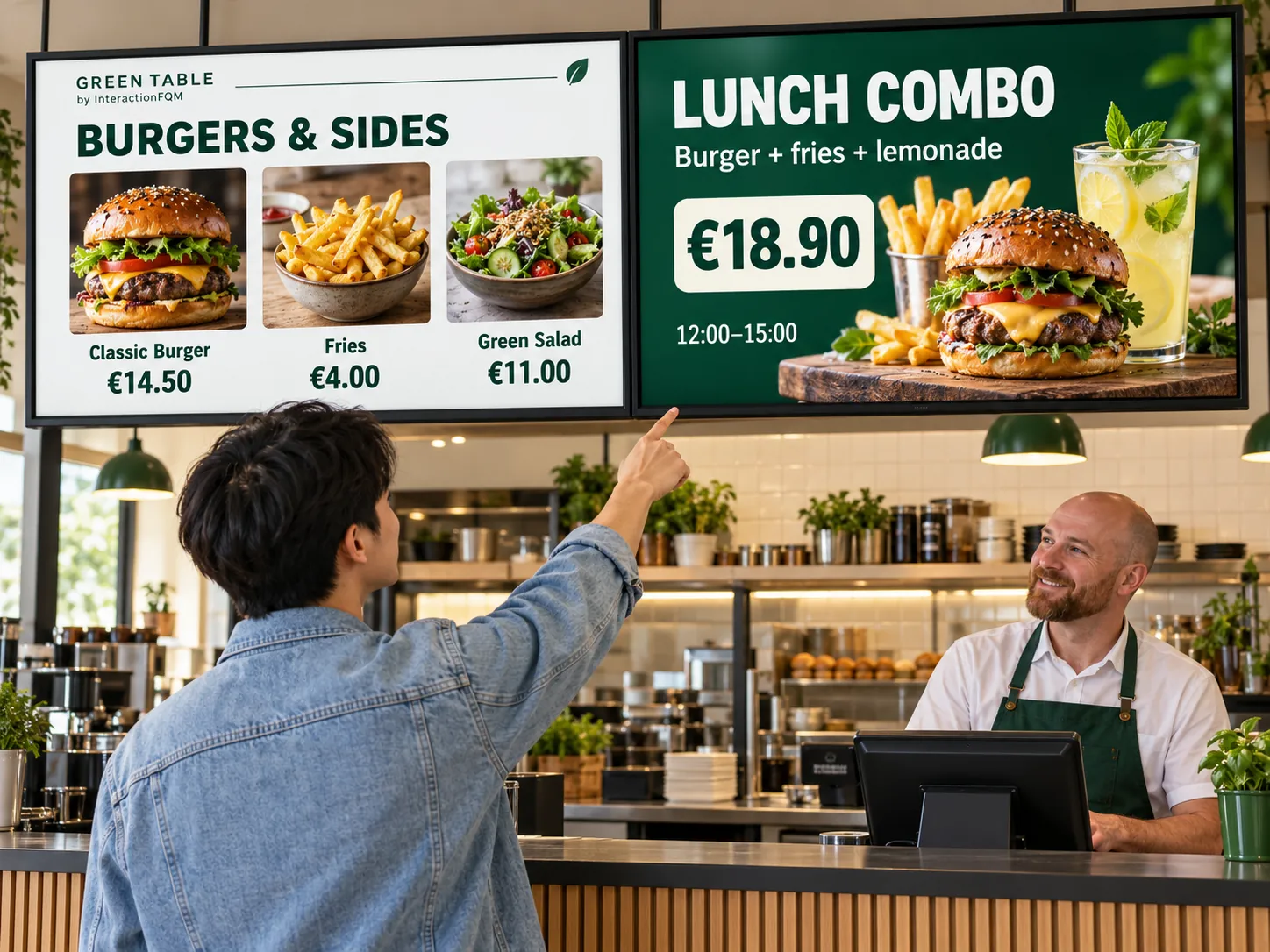
A screen helps present your selection and promotions where guests choose and collect orders.
Manage screens across all locations from one dashboard. Menus, prices and offers update automatically; the menu source connects to iiko/Syrve or HubRise.
Guests see an offer on screen and can open the menu using a QR code.
Choose the screen and its location
Set up the menu and offers
Connect the data source
Check what guests see
Compatible equipment is required for display. Centralised menu and promotion management is available; displaying the order queue on a physical screen is coming soon.
No. A menu board shows your range of products, while a pickup display shows order numbers. Combining them requires separate setup.
We will review your processes, demonstrate the features you need and help you choose modules. Setup and team training are free. Test the solution for 14 days, then decide whether to move to a paid plan.
Book a demo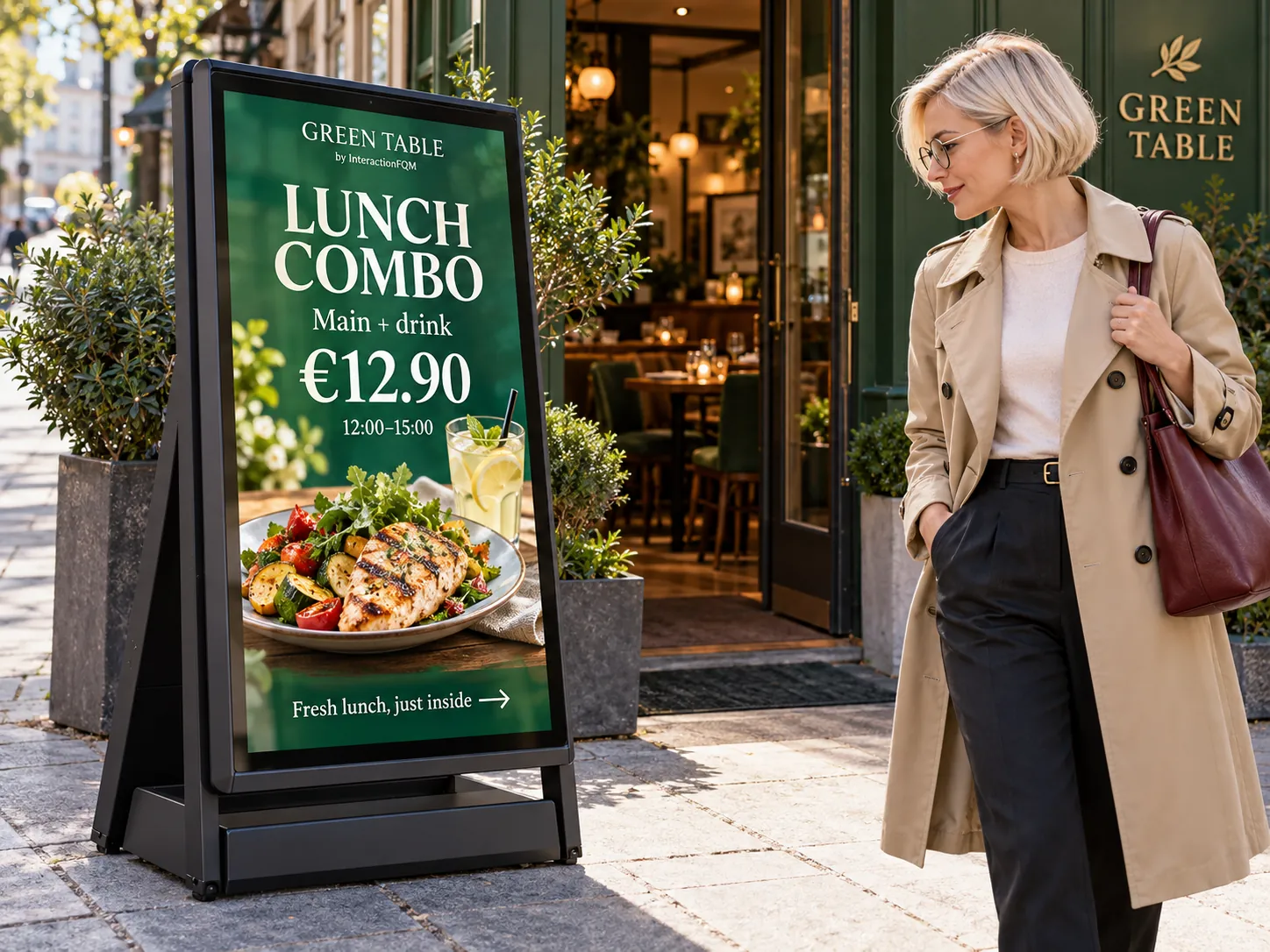
Show dishes, prices and offers on a digital A-board outside your entrance to introduce passers-by to your venue’s selection.
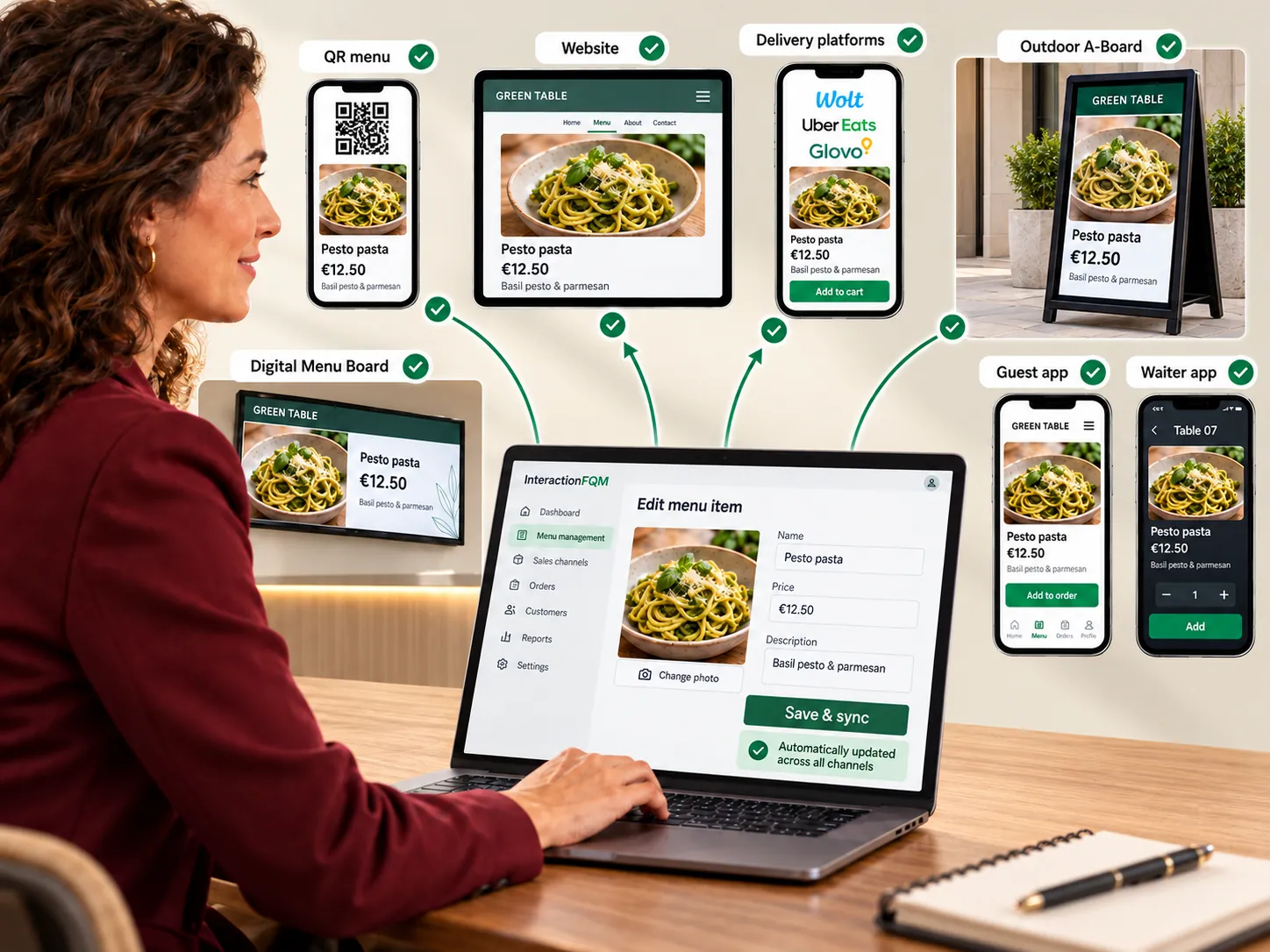
Update menus in one place for connected channels.
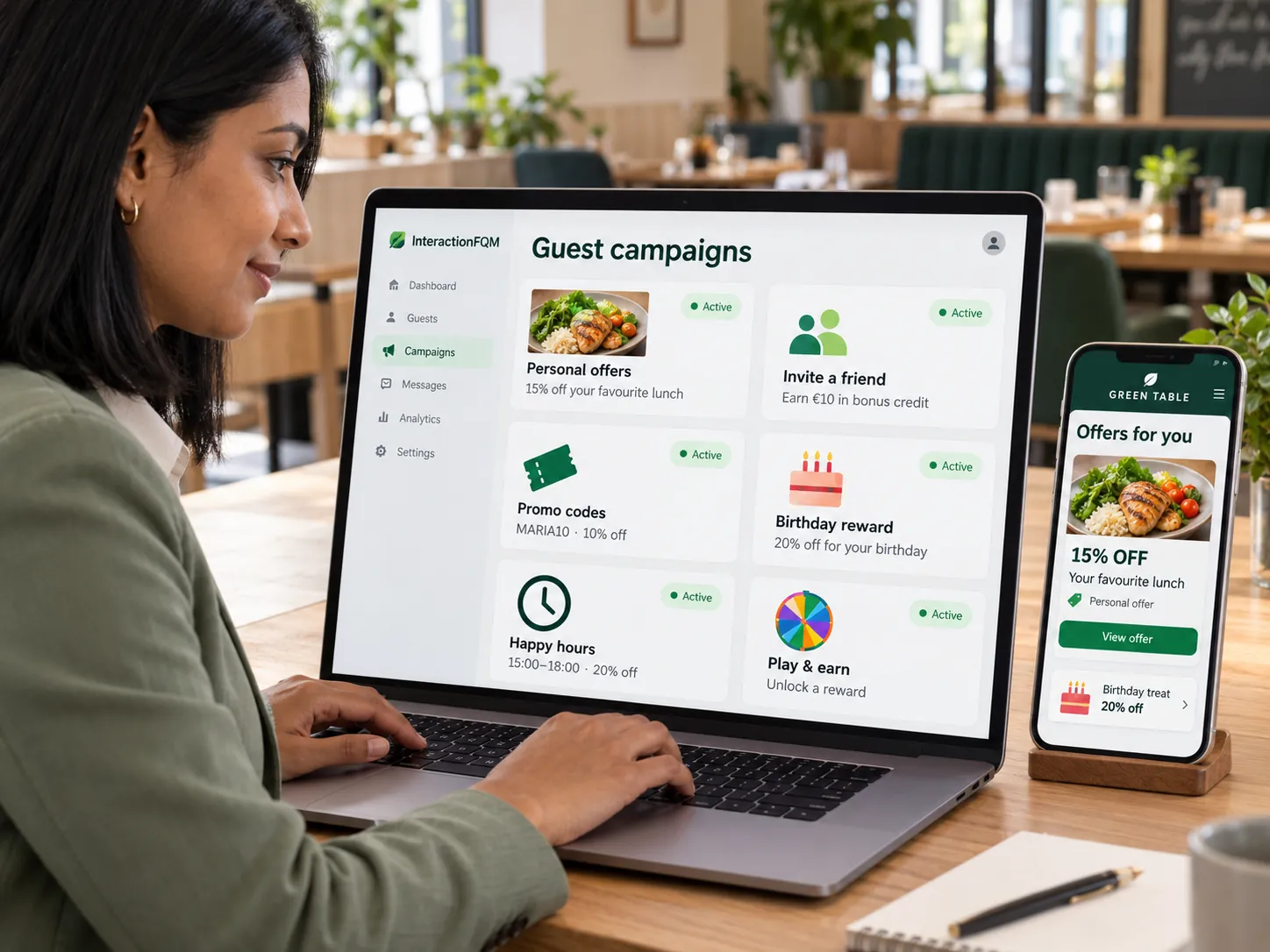
Create promotions, combos and personalised offers, show them at the right time and guide guests towards an order.
In 20 minutes, we will show the features relevant to your business and answer your questions. Then we can discuss a 14-day free trial, with no deposit or obligation.
Book a demo