
For owners
Configure network information sharing or connection through a guest portal, limit access time and track repeat visits.

Help guests connect to Wi-Fi, manage access duration and track connections and repeat visits.
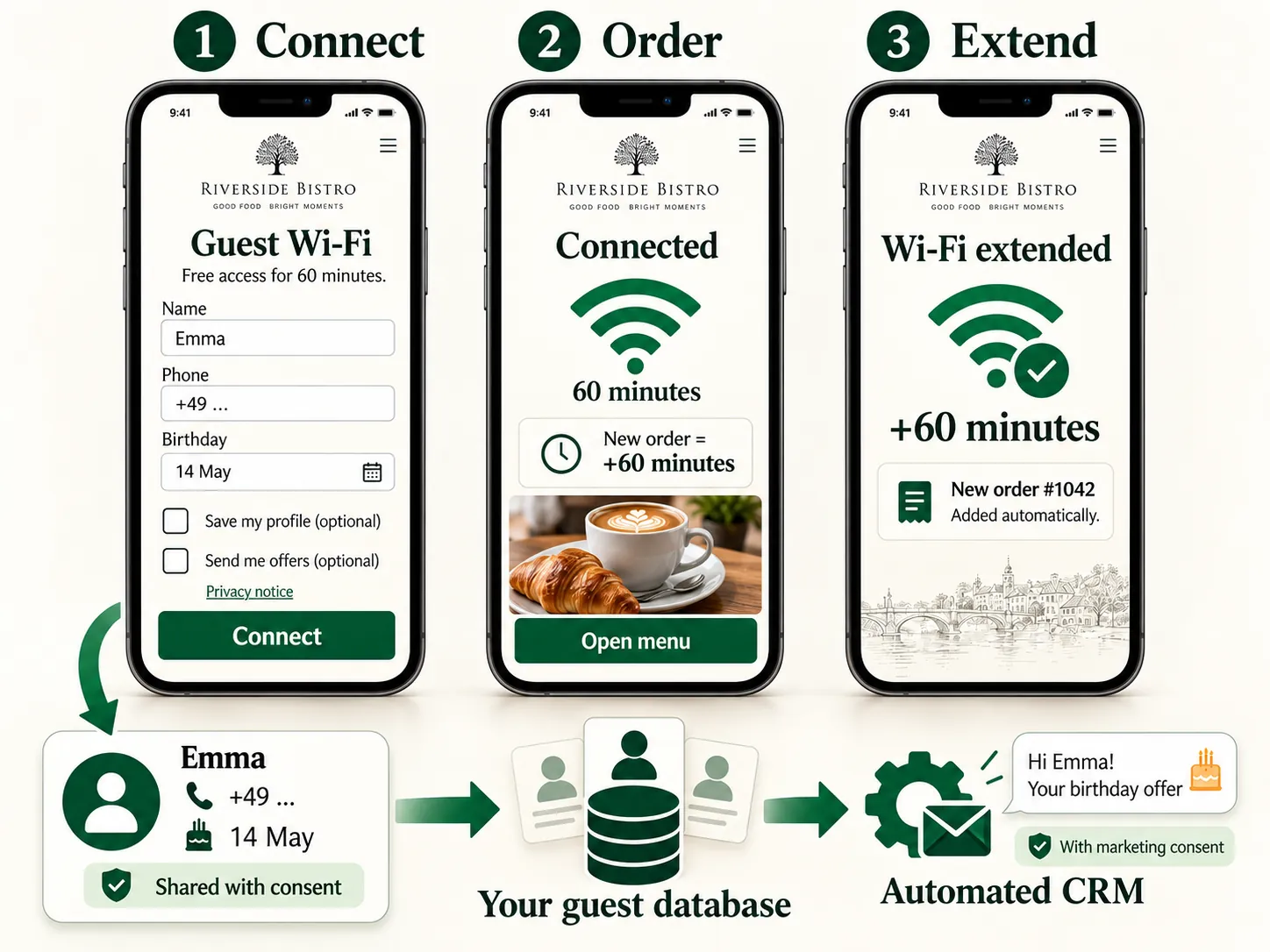
Network information is available alongside the menu, so guests do not need to ask staff for the password separately.
Configure network information sharing or connection through a guest portal, limit access time and track repeat visits.
Guests find connection details in the menu; staff need to share the password less often.
The guest opens the table page
They find the Wi-Fi section
They connect using an available method
Managing access through a guest portal requires compatible network equipment.
No. Showing network details and managing guest access are different connection options.
We will review your processes, demonstrate the features you need and help you choose modules. Setup and team training are free. Test the solution for 14 days, then decide whether to move to a paid plan.
Book a demo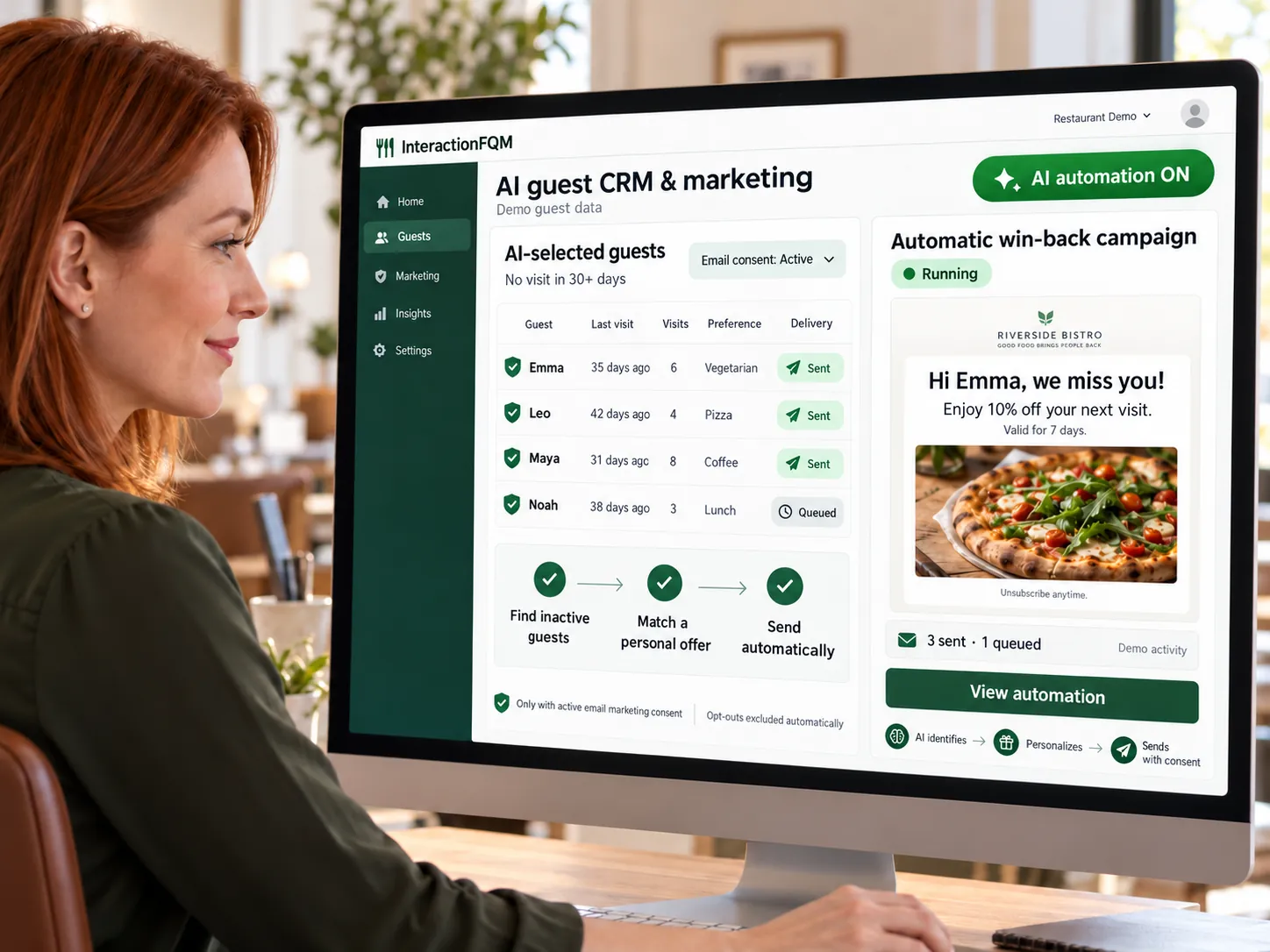
A unified guest database from your website, QR menu, app and Wi-Fi: contacts, orders, preferences, rewards and consents.
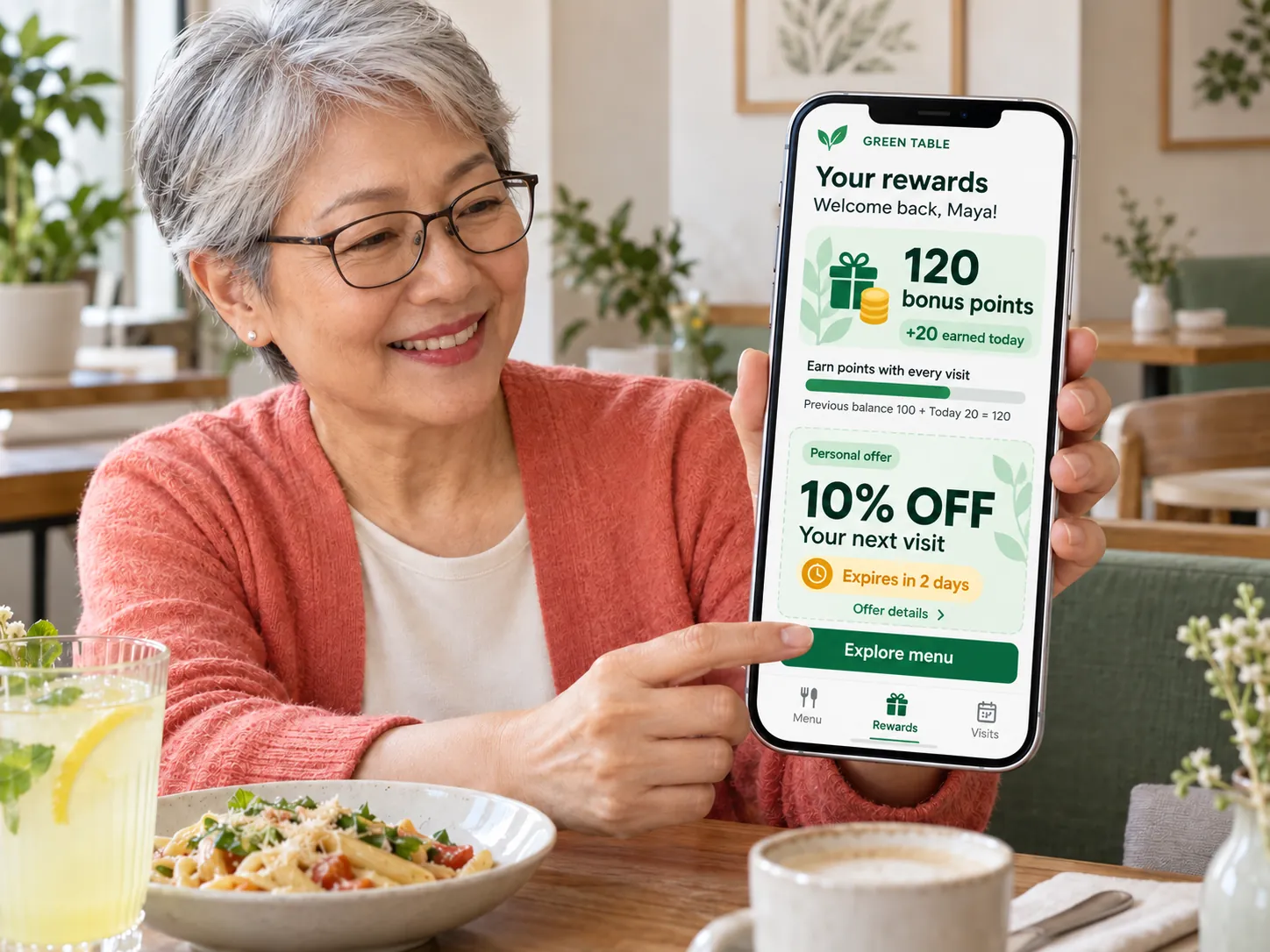
Help guests return with rewards for their next visit, guest cards, offers and referrals to friends.
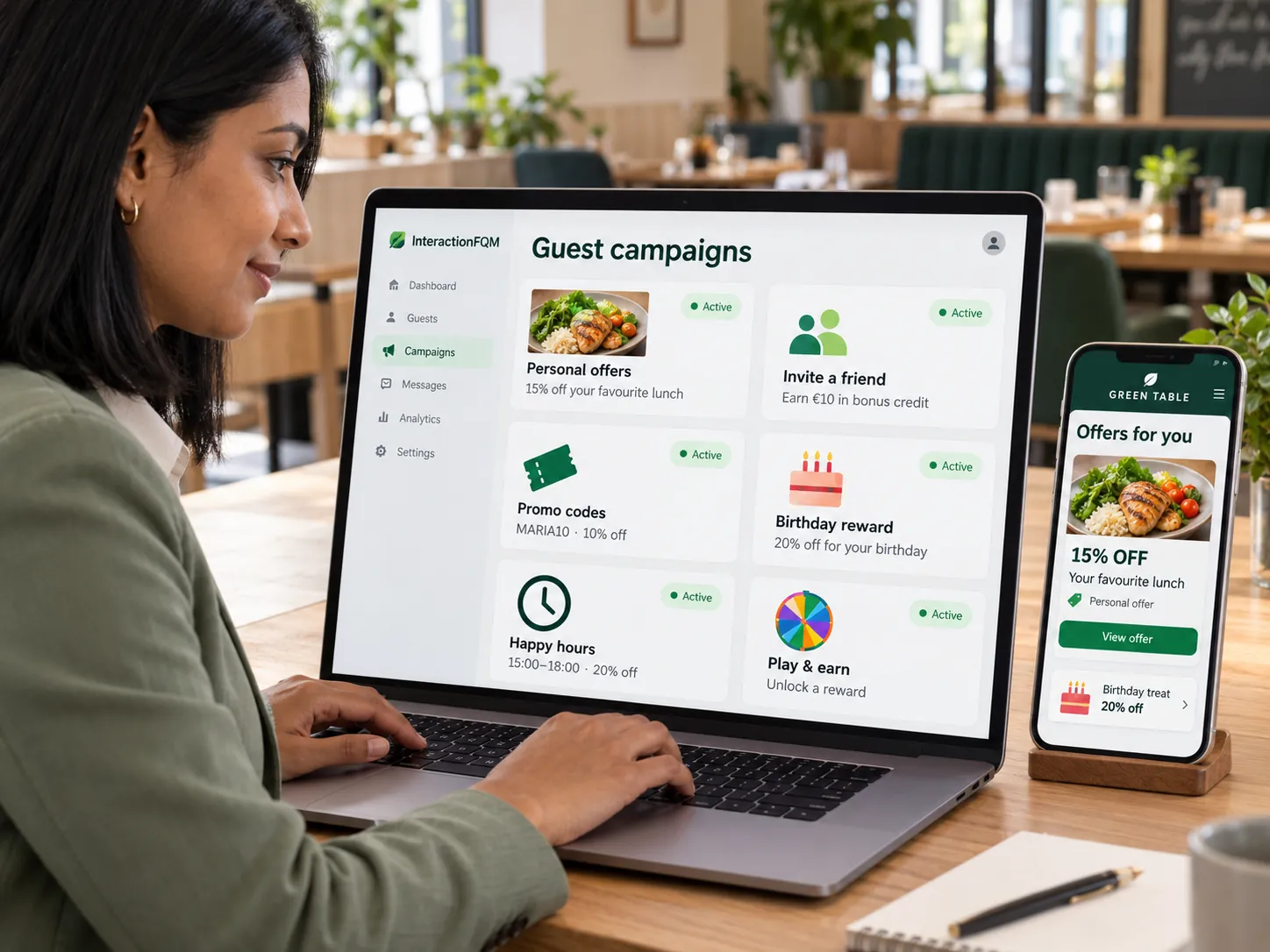
Create promotions, combos and personalised offers, show them at the right time and guide guests towards an order.
In 20 minutes, we will show the features relevant to your business and answer your questions. Then we can discuss a 14-day free trial, with no deposit or obligation.
Book a demo