INTERACTIONFQM

QR menu

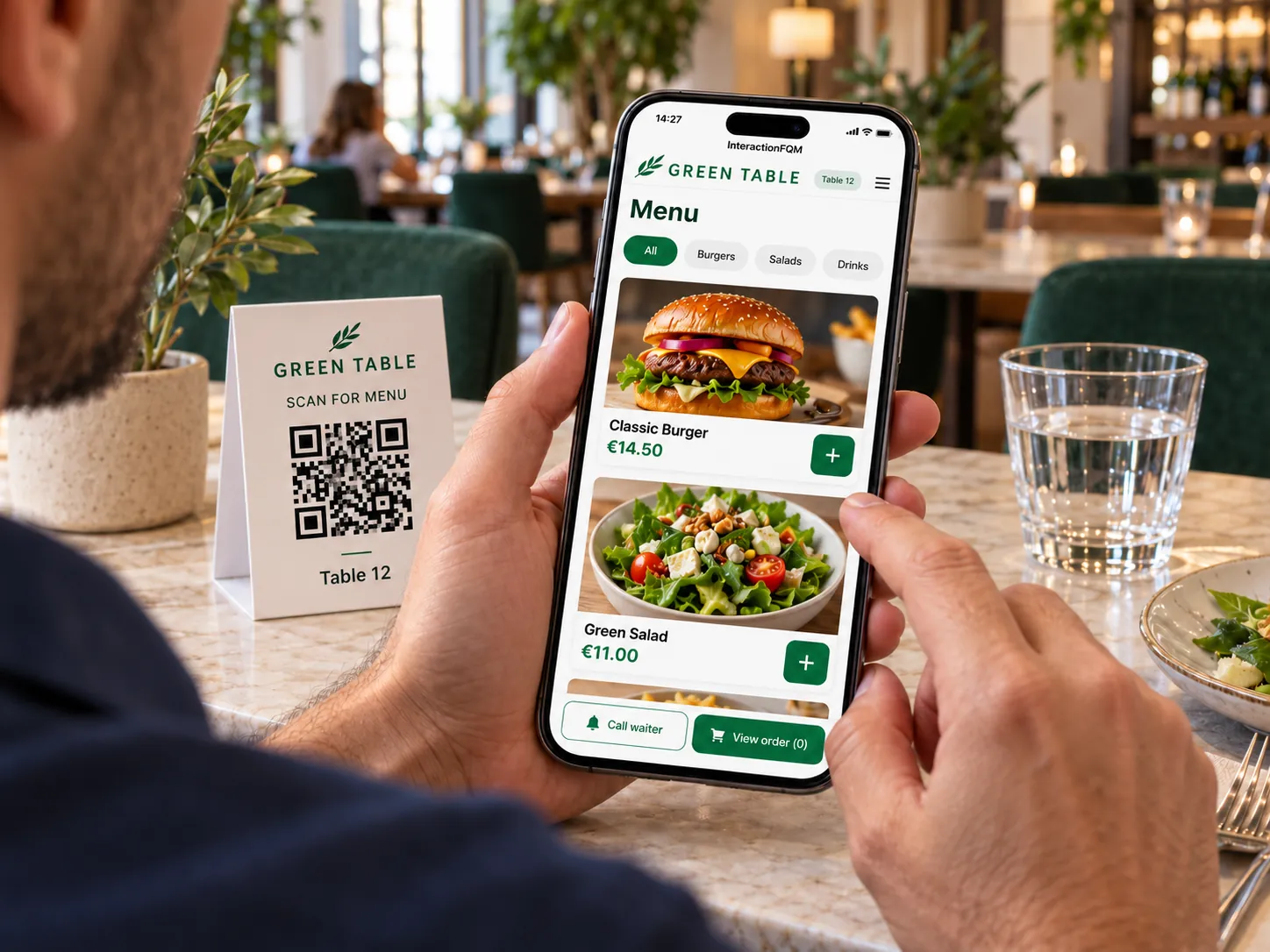
Guests choose dishes, specify preferences and place orders from their phones.

QR menu — Guests choose dishes, specify preferences and place orders from their phones.

What it brings to your venue

A clear menu helps guests choose dishes and share preferences without repeated questions. Changes to the selection appear in the digital menu.

For owners

Manage prices and the availability of dishes and individual add-ons. Adjust the menu layout and button labels to your format.

For guests and your team

Guests see ingredients, portion sizes and options; the team receives selected add-ons with the order.

How it works

  1. The guest scans the QR code

  2. They choose dishes and extras

  3. They add preferences and send the order

  4. They track the status on their phone

Module features

Help guests choose a dish

  • Automatic menu translation into the guest's phone language, with a language switcher in the header
  • Nutrition information: calories on the card; protein, fat and carbohydrates on the dish page and in the basket
  • Portion volume and weight: g, ml, l, oz, glass or bottle
  • Dish labels such as Spicy, Vegan and Popular, plus the venue's own tags
  • Contains alcohol label
  • Menu search
  • Every dish has its own page and shareable link

Variants, extras and upselling

  • Dish sizes and variants, such as 0.3/0.5 l or S/M/L, with different prices
  • A photo and description for each modifier option
  • Frequently ordered together recommendations and Digital Waiter upselling pop-ups
  • Lunch Specials section on the homepage
  • Happy hours: discounts on selected dishes during a set time
  • Discounts and blogger promo codes
  • Remaining portions shown on the dish, such as Only 2 left

Ordering at the table and team workflows

  • Table basket: comments for each dish and serving preference — all together or as ready
  • Table orders go to the waiter and kitchen; guests see status updates without reloading
  • A separate table page accessed by QR code, with appearance configured by the venue
  • Table sessions are time-limited: to continue, the guest rescans the QR code with the camera directly in the menu.
  • Out-of-stock list: a dish or individual option, such as almond milk, immediately disappears from the menu

A menu in your style and on your schedule

  • Scheduled categories: breakfast, lunch and evening menu
  • Table QR sticker design
  • Printable menu
  • Number of dishes per row, category backgrounds and a sound when adding to the basket
  • Custom button text and labels, such as Services instead of Dishes

After the order

  • Post-order reviews and a reward for feedback, regardless of whether the rating is positive or negative.
  • Business hospitality receipt — Bewirtungsbeleg — for Germany

Setup and conditions

  • Menu with accurate ingredients and allergen information
  • Tables and order acceptance rules
  • Connected kitchen, payment and waiter-call modules

Orders, payments, rewards and fiscal documents work through the relevant connected modules.

Frequently asked questions

Does the guest need to install an app?

No. The menu opens in the phone's browser.

Can just an unavailable extra be removed?

Yes. The out-of-stock list applies to dishes and individual options, such as a type of milk.

See how it works for your venue

We will review your processes, demonstrate the features you need and help you choose modules. Setup and team training are free. Test the solution for 14 days, then decide whether to move to a paid plan.

Book a demo

Works with this product

See how the platform can work for your venue

In 20 minutes, we will show the features relevant to your business and answer your questions. Then we can discuss a 14-day free trial, with no deposit or obligation.

Book a demo